Service Mesh: Istio
개요
- Website
- GitHub
- Istio
- ‘돛’을 뜻하는 그리스어
- 분산 애플리케이션에 투명하게 계층화되는 오픈 소스 서비스 메시
- 개발자와 운영자가 분산 또는 마이크로서비스 아키텍처에서 직면하는 문제를 해결
- 서비스를 보호, 연결 및 모니터링하는 균일하고 효율적인 방법을 제공
- 서비스 코드 변경이 거의 또는 전혀 없이 로드 밸런싱, 서비스 간 인증 및 모니터링을 위한 경로
- 라이센스
- Apache License 2.0
- 기능
- TLS 암호화, 강력한 ID 기반 인증 및 권한 부여를 통해 클러스터에서 안전한 서비스 간 통신
- HTTP, gRPC, WebSocket 및 TCP 트래픽에 대한 자동 로드 밸런싱
- 풍부한 라우팅 규칙, 재시도, 장애 조치 및 결함 주입으로 트래픽 동작을 세밀하게 제어
- 액세스 제어, 속도 제한 및 할당량을 지원하는 플러그형 정책 레이어 및 구성 API
- 클러스터 수신 및 송신을 포함하여 클러스터 내의 모든 트래픽에 대한 자동 메트릭, 로그 및 추적
- 동작 원리
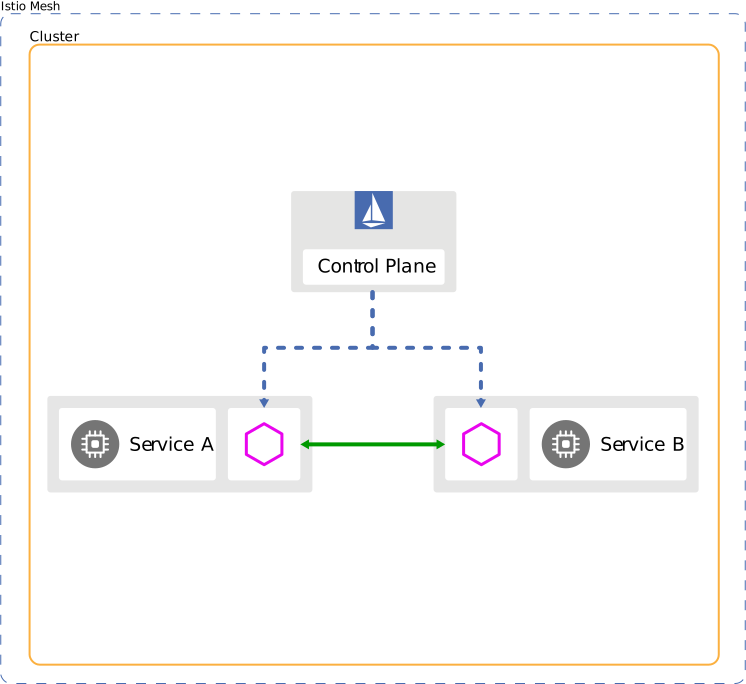
Service A<->Envoy proxy<->Istio control plane<->Envoy proxy<->Service B
- 쿠버네티스 뿐만 아니라 가상 머신, 베어 메탈도 지원
개념
- 트래픽 관리
- 트래픽 라우팅 규칙을 사용하여 서비스 간의 트래픽 흐름 및 API 호출을 쉽게 제어
- 회로 차단기, 시간 초과 및 재시도와 같은 서비스 수준 속성의 구성을 단순화
- A/B 테스트, 카나리 배포 및 백분율 기반 트래픽 분할을 통한 단계적 출시와 같은 중요한 작업을 쉽게 설정
- 종속 서비스 또는 네트워크의 장애에 대해 애플리케이션의 복원력을 높이는 데 도움이 되는 즉시 사용 가능한 안정성 기능을 제공
- 가상 서비스
- 서비스 메시 내의 서비스로 요청을 라우팅하는 방법을 구성
- 각 가상 서비스는 순서대로 평가되는 일련의 라우팅 규칙으로 구성
- 가상 서비스에 대한 각 요청을 메시 내의 특정 실제 대상과 매칭
- 사용 사례에 따라 메시에 여러 가상 서비스가 필요하거나 전혀 필요하지 않을 수 있음
- 가상 서비스가 없으면 라운드 로빈 로드 밸런싱을 사용하여 트래픽을 분산
- 가상 서비스의 트래픽을 적절한 대상으로 보내는 방법을 Envoy에 알려주는 가상 서비스의 라우팅 규칙을 사용
- 경로 대상은 동일한 서비스의 버전이거나 완전히 다른 서비스 일 수 있음
- 예시
- 요청이 특정 사용자의 요청인지 여부에 따라 다양한 버전의 서비스로 가중치 비율로 요청을 라우팅
- 설정
- 요청이 특정 사용자의 요청인지 여부에 따라 다양한 버전의 서비스로 가중치 비율로 요청을 라우팅
                apiVersion: networking.istio.io/v1alpha3
                kind: VirtualService
                metadata:
                  name: reviews
                spec:
                  hosts:
                  - reviews
                  http:
                  - match:
                    - headers:
                        end-user:
                          exact: jason
                    route:
                    - destination:
                        host: reviews
                        subset: v2
                      weight: 75
                  - route:
                    - destination:
                        host: reviews
                        subset: v3
                      weight: 25
   - uri에 따라 다른 서비스로 요청을 라우팅
     - 설정
                apiVersion: networking.istio.io/v1alpha3
                kind: VirtualService
                metadata:
                  name: bookinfo
                spec:
                  hosts:
                    - bookinfo.com
                  http:
                  - match:
                    - uri:
                        prefix: /reviews
                    route:
                    - destination:
                        host: reviews
                  - match:
                    - uri:
                        prefix: /ratings
                    route:
                    - destination:
                        host: ratings
- 목적지 규칙(Destination rules)
- 가상 서비스는 트래픽을 지정된 대상으로 라우팅
- 목적지 규칙을 사용하여 해당 대상의 트래픽을 제어
- 목적지 규칙은 가상 서비스 라우팅 규칙 적용 이후에 적용되므로 실제 대상에 적용되는 규칙
- 서비스 하위 집합 지정 가능
- 지정된 서비스의 모든 인스턴스를 버전별로 그룹화하고 가상 서비스의 라우팅 규칙에서 인스턴스에 대한 트래픽을 제어
- 특정 서비스 하위 집합을 호출할 때 Envoy의 트래픽 정책을 사용자 지정 가능
- 로드 벨런싱 옵션
- Random, Weighted, Least requests
- 예시
- 서로 다른 로드 밸런싱 정책을 사용하여 대상 서비스에 대해 세 가지 다른 하위 집합을 구성
            apiVersion: networking.istio.io/v1alpha3
            kind: DestinationRule
            metadata:
              name: my-destination-rule
            spec:
              host: my-svc
              trafficPolicy:
                loadBalancer:
                  simple: RANDOM
              subsets:
              - name: v1
                labels:
                  version: v1
              - name: v2
                labels:
                  version: v2
                trafficPolicy:
                  loadBalancer:
                    simple: ROUND_ROBIN
              - name: v3
                labels:
                  version: v3
- 게이트웨이
- 메시에 대한 인바운드 및 아웃바운드 트래픽을 관리하여 메시에 들어오거나 나갈 트래픽을 지정
- 구성은 서비스 워크로드와 함께 실행되는 사이드카 Envoy 프록시가 아니라 메시 에지에서 실행되는 독립 실행형 Envoy 프록시에 적용
- 주로 수신 트래픽을 관리하는 데 사용되지만 송신 게이트웨이도 구성 가능
- 메시를 나가는 트래픽에 대한 전용 출구 노드를 구성할 수 있으므로 외부 네트워크에 액세스할 수 있거나 액세스해야 하는 서비스를 제한하거나 메시에 보안을 추가하기 위해 송신 트래픽을 안전하게 제어
- 순수한 내부 프록시 구성 가능
- 사전 구성된 게이트웨이 프록시 배포(istio-ingressgateway 및 istio-egressgateway)를 제공
- 예시
- 외부 HTTPS 수신 트래픽에 대해 가능한 게이트웨이 구성
            apiVersion: networking.istio.io/v1alpha3
            kind: Gateway
            metadata:
              name: ext-host-gwy
            spec:
              selector:
                app: my-gateway-controller
              servers:
              - port:
                  number: 443
                  name: https
                  protocol: HTTPS
                hosts:
                - ext-host.example.com
                tls:
                  mode: SIMPLE
                  credentialName: ext-host-cert
- 게이트웨이가 의도한 대로 작동하려면 게이트웨이도 가상 서비스에 바인딩해야 함
            apiVersion: networking.istio.io/v1alpha3
            kind: VirtualService
            metadata:
              name: virtual-svc
            spec:
              hosts:
              - ext-host.example.com
              gateways:
              - ext-host-gwy
- 그런 다음 외부 트래픽에 대한 라우팅 규칙을 사용하여 가상 서비스를 구성
- 서비스 항목
- 서비스 항목 을 사용하여 Istio가 내부적으로 유지 관리하는 서비스 레지스트리에 항목을 추가
- 서비스 항목을 추가한 후 Envoy 프록시는 마치 메시의 서비스인 것처럼 서비스에 트래픽을 보내는 것이 가능해짐
- 메시 외부에서 실행되는 서비스에 대한 트래픽을 관리
- 기본적으로 Istio는 알 수 없는 서비스에 요청을 전달하도록 Envoy 프록시를 구성하지만 트래픽 제어는 불가능
- 예시
- Istio의 서비스 레지스트리에 ext-svc.example.com 외부 종속성을 추가
apiVersion: networking.istio.io/v1alpha3
kind: ServiceEntry
metadata:
name: svc-entry
spec:
hosts:
- ext-svc.example.com
[O ports:
- number: 443
name: https
protocol: HTTPS
location: MESH_EXTERNAL
resolution: DNS
- 메시의 다른 서비스에 대한 트래픽을 구성하는 것과 동일한 방식으로 서비스 항목에 대한 트래픽을 제어하도록 가상 서비스 및 목적지 규칙을 구성 가능
            apiVersion: networking.istio.io/v1alpha3
            kind: DestinationRule
            metadata:
              name: ext-res-dr
            spec:
              host: ext-svc.example.com
              trafficPolicy:
                tls:
                  mode: MUTUAL
                  clientCertificate: /etc/certs/myclientcert.pem
                  privateKey: /etc/certs/client_private_key.pem
                  caCertificates: /etc/certs/rootcacerts.pem
- 사이드카
- Envoy 프록시가 허용하는 포트 및 프로토콜 집합을 미세 조정
- Envoy 프록시가 도달할 수 있는 서비스 집합을 제한
- 예시
- bookinfo 네임스페이스의 모든 서비스가 동일한 네임스페이스 및 Istio 컨트롤 플레인(Istio의 송신 및 원격 측정 기능에 필요)에서 실행되는 서비스에만 도달하도록 구성
            apiVersion: networking.istio.io/v1alpha3
            kind: Sidecar
            metadata:
              name: default
              namespace: bookinfo
            spec:
              egress:
              - hosts:
                - "./*"
                - "istio-system/*"
- 타임아웃
- Envoy 프록시가 주어진 서비스의 응답을 기다려야 하는 시간
- 서비스가 응답을 무한정 기다리지 않고 예측 가능한 시간 프레임 내에서 호출이 성공하거나 실패하도록 함
- 기본적으로 비활성화
- 예시
            apiVersion: networking.istio.io/v1alpha3
            kind: VirtualService
            metadata:
              name: ratings
            spec:
              hosts:
              - ratings
              http:
              - route:
                - destination:
                    host: ratings
                    subset: v1
                timeout: 10s
- 재시도
- 초기 호출이 실패한 경우 Envoy 프록시가 서비스에 연결을 시도하는 최대 횟수
- 일시적으로 과부하된 서비스 또는 네트워크와 같은 일시적인 문제로 인해 호출이 영구적으로 실패하지 않도록 하여 서비스 가용성과 애플리케이션 성능을 향상
- 재시도 간격(25ms+)은 가변적이며 Istio에 의해 자동으로 결정되어 호출된 서비스가 요청으로 압도되는 것을 방지
- HTTP 요청에 대한 기본 재시도 동작은 오류를 반환하기 전에 두 번 재시도하는 것
- 재시도가 서비스에 성공적으로 연결될 때까지 기다릴 시간을 지정하여 재시도당 시간 초과를 추가하여 구체화 가능
- 예시
- 초기 호출 실패 후 최대 3번의 재시도를 2초의 타임아웃으로 구성
            apiVersion: networking.istio.io/v1alpha3
            kind: VirtualService
            metadata:
              name: ratings
            spec:
              hosts:
              - ratings
              http:
              - route:
                - destination:
                    host: ratings
                    subset: v1
                retries:
                  attempts: 3
                  perTryTimeout: 2s
- 회로 차단기(Circuit breakers)
- 동시 연결 수 또는 이 호스트에 대한 호출이 실패한 횟수와 같이 서비스 내의 개별 호스트에 대한 호출에 대한 제한을 설정
- 해당 제한에 도달하면 추가 연결을 중지
- 클라이언트가 과부하 또는 장애가 발생한 호스트에 연결을 시도하는 대신 빠른 장애 발생이 가능
- 로드 밸런싱 풀의 “실제” 메시 대상에 적용되므로 서비스의 각 개별 호스트에 적용되는 설정으로 목적지 규칙에서 회로 차단기 임계값을 구성
- 예시
- 동시 연결 수를 100으로 제한
            apiVersion: networking.istio.io/v1alpha3
            kind: DestinationRule
            metadata:
              name: reviews
            spec:
              host: reviews
              subsets:
              - name: v1
                labels:
                  version: v1
                trafficPolicy:
                  connectionPool:
                    tcp:
                      maxConnections: 100
- 결함 주입(Fault Injection)
- 시스템이 오류 조건을 견디고 복구할 수 있는지 확인하기 위해 시스템에 오류를 도입하는 테스트 방법
- 장애 복구 정책을 포함하여 네트워크를 구성한 후 장애 주입 메커니즘을 사용하여 전체 애플리케이션의 장애 복구 용량 테스트 가능
- 패킷 지연 또는 네트워크 계층에서 포드 종료와 같은 오류를 도입하는 다른 메커니즘과 달리 애플리케이션 계층에서 오류를 주입 가능
- 가상 서비스를 사용하여 구성된 두 가지 유형의 결함을 주입 가능
- Delays, Aborts
- 예시
- 요청 1000건 중 1건에 대해 5초 지연
            apiVersion: networking.istio.io/v1alpha3
            kind: VirtualService
            metadata:
              name: ratings
            spec:
              hosts:
              - ratings
              http:
              - fault:
                  delay:
                    percentage:
                      value: 0.1
                    fixedDelay: 5s
                route:
                - destination:
                    host: ratings
                    subset: v1
- 애플리케이션 주의사항
- Istio 장애 복구 기능은 애플리케이션에 완전히 투명
- 애플리케이션은 Envoy 사이드카 프록시가 호출된 서비스에 대한 실패를 처리하고 있는지 알 수 없음
- 애플리케이션 코드에서 오류 복구 정책도 설정하는 경우 둘 다 독립적으로 작동하므로 충돌 가능
- 애플리케이션이 타임아웃 2초, 가상 서비스가 1번의 재시도와 3초 타임아웃일 경우 애플리케이션 타임아웃이 먼저 시작되고 가상 서비스 설정은 무용지물
- 로드 밸런싱 풀의 모든 인스턴스가 실패하면 Envoy는 HTTP 503 코드를 반환하므로 애플리케이션은 503 코드를 처리하는 fallback 로직을 구현해야 함
- 보안
- 모놀리식 애플리케이션을 마이크로서비스로 분해하면 더 나은 민첩성, 더 나은 확장성, 더 나은 서비스 재사용 기능을 비롯한 다양한 이점 발생
- 마이크로서비스에는 특정 보안 요구 사항 존재
- 메시지 가로채기(man-in-the-middle) 공격에 대한 보호
- 유연한 서비스 액세스 제어
- 감사 도구
- 강력한 ID, 강력한 정책, 투명한 TLS 암호화, AAA(인증, 권한 부여 및 감사) 도구를 제공하여 서비스와 데이터를 보호
- 목표
- 기본 보안
- 애플리케이션 코드 및 인프라를 변경할 필요 없음
- 심층 방어
- 기존 보안 시스템과 통합하여 다중 방어 계층 제공
- 제로 트러스트 네트워크
- 신뢰할 수 없는 네트워크에 보안 솔루션 제공
- 기본 보안
- 아이덴티티
- 아이덴티티는 모든 보안 인프라의 기본 개념
- 통신이 시작될 때 상호인증을 위해 자격 증명을 자신의 아이덴티티 정보와 교환
- 클라이언트
- 서버의 아이덴티티가 승인된 실행자인지 확인
- 서버
- 권한 부여 정책에 따라 클라이언트가 접근할 수 있는 정보를 결정
- 누가 언제 무엇에 접근했는지 감사
- 작업량에 따라 클라이언트에게 요금을 부과
- 요금을 지불하지 않은 클라이언트 거부
- X.509 인증서를 사용하여 모든 아이덴티티를 안전하게 프로비저닝
- Envoy 프록시와 함께 실행되는 Istio agents가 istiod와 연동하여 키 및 인증서 교체를 자동화
- Mutual TLS
- 프록시 간 TLS 통신
- Permissive mode
- 일반 텍스트와 Mutual TLS 트래픽을 모두 허용
- Secure naming
- 서버 아이덴티티는 인증서로 인코딩
- 서비스 이름은 검색 서비스 또는 DNS를 통해 검색
- Secure naming 정보는 서버 아이덴티티를 서비스 이름에 매핑
- 서비스 이름 B에 대한 아이덴티티 A 매핑은 A가 B 서비스를 실행할 권한이 있음을 의미
- 인증 정책(Authentication policies)
- 서비스가 수신하는 요청에 적용
- 업데이트 시 유의사항
- 거의 실시간으로 새 정책을 워크로드에 푸시하지만 100% 보장할 수는 없음
- DISABLE <-> STRICT 변경 시 중간에 PERMISSIVE 모드를 사용하여 단계 별 전환 권장
- 예시
- app:reviews 레이블이 있는 워크로드에 대한 전송 인증이 상호 TLS를 사용해야 함을 지정
        apiVersion: security.istio.io/v1beta1
        kind: PeerAuthentication
        metadata:
          name: "example-peer-policy"
          namespace: "foo"
        spec:
          selector:
            matchLabels:
              app: reviews
          mtls:
            mode: STRICT
- 승인 정책(Authorization policies)
- 서버 측 프록시의 인바운드 트래픽에 대해 액세스 제어
- 각 프록시는 런타임에 요청을 승인하는 승인 엔진을 실행
- 승인 엔진은 요청이 프록시에 올 때 승인 정책에 따라 평가하고 결과(ALLOW 또는 DENY)를 반환
- 거부 정책이 허용 정책보다 우선
- 예시
cluster.local/ns/default/sa/sleep서비스 계정과 dev 네임스페이스가 액세스할 수 있도록 허용하는 승인 정책
            apiVersion: security.istio.io/v1beta1
            kind: AuthorizationPolicy
            metadata:
             name: httpbin
             namespace: foo
            spec:
             selector:
               matchLabels:
                 app: httpbin
                 version: v1
             action: ALLOW
             rules:
             - from:
               - source:
                   principals: ["cluster.local/ns/default/sa/sleep"]
               - source:
                   namespaces: ["dev"]
               to:
               - operation:
                   methods: ["GET"]
               when:
               - key: request.auth.claims[iss]
                 values: ["https://accounts.google.com"]
- foo 네임스페이스가 아닌 경우 요청을 거부하는 승인 정책
            apiVersion: security.istio.io/v1beta1
            kind: AuthorizationPolicy
            metadata:
             name: httpbin-deny
             namespace: foo
            spec:
             selector:
               matchLabels:
                 app: httpbin
                 version: v1
             action: DENY
             rules:
             - from:
               - source:
                   notNamespaces: ["foo"]
 - 일반 TCP 프로토콜에서 Istio 승인 사용
   - MongoDB와 같은 일반 TCP 프로토콜을 사용하는 워크로드를 지원
   - HTTP 워크로드에 대해 수행한 것과 동일한 방식으로 승인 정책을 구성
   - 차이점은 특정 필드와 조건(request_principals, hosts, methods, paths)이 HTTP 워크로드에만 적용
   - 예시
     - bookinfo-ratings-v2 서비스만 MongoDB 워크로드에 액세스할 수 있도록하는 승인 정책
                apiVersion: security.istio.io/v1beta1
                kind: AuthorizationPolicy
                metadata:
                  name: mongodb-policy
                  namespace: default
                spec:
                 selector:
                   matchLabels:
                     app: mongodb
                 action: ALLOW
                 rules:
                 - from:
                   - source:
                       principals: ["cluster.local/ns/default/sa/bookinfo-ratings-v2"]
                   to:
                   - operation:
                       ports: ["27017"]
- 관찰 가능성
- 서비스가 복잡해짐에 따라 동작과 성능을 이해하는 것이 어려워짐
- 메시 내의 모든 서비스 통신에 대한 상세한 원격 측정을 생성
- 원격 측정은 서비스 동작에 대한 관찰 가능성을 제공하여 운영자가 개발자에게 추기 부담을 주지 않고 애플리케이션의 문제를 해결하고 유지 관리하고 최적화
- 운영자는 Istio를 통해 모니터링되는 서비스가 다른 서비스와 상호 작용하는 방식을 철저히 이해 가능
- 원격 측정에는 메트릭, 분산 추적 및 액세스 로그가 포함
- 메트릭
- 메트릭은 종합적으로 행동을 모니터링하고 이해하는 방법을 제공
- 서비스 동작을 모니터링하고 위해 서비스 메시 내외부 및 내부의 모든 서비스 트래픽에 대한 메트릭을 생성
- 전체 트래픽 볼륨, 트래픽 내 오류율, 요청 응답 시간과 같은 동작에 대한 정보를 제공
- 모니터링의 4가지 golden signals(latency, traffic, errors, and saturation)를 기반으로 서비스 메트릭 세트를 생성
- 매시 내 서비스의 동작 모니터링 뿐만 아니라 메시 자체의 동작 모니터링도 중요
- 자체 내부 동작에 대한 메트릭을 내보내 메시 컨트롤 플레인의 상태 및 기능에 대한 통찰력 제공
- 프록시 레벨 메트릭
- 각 프록시는 프록시를 통과하는 모든 트래픽에 대해 메트릭 세트를 생성
- 프록시는 구성 및 상태 정보를 포함하여 프록시 자체의 관리 기능에 대한 자세한 통계도 제공
- 예시
            envoy_cluster_internal_upstream_rq{response_code_class="2xx",cluster_name="xds-grpc"} 7163
            envoy_cluster_upstream_rq_completed{cluster_name="xds-grpc"} 7164
            envoy_cluster_ssl_connection_error{cluster_name="xds-grpc"} 0
            envoy_cluster_lb_subsets_removed{cluster_name="xds-grpc"} 0
            envoy_cluster_internal_upstream_rq{response_code="503",cluster_name="xds-grpc"} 1
 - 서비스 레벨 메트릭
   - golden signals 제공
   - 서비스 동작을 모니터링하기 위한 기본 대시보드 세트 제공
   - 서비스 레벨 메트릭 사용은 전적으로 선택사항
   - [레퍼런스](https://istio.io/latest/docs/reference/config/metrics/)
   - 예시
            istio_requests_total{
              connection_security_policy="mutual_tls",
              destination_app="details",
              destination_canonical_service="details",
              destination_canonical_revision="v1",
              destination_principal="cluster.local/ns/default/sa/default",
              destination_service="details.default.svc.cluster.local",
              destination_service_name="details",
              destination_service_namespace="default",
              destination_version="v1",
              destination_workload="details-v1",
              destination_workload_namespace="default",
              reporter="destination",
              request_protocol="http",
              response_code="200",
              response_flags="-",
              source_app="productpage",
              source_canonical_service="productpage",
              source_canonical_revision="v1",
              source_principal="cluster.local/ns/default/sa/default",
              source_version="v1",
              source_workload="productpage-v1",
              source_workload_namespace="default"
            } 214
 - 컨트롤 플레인 메트릭
   - Istio 자체 모니터링 가능
   - [레퍼런스](https://istio.io/latest/docs/reference/commands/pilot-discovery/#metrics)
- 분산 추적
- 메시를 통해 흐르는 개별 요청을 모니터링하여 동작을 모니터링하고 이해할 수 있는 방법을 제공
- 메시 운영자는 서비스 메시 내에서 서비스 종속성과 대기 시간의 원인에 대한 자세한 이해를 제공
- 프록시가 애플리케이션을 대신하여 추적 스팬을 자동으로 생성하므로 애플리케이션은 적절한 요청 컨텍스트를 전달하기만 하면 됨
- Zipkin, Jaeger, Lightstep 및 Datadog을 비롯한 여러 추적 백엔드를 지원
- 운영자는 추적 생성을 위한 샘플링 속도(요청 당 추적 데이터가 생성되는 속도)를 제어함으로서 데이터의 양과 속도를 제어
- 액세스 로그
- 개별 워크로드 인스턴스의 관점에서 동작을 모니터링하고 이해하는 방법을 제공
- 예시
[2019-03-06T09:31:27.360Z] "GET /status/418 HTTP/1.1" 418 - "-" 0 135 5 2 "-" "curl/7.60.0" "d209e46f-9ed5-9b61-bbdd-43e22662702a" "httpbin:8000" "127.0.0.1:80" inbound|8000|http|httpbin.default.svc.cluster.local - 172.30.146.73:80 172.30.146.82:38618 outbound_.8000_._.httpbin.default.svc.cluster.local
설치
- 방법 별 장단점
- istioctl 설치
- 높은 보안성을 갖춘 가장 간단하고 가장 자격을 갖춘 설치 및 관리 경로
- 대부분의 사용 사례에 대해 권장
- 장점
- 철저한 구성 검증 및 상태 검증
- 광범위한 구성/사용자 지정 옵션을 제공하는 IstioOperator API를 사용
- 클러스터 내 권한 있는 파드 불필요
- istioctl 명령을 실행하면 변경 사항이 적용
- 단점
- Istio 마이너 버전당 하나씩 여러 바이너리 관리 필요
- istioctl 명령은 실행 환경을 기반으로 JWT_POLICY와 같은 값을 설정할 수 있으므로 다양한 Kubernetes 환경에서 다양한 설치 생성 가능
- istioctl manifest 생성
- Kubernetes 매니페스트를 생성한 다음
kubectl apply --prune으로 적용 - 출력 매니페스트의 엄격한 감사 또는 확장이 필요한 경우에 적합
- 장점
- 리소스는 istioctl 설치 및 운영자에 사용된 것과 동일한 IstioOperator API에서 생성
- 광범위한 구성/사용자 지정 옵션을 제공하는 IstioOperator API를 사용
- 단점
istioctl install및 Operator에서 수행된 일부 검사는 수행되지 않음- UX는 istioctl 설치에 비해 덜 간소화
- 오류 보고는 적용 단계에 대한 istioctl 설치만큼 강력하지 않음
- Kubernetes 매니페스트를 생성한 다음
- Helm (alpha) 설치
- Helm 차트를 사용하면 업그레이드 중 Helm 기반 워크플로 및 자동화된 리소스 정리와 쉽게 통합 가능
- 장점
- 업계 표준 도구를 사용한 친숙한 접근 방식
- Helm 기본 릴리스 및 업그레이드 관리
- 단점
- istioctl install 및 Operator에 비해 검사 및 유효성 검사가 적음
- 일부 관리 작업에는 더 많은 단계가 필요하고 더 복잡
- Istio Operator
- 권장하지 않음
- 지원은 하지만 새기능에 대한 우선순위는 없음
- istioctl 바이너리 없이 설치 경로를 제공
- 클러스터 내 권한 있는 컨트롤러를 실행하는 것이 문제가 되지 않는 단순화된 업그레이드 워크플로에 사용 가능
- 출력 매니페스트의 엄격한 감사 또는 확장이 필요하지 않은 경우에 적합
- 장점
- istioctl 설치와 동일한 API이지만 작동은 완전히 선언적인 작업으로 클러스터의 컨트롤러 파드를 통해 이루어짐
- 광범위한 구성/사용자 지정 옵션을 제공하는 IstioOperator API를 사용
- 여러 istioctl 바이너리를 관리할 필요가 없슴
- 단점
- 클러스터에서 실행되는 높은 권한 컨트롤러는 보안 위험을 초래
- istioctl 설치
- Istioctl 설치
- istioctl 명령은 개별 설정에 대한 명령줄 옵션을 통해 전체 IstioOperator API를 지원하거나 IstioOperator 사용자 지정 리소스(CR)가 포함된 yaml 파일을 전달
- istioctl 명령줄 도구를 사용하여 Istio 컨트롤 플레인과 Istio 데이터 플레인용 사이드카를 다양하게 사용자 지정 가능
- 설치 오류를 방지하는 데 도움이 되는 사용자 입력 유효성 검사와 구성의 모든 측면을 재정의하는 사용자 지정 옵션 존재
- Istio 다운로드
curl -L https://istio.io/downloadIstio | sh -- 다운로드 후 출력되는
export xxx수행
- Istio 설치
- 프로필을 이용하여 설치
- 기본 프로필
istioctl install --set components.cni.enabled=true
- 데모 프로필
istioctl install --set profile=demo --set components.cni.enabled=true
- 프로필 종류
istioctl profile list
- 특정 프로필 구성 출력
istioctl profile dump default
- 프로필 간 차이 출력
istioctl profile diff default demo
- IstioOperator API reference
- 프로덕션 환경에서는
--set보다-f를 강력히 권장- 예시
--setistioctl install --set meshConfig.accessLogFile=/dev/stdout
-f- yaml
- 예시
- 기본 프로필
- 프로필을 이용하여 설치
                # my-config.yaml
                apiVersion: install.istio.io/v1alpha1
                kind: IstioOperator
                spec:
                  meshConfig:
                    accessLogFile: /dev/stdout
         - `istioctl install -f my-config.yaml`
   - 설치 확인
     - `kubectl -n istio-system get deploy`
 - 외부 차트를 이용하여 설치
   - `istioctl install --manifests=manifests/`
   - 새로운 기능을 실험하거나 테스트하는 것 외에는 istioctl 바이너리와 차트의 호환성을 보장하기 위해 외부 차트 설치는 자제하는 것을 권장
   - 매니페스트 생성 방법
     - `istioctl manifest generate > $HOME/generated-manifest.yaml`
     - 생성된 매니페스트는 정확히 무엇이 설치되어 있는지 검사하고 시간 경과에 따른 매니페스트 변경 사항을 추적하는 데 사용
     - IstioOperator CR은 전체 사용자 구성을 나타내고 추적하기에 충분하지만 매니페스트 생성의 출력은 기본 차트에서 가능한 변경 사항도 캡처하므로 실제 설치된 리소스를 추적하는 데 사용
     - 매니페스트 생성의 출력은 kubectl apply 또는 이와 동등한 것을 사용하여 Istio를 설치하는 데에도 사용
   - 매니페스트 비교
     - 예시
                # istioctl manifest generate > 1.yaml
                # istioctl manifest generate -f samples/operator/pilot-k8s.yaml > 2.yaml
                # istioctl manifest diff 1.yaml 2.yaml
                Differences in manifests are:


                Object Deployment:istio-system:istiod has diffs:

                spec:
                  template:
                    spec:
                      containers:
                        '[#0]':
                          resources:
                            requests:
                              cpu: 500m -> 1000m
                              memory: 2048Mi -> 4096Mi


                Object HorizontalPodAutoscaler:istio-system:istiod has diffs:

                spec:
                  maxReplicas: 5 -> 10
                  minReplicas: 1 -> 2
   - 설치 확인
     - `istioctl verify-install -f generated-manifest.yaml`
   - 주의사항
     - 네임스페이스 수동 생성 필요
     - 매니페스트 생성은 오프라인으로 실행될 때 생성할 수 없음
     - `istioctl install`은 구성이 변경될 때 제거해야 하는 모든 리소스를 자동으로 제거하지만 매니페스트는 제거하지 않음
- Istio 삭제
- 다른 Istio 컨트롤 플레인과 공유될 수 있는 클러스터 범위 리소스를 포함하여 모든 Istio 리소스를 제거
istioctl x uninstall --purge
- Istio 컨트롤 플레인만 제거
istioctl x uninstall --set components.cni.enabled=true <your original installation options>- 또는
istioctl manifest generate --set components.cni.enabled=true <your original installation options> | kubectl delete -f -
- 네임스페이스 제거
- 컨트롤 플레인 네임스페이스는 기본적으로 제거되지 않음
kubectl delete namespace istio-system
- 다른 Istio 컨트롤 플레인과 공유될 수 있는 클러스터 범위 리소스를 포함하여 모든 Istio 리소스를 제거
- 멀티 클러스터 설치
- Before you begin
- 각 클러스터의 API 서버는 메시의 다른 클러스터에 액세스할 수 있어야 함
- cluster1, cluster2를 사용한다 가정
- Kubernetes context 설정
- 환경 변수 설정
export CTX_CLUSTER1=<your cluster1 context>export CTX_CLUSTER2=<your cluster2 context>
- 인증 설정
- 메시의 모든 클러스터 간에 신뢰를 설정해야 함
- Before you begin
            Istio 설치 패키지의 최상위 디렉터리로 이동

            # mkdir -p certs
            # pushd certs
            # make -f ../tools/certs/Makefile.selfsigned.mk root-ca
            # make -f ../tools/certs/Makefile.selfsigned.mk cluster1-cacerts
            # make -f ../tools/certs/Makefile.selfsigned.mk cluster2-cacerts
            # kubectl create namespace istio-system --context="${CTX_CLUSTER1}
            # kubectl create secret generic cacerts -n istio-system --context="${CTX_CLUSTER1} \
                  --from-file=cluster1/ca-cert.pem \
                  --from-file=cluster1/ca-key.pem \
                  --from-file=cluster1/root-cert.pem \
                  --from-file=cluster1/cert-chain.pem
            # kubectl create namespace istio-system --context="${CTX_CLUSTER2}
            # kubectl create secret generic cacerts -n istio-system --context="${CTX_CLUSTER2} \
                  --from-file=cluster2/ca-cert.pem \
                  --from-file=cluster2/ca-key.pem \
                  --from-file=cluster2/root-cert.pem \
                  --from-file=cluster2/cert-chain.pem
- Multi-Primary
- Primary-Remote
- 아키텍처
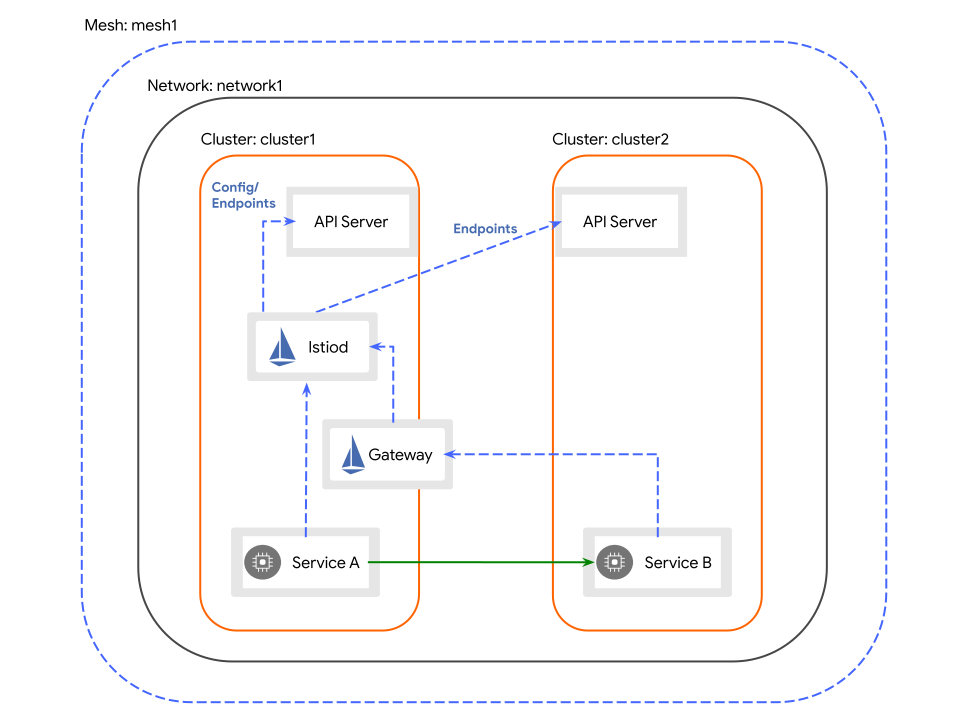
- cluster1(기본 클러스터)에 Istio 컨트롤 플레인 설치, cluster1의 컨트롤 플레인을 사용하도록 cluster2(원격 클러스터)를 구성
- 두 클러스터 모두 network1 네트워크에 상주하므로 두 클러스터의 파드 간에 직접 연결 가능
- cluster1은 엔드포인트에 대해 두 클러스터의 API 서버를 관찰
- 이 방식을 통해 컨트롤 플레인은 두 클러스터의 워크로드에 대한 서비스 검색을 제공
- 서비스 워크로드는 클러스터 경계를 넘어 직접(파드 간) 통신
- cluster2의 서비스는 전용 게이트웨이를 통해 cluster1의 컨트롤 플레인에 도달
- 구성은 기본 클러스터에서 진행
- cluster1을 기본 클러스터로 구성
- yaml 생성
- 아키텍처
cat <<EOF > cluster1.yaml
apiVersion: install.istio.io/v1alpha1
kind: IstioOperator
spec:
  values:
    global:
      meshID: mesh1
      multiCluster:
        clusterName: cluster1
      network: network1
EOF
   - 적용
     - `istioctl install --context="${CTX_CLUSTER1}" -f cluster1.yaml`
 - 게이트웨이 설치
samples/multicluster/gen-eastwest-gateway.sh \
    --mesh mesh1 --cluster cluster1 --network network1 | \
    istioctl --context="${CTX_CLUSTER1}" install -y -f -
 - cluster1의 컨트롤 플레인 노출
   - cluster2에 설치하기 전에 cluster2의 서비스가 서비스 검색에 액세스할 수 있도록 먼저 cluster1의 컨트롤 플레인을 노출
   - `kubectl apply --context="${CTX_CLUSTER1}" -n istio-system -f samples/multicluster/expose-istiod.yaml`
 - cluster2에 대한 API 서버 액세스 활성화
   - cluster1의 컨트롤 플레인에 cluster2의 API 서버에 대한 액세스 권한을 부여
     - 컨트롤 플레인이 cluster2에서 실행 중인 워크로드의 연결 요청을 인증
     - cluster2에서 실행 중인 서비스 엔드포인트의 검색을 활성화
   - cluster2에 대한 API 서버 액세스를 제공하기 위해 원격 비밀을 생성하고 그것을 cluster1에 적용
istioctl x create-remote-secret \
    --context="${CTX_CLUSTER2}" \
    --name=cluster2 | \
    kubectl apply -f - --context="${CTX_CLUSTER1}"
 - cluster2를 원격 클러스터로 구성
   - cluster1의 게이트웨이 주소를 설정
export DISCOVERY_ADDRESS=$(kubectl \
    --context="${CTX_CLUSTER1}" \
    -n istio-system get svc istio-eastwestgateway \
    -o jsonpath='{.status.loadBalancer.ingress[0].ip}')
     - 로드 밸런서 구성이 어려울 경우 프로포워딩 설정 후 DISCOVERY_ADDRESS를 15012로 설정
   - yaml 생성
cat <<EOF > cluster2.yaml
apiVersion: install.istio.io/v1alpha1
kind: IstioOperator
spec:
  values:
    global:
      meshID: mesh1
      multiCluster:
        clusterName: cluster2
      network: network1
      remotePilotAddress: ${DISCOVERY_ADDRESS}
EOF
   - 적용
     - `istioctl install --context="${CTX_CLUSTER2}" -f cluster2.yaml`
- Multi-Primary on different networks
- Primary-Remote on different networks
- Verify the installation
- 게이트웨이 설치
- 사이드카 설치
- 자동 주입
- Istio에서 제공하는 승인 컨트롤러를 사용
- 기본적으로 활성화되어 있지만 일부 Kubernetes 배포에서는 비활성화
- 승인 컨트롤러 활성화 방법
- 네임스페이스 단위로 제어
istio-injection=enabled레이블을 설정하면 해당 네임스페이스에서 새로 생성되는 모든 파드에는 파드 생성 시 자동으로 사이드카 주입- 네임스페이스에 레이블 지정
kubectl label namespace default istio-injection=enabled --overwrite
- 설정 확인
kubectl get namespace -L istio-injection
- Istio에서 제공하는 승인 컨트롤러를 사용
- 자동 주입
            NAME              STATUS   AGE    ISTIO-INJECTION
            ...
            default           Active   18h    enabled
            ...
   - 레이블 제거
     - `kubectl label namespace default istio-injection-`
 - 파드 단위로 제어
   - 일반 컨트롤 플레인
     - 파드에 `sidecar.istio.io/inject: "true"` 레이블 추가
     - 예시
            ---
            apiVersion: apps/v1
            kind: Deployment
            spec:
              template:
                metadata:
                  labels:
                    sidecar.istio.io/inject: "true"
            ...
   - revisions 컨트롤 플레인
     - `istio.io/rev` 레이블이 대신 사용
     - - canary revisions 일 경우 활성화하려면 `istio.io/rev=canary` 레이블 추가
     - 비활성화의 경우 `sidecar.istio.io/inject: "false"` 레이블 추가
     - `istio-injection` 레이블과 `istio.io/rev` 레이블이 공존할 경우
       - 두 레이블 중 하나가 활성화 되면 주입
       - 두 레이블 중 하나가 비활성화 되면 주입하지 않음
 - 수동 주입과 달리 자동 주입은 파드 수준에서 발생
- 수동 주입
istioctl kube-inject사용- 예시
istioctl kube-inject -f samples/sleep/sleep.yaml | kubectl apply -f -
- 사용자 정의 주입
- 일반적으로 istio-sidecar-injector configmap에 구성된 사이드카 주입 템플릿을 기반으로 주입
- 개별 파드에서 재정의 가능
- 예시
            apiVersion: v1
            kind: Pod
            metadata:
              name: example
            spec:
              containers:
              - name: hello
                image: alpine
              - name: istio-proxy
                image: auto
                resources:
                  requests:
                    cpu: "100m"
                volumeMounts:
                - mountPath: /etc/certs
                  name: certs
                lifecycle:
                  preStop:
                    exec:
                      command: ["sleep", "10"]
              volumes:
              - name: certs
                secret:
                  secretName: istio-certs
업그레이드
- 카나리
- 모든 트래픽을 새 버전으로 마이그레이션하기 전에 적은 비율의 워크로드로 업그레이드 효과를 모니터링 가능
- 전체 업그레이드를 수행하는 것보다 훨씬 안전하며 권장되는 업그레이드 방법
- Istio를 설치할 때 버전 설치 설정을 사용하여 동시에 여러 개의 독립된 컨트롤 플레인 배포 가능
- 사전 확인
istioctl x precheck
- 컨트롤 플레인 설치
istioctl install --set components.cni.enabled=true --set revision=canary- 프로덕션 환경에서는 버전명 사용 권장(revision=1-6-8)
- 설치 확인
        # kubectl get pods -n istio-system -l app=istiod
        NAME                             READY   STATUS    RESTARTS   AGE
        istiod-859b487f84-npstx          1/1     Running   0          93m
        istiod-canary-78cc969f5c-6xrv7   1/1     Running   0          3m26s


        # kubectl get svc -n istio-system -l app=istiod
        NAME            TYPE        CLUSTER-IP      EXTERNAL-IP   PORT(S)                                 AGE
        istiod          ClusterIP   10.233.46.49    <none>        15010/TCP,15012/TCP,443/TCP,15014/TCP   94m
        istiod-canary   ClusterIP   10.233.35.232   <none>        15010/TCP,15012/TCP,443/TCP,15014/TCP   4m7s
- 데이터 플레인 업그레이드
istio-injection레이블을 제거하고istio.io/rev을 추가하여 새로운 Istio를 가리키도록 구성istio-injection레이블은 이전 버전과의 호환성을 위해 istio.io/rev 레이블보다 우선 시 되므로 제거kubectl label namespace test-ns istio-injection- istio.io/rev=canary
- 파드를 다시 시작하여 재주입을 트리거
kubectl rollout restart deployment -n test-ns
- 확인
istioctl proxy-status- 해당 파드의 ISTIOD 값이 istiod-canary-xxx인 것 확인
- Stable revision labels (experimental)
- 네임스페이스를 새 버전으로 이동할 때 수동으로 이름을 다시 지정하는 것은 지루하고 오류가 발생하기 쉬움
- Revision tags로 해결
- Revision tags는 revisions를 가리키는 stable 식별자이며 네임스페이스에 레이블을 다시 지정하는 것을 방지하는데 사용
- 네임스페이스의 레이블을 다시 지정하는 대신 메시 운영자는 새 revision을 가리키도록 태그를 변경
- 해당 태그로 레이블이 지정된 모든 네임스페이스가 동시에 업데이트
- 태그 생성
istioctl tag set prod-stable --revision 1-9-5istioctl tag set prod-canary --revision 1-10-0
- 태그 확인
istioctl tag list
- 태그 수정
istioctl tag set prod-stable --revision 1-10-0- prod-stable로 표시된 네임스페이스에 주입된 워크로드를 다시 시작하면 이제 해당 워크로드가 1-10-0 컨트롤 플레인을 사용
- 워크로드를 새 버전으로 마이그레이션하는 데 네임스페이스 레이블을 다시 지정할 필요가 없음
- 삭제
- 이전 컨트롤 플레인
istioctl x uninstall --revision 1-6-5- 개정 레이블이 없으면 원래 설치 옵션을 사용하여 제거
- istioctl x uninstall -f manifests/profiles/default.yaml`
- 클러스터에 새 컨트롤 플레인만 남아 있는지 확인
kubectl get pods -n istio-system -l app=istiod
- 이전 컨트롤 플레인
            NAME                             READY   STATUS    RESTARTS   AGE
            istiod-canary-78cc969f5c-gh2sn   1/1     Running   0          16h
 - 카나리 컨트롤 플레인 제거
   - `istioctl x uninstall --revision=canary`
   - 게이트웨이를 자동으로 되돌리지 않기 때문에 이전 revision의 게이트웨이를 수동으로 다시 설치해야 함
   - 서비스 무중단을 하려면 카나리를 제거하기 전에 이전 게이트웨이가 실행중인지 확인
- In-place
- 카나리 업그레이드 권장
istioctl upgrade명령은 Istio의 업그레이드를 수행- 업그레이드를 수행하기 전에 업그레이드 자격 기준을 충족하는지 확인
- 버전 간에 프로필 기본값의 변경 사항을 감지하면 사용자에게 경고
- 다운그레이드도 수행도 가능
--revision플래그로 수행된 설치와 호환되지 않음- 전제 조건
- 현재 버전은 하나 이하(다운그레이드의 경우 이상)의 부버전이여야 함
- 1.7.x로의 업그레이드를 하려면 현재 버전이 1.6.x, 다운그레이드는 반대
- istioctl 사용하여 Istio 설치
- 현재 버전은 하나 이하(다운그레이드의 경우 이상)의 부버전이여야 함
- 절차(업그레이드/다운그레이드 동일)
- 전제 조건을 만족하는 Istio 릴리스를 다운로드하고 디렉토리를 새 릴리스 디렉토리로 변경
- Kubernetes 구성이 업그레이드할 클러스터를 가리키는지 확인
kubectl config view
istioctl upgrade <your original installation options>- Istio 사이드카가 있는 파드를 다시 시작하여 Istio 데이터 플레인을 수동으로 업데이트
kubectl rollout restart deployment
- 비고
- 업그레이드 과정에서 트래픽이 중단될 가능성 존재
- 중단을 최소화 하려면 최소 두개의 istiod 복제본 실행과 PodDisruptionBudgets을 1로 설정
작업
- 트래픽 관리
- 요청 라우팅
- 예제 애플리케이션
- 배포
export INGRESS_HOST=$(kubectl get po -l istio=ingressgateway -n istio-system -o jsonpath='{.items[0].status.hostIP}')export INGRESS_PORT=$(kubectl -n istio-system get service istio-ingressgateway -o jsonpath='{.spec.ports[?(@.name=="http2")].nodePort}')export GATEWAY_URL=$INGRESS_HOST:$INGRESS_PORTkubectl label namespace default istio-injection=enabledkubectl apply -f [samples/bookinfo/platform/kube/bookinfo.yaml](https://raw.githubusercontent.com/istio/istio/release-1.14/samples/bookinfo/platform/kube/bookinfo.yaml)kubectl apply -f [samples/bookinfo/networking/bookinfo-gateway.yaml](https://raw.githubusercontent.com/istio/istio/release-1.14/samples/bookinfo/networking/bookinfo-gateway.yaml)kubectl apply -f [samples/bookinfo/networking/destination-rule-all.yaml](https://raw.githubusercontent.com/istio/istio/release-1.14/samples/bookinfo/networking/destination-rule-all.yaml)
- 확인
- 브라우저에서
http://$GATEWAY_URL/productpage에 접근하여 새로고침 하면 별이 변경(없음, 검정, 빨강) 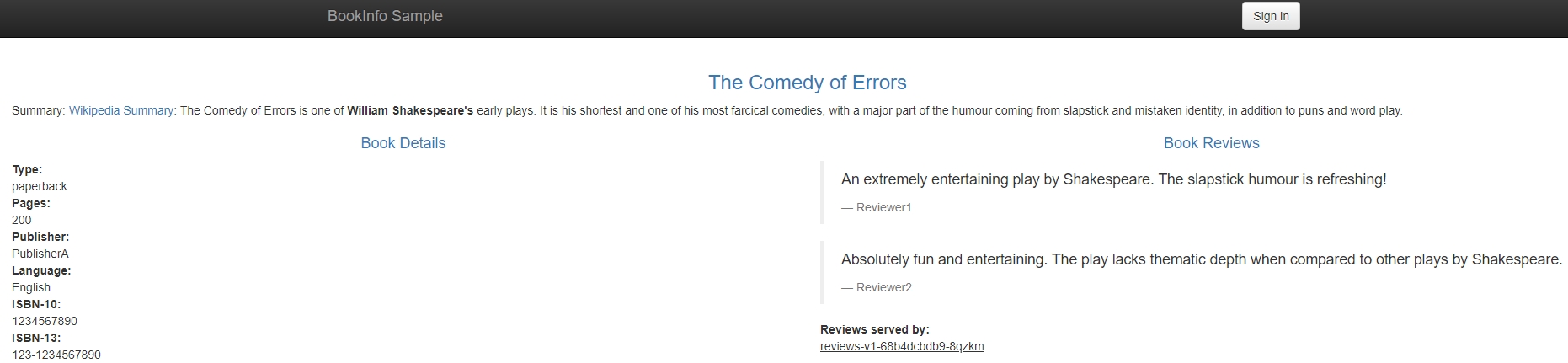
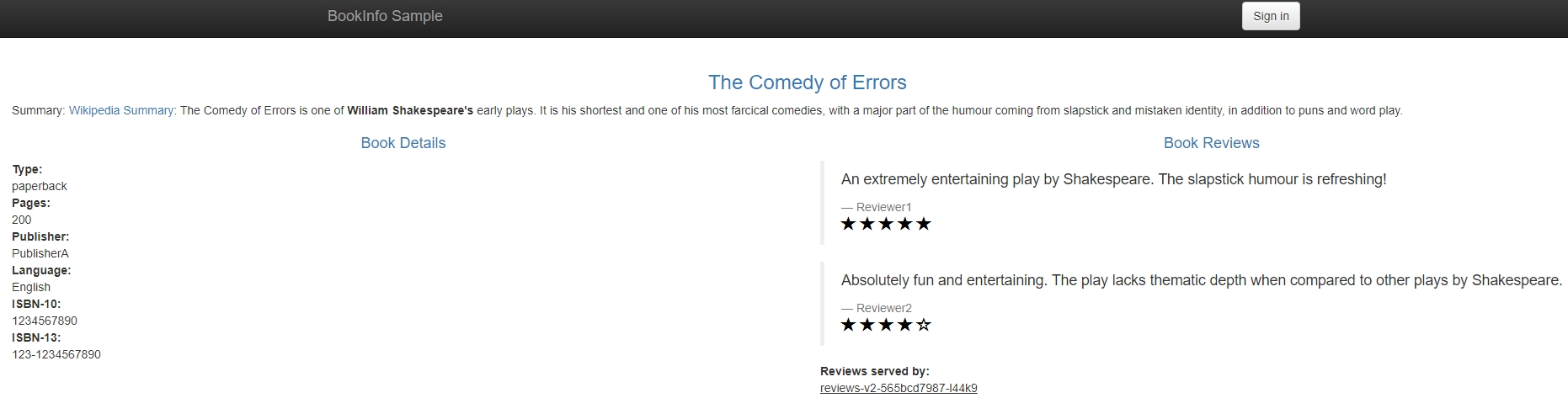
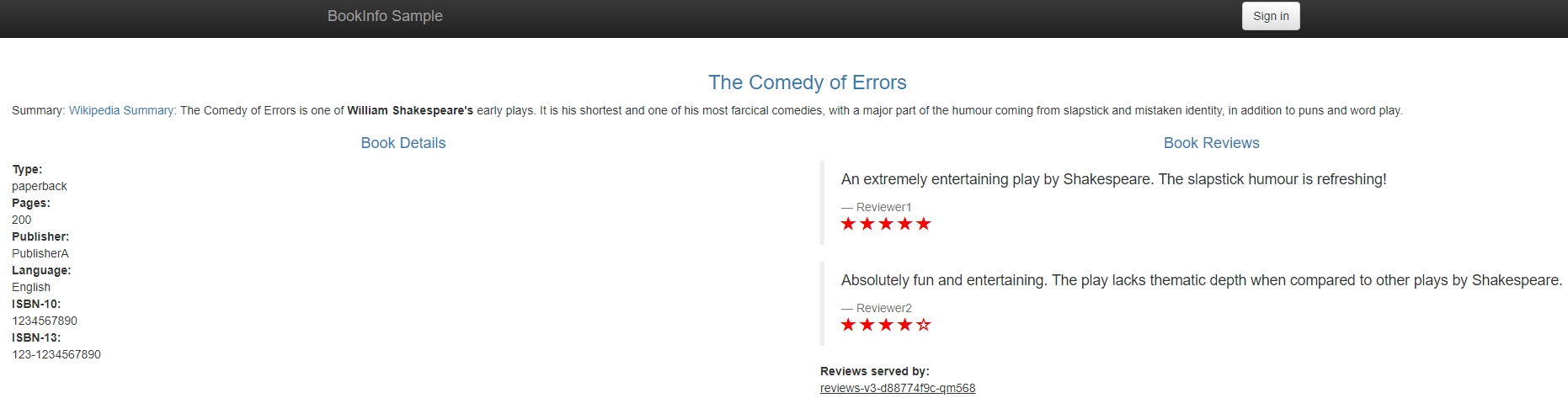
- 브라우저에서
- 삭제
[samples/bookinfo/platform/kube/cleanup.sh](https://raw.githubusercontent.com/istio/istio/release-1.14/samples/bookinfo/platform/kube/cleanup.sh)
- 배포
- 목표 1
- 여러 버전의 서비스 중 v1(별 없음)에만 라우팅
- 설정
kubectl apply -f [samples/bookinfo/networking/virtual-service-all-v1.yaml](https://raw.githubusercontent.com/istio/istio/release-1.14/samples/bookinfo/networking/virtual-service-all-v1.yaml)
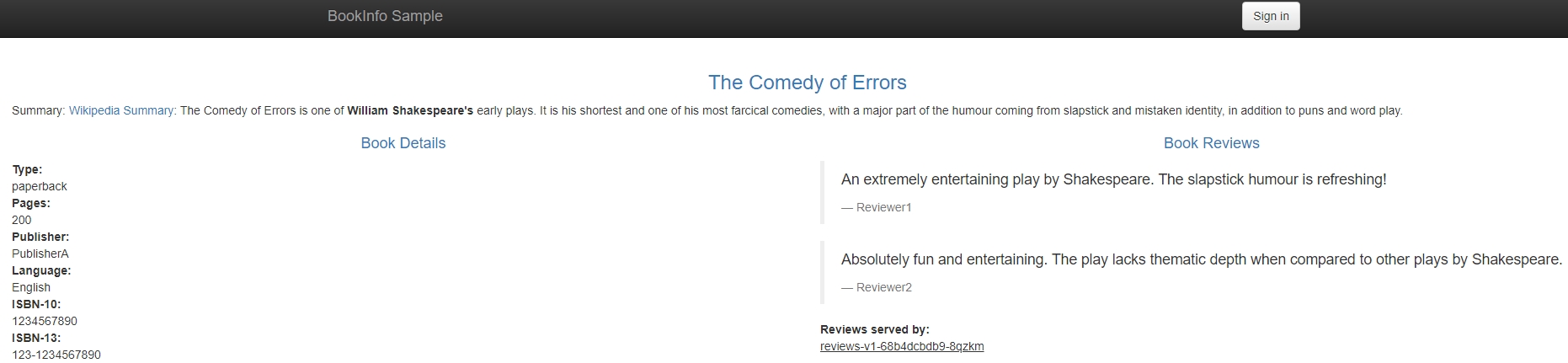
- 결과
- 새로고침을 여러번해도 별없음
- 목표 2
- 특정 사용자의 모든 트래픽이 특정 서비스 버전으로 라우팅
- 설정
- Jason이라는 사용자(HTTP 요청에
end-user라는 헤더 추가)의 모든 트랙픽이 reviews:v2 서비스로 라우팅 kubectl apply -f [samples/bookinfo/networking/virtual-service-reviews-test-v2.yaml](https://raw.githubusercontent.com/istio/istio/release-1.14/samples/bookinfo/networking/virtual-service-reviews-test-v2.yaml)
- Jason이라는 사용자(HTTP 요청에
- 결과
- 브라우저에서
http://$GATEWAY_URL/productpage에 접근하여 Jason으로 로그인(패스워드 없음)하면 검은 별만 보임 - 로그아웃 하거나 다른 사용자(아무 이름이나 가능)로 로그인 하면 별이 없거나(목표 1을 수행했을 경우) 라운드 로빈(목표 2만 수행했을 경우)
- 브라우저에서
- 예제 애플리케이션
- 결함 주입(Fault Injection)
- 애플리케이션의 복원력을 테스트하기 위해 결함을 주입
- 예제 애플리케이션
- 배포
kubectl label namespace default istio-injection=enabledkubectl apply -f [samples/bookinfo/platform/kube/bookinfo.yaml](https://raw.githubusercontent.com/istio/istio/release-1.14/samples/bookinfo/platform/kube/bookinfo.yaml)kubectl apply -f [samples/bookinfo/networking/bookinfo-gateway.yaml](https://raw.githubusercontent.com/istio/istio/release-1.14/samples/bookinfo/networking/bookinfo-gateway.yaml)kubectl apply -f [samples/bookinfo/networking/destination-rule-all.yaml](https://raw.githubusercontent.com/istio/istio/release-1.14/samples/bookinfo/networking/destination-rule-all.yaml)kubectl apply -f [samples/bookinfo/networking/virtual-service-all-v1.yaml](https://raw.githubusercontent.com/istio/istio/release-1.14/samples/bookinfo/networking/virtual-service-all-v1.yaml)kubectl apply -f [samples/bookinfo/networking/virtual-service-reviews-test-v2.yaml](https://raw.githubusercontent.com/istio/istio/release-1.14/samples/bookinfo/networking/virtual-service-reviews-test-v2.yaml)
- 요청 흐름
- 사용자가 jason일 경우
- productpage → reviews:v2 → ratings
- 사용자가 jason이 아닐 경우
- productpage → reviews:v1 → ratings
- 삭제
[samples/bookinfo/platform/kube/cleanup.sh](https://raw.githubusercontent.com/istio/istio/release-1.14/samples/bookinfo/platform/kube/cleanup.sh)
- 배포
- HTTP 지연 주입
- 설정
- jason 사용자에 한해 reviews와 ratings 서비스 사이에 7초 지연 주입
kubectl apply -f [samples/bookinfo/networking/virtual-service-ratings-test-delay.yaml](https://raw.githubusercontent.com/istio/istio/release-1.14/samples/bookinfo/networking/virtual-service-ratings-test-delay.yaml)
- 기대
- reviews와 ratings 서비스 사이에는 10초 타임아웃이 있으므로 7초 지연 후 정상 동작
- 결과
- jason 사용자에 한해 약 6초 후에 Reviews 항목에 에러 발생
- tasks-traffic-management-fault-injection-01.jpg){: #magnific}
- 이유
- productpage와 reviews 서비스 사이의 설정이 타임아웃 3초, 재시도 1회이므로 실패
- 해결
- productpage와 reviews 서비스 사이의 타임아웃 증가 혹은 reviews와 ratings 서비스 사이의 타임아웃 감소
- 설정
- HTTP 중단 주입
- 설정
- jason 사용자에 한해 ratings 서비스에서 500 응답
kubectl apply -f [samples/bookinfo/networking/virtual-service-ratings-test-abort.yaml](https://raw.githubusercontent.com/istio/istio/release-1.14/samples/bookinfo/networking/virtual-service-ratings-test-abort.yaml)
- 결과
- Ratings 항목에 에러 표시
- tasks-traffic-management-fault-injection-02.jpg){: #magnific}
- 설정
- 트래픽 이동(Traffic Shifting)
- 서비스의 한 버전에서 다른 버전으로 트래픽을 이동
- 목표
- 이전 버전의 서비스에서 새 버번으로 트래픽을 점진적으로 마이그레이션
- 트래픽의 일정 비율을 한 대상에서 다른 대상으로 리디렉션하는 일련의 라우팅 규칙을 구성하여 이 목표를 달성
- 예제 애플리케이션
- 배포
- 기본 프로필의 경우 ingressgateway에 TCP 설정이 없으므로 데모 프로필로 설치
export INGRESS_HOST=$(kubectl get po -l istio=ingressgateway -n istio-system -o jsonpath='{.items[0].status.hostIP}')export INGRESS_PORT=$(kubectl -n istio-system get service istio-ingressgateway -o jsonpath='{.spec.ports[?(@.name=="http2")].nodePort}')export GATEWAY_URL=$INGRESS_HOST:$INGRESS_PORTkubectl label namespace default istio-injection=enabledkubectl apply -f [samples/bookinfo/platform/kube/bookinfo.yaml](https://raw.githubusercontent.com/istio/istio/release-1.14/samples/bookinfo/platform/kube/bookinfo.yaml)kubectl apply -f [samples/bookinfo/networking/bookinfo-gateway.yaml](https://raw.githubusercontent.com/istio/istio/release-1.14/samples/bookinfo/networking/bookinfo-gateway.yaml)kubectl apply -f [samples/bookinfo/networking/destination-rule-all.yaml](https://raw.githubusercontent.com/istio/istio/release-1.14/samples/bookinfo/networking/destination-rule-all.yaml)
- 배포
- 가중치 기반 라우팅
- 모든 트래픽을 v1 서비스로 라우팅
kubectl apply -f [samples/bookinfo/networking/virtual-service-all-v1.yaml](https://raw.githubusercontent.com/istio/istio/release-1.14/samples/bookinfo/networking/virtual-service-all-v1.yaml)
- 트래픽의 50%를 reviews:v3 서비스로 전송
kubectl apply -f [samples/bookinfo/networking/virtual-service-reviews-50-v3.yaml](https://raw.githubusercontent.com/istio/istio/release-1.14/samples/bookinfo/networking/virtual-service-reviews-50-v3.yaml)- 결과
- 브라우저에서
http://$GATEWAY_URL/productpage에 접근하여 새로고침하면 50% 확률로 빨간별 표시
- 브라우저에서
- reviews:v3 서비스가 안정적이라 판단되면 트래픽의 100%를 reviews:v3 서비스로 라우팅
kubectl apply -f [samples/bookinfo/networking/virtual-service-reviews-v3.yaml](https://raw.githubusercontent.com/istio/istio/release-1.14/samples/bookinfo/networking/virtual-service-reviews-v3.yaml)- 결과
- 브라우저에서
http://$GATEWAY_URL/productpage에 접근하여 새로고침하면 100% 확률로 빨간별 표시
- 브라우저에서
- 모든 트래픽을 v1 서비스로 라우팅
- 삭제
[samples/bookinfo/platform/kube/cleanup.sh](https://raw.githubusercontent.com/istio/istio/release-1.14/samples/bookinfo/platform/kube/cleanup.sh)
- TCP 트래픽 이동(TCP Traffic Shifting)
- 서비스의 한 버전에서 다른 버전으로 TCP 트래픽을 이동
- 목표
- 이전 버전의 마이크로서비스에서 새 버전으로 TCP 트래픽을 점진적으로 마이그레이션
- TCP 트래픽의 일정 비율을 한 대상에서 다른 대상으로 리디렉션하는 일련의 라우팅 규칙을 구성하여 이 목표를 달성
- 예제 애플리케이션
- 배포
kubectl create namespace istio-io-tcp-traffic-shiftingkubectl label namespace istio-io-tcp-traffic-shifting istio-injection=enabledkubectl apply -f [samples/sleep/sleep.yaml](https://raw.githubusercontent.com/istio/istio/release-1.14/samples/sleep/sleep.yaml) -n istio-io-tcp-traffic-shiftingkubectl apply -f [samples/tcp-echo/tcp-echo-services.yaml](https://raw.githubusercontent.com/istio/istio/release-1.14/samples/tcp-echo/tcp-echo-services.yaml) -n istio-io-tcp-traffic-shiftingexport INGRESS_HOST=$(kubectl get po -l istio=ingressgateway -n istio-system -o jsonpath='{.items[0].status.hostIP}')export TCP_INGRESS_PORT=$(kubectl -n istio-system get service istio-ingressgateway -o jsonpath='{.spec.ports[?(@.name=="tcp")].nodePort}')
- 삭제
kubectl delete -f [samples/tcp-echo/tcp-echo-all-v1.yaml](https://raw.githubusercontent.com/istio/istio/release-1.14/samples/tcp-echo/tcp-echo-all-v1.yaml) -n istio-io-tcp-traffic-shiftingkubectl delete -f [samples/tcp-echo/tcp-echo-services.yaml](https://raw.githubusercontent.com/istio/istio/release-1.14/samples/tcp-echo/tcp-echo-services.yaml) -n istio-io-tcp-traffic-shiftingkubectl delete -f [samples/sleep/sleep.yaml](https://raw.githubusercontent.com/istio/istio/release-1.14/samples/sleep/sleep.yaml) -n istio-io-tcp-traffic-shiftingkubectl delete namespace istio-io-tcp-traffic-shifting
- 배포
- 가중치 기반 TCP 라우팅
- 모든 TCP 트래픽을 tcp-echo 마이크로서비스의 v1 버전으로 라우팅
kubectl apply -f [samples/tcp-echo/tcp-echo-all-v1.yaml](https://raw.githubusercontent.com/istio/istio/release-1.14/samples/tcp-echo/tcp-echo-all-v1.yaml) -n istio-io-tcp-traffic-shifting- 확인
- 명령어
- 모든 TCP 트래픽을 tcp-echo 마이크로서비스의 v1 버전으로 라우팅
- 요청 라우팅
            for i in {1..20}; do \
            kubectl exec "$(kubectl get pod -l app=sleep -n istio-io-tcp-traffic-shifting -o jsonpath={.items..metadata.name})" \
            -c sleep -n istio-io-tcp-traffic-shifting -- sh -c "(date; sleep 1) | nc $INGRESS_HOST $TCP_INGRESS_PORT"; \
            done
- 출력
            one Tue Jul 26 04:50:20 UTC 2022
            one Tue Jul 26 04:50:21 UTC 2022
            one Tue Jul 26 04:50:22 UTC 2022
            ...
   - 트래픽의 20%를 tcp-echo:v2 서비스로 라우팅
     - `kubectl apply -f [samples/tcp-echo/tcp-echo-20-v2.yaml](https://raw.githubusercontent.com/istio/istio/release-1.14/samples/tcp-echo/tcp-echo-20-v2.yaml) -n istio-io-tcp-traffic-shifting`
       - 명령어
            for i in {1..20}; do \
            kubectl exec "$(kubectl get pod -l app=sleep -n istio-io-tcp-traffic-shifting -o jsonpath={.items..metadata.name})" \
            -c sleep -n istio-io-tcp-traffic-shifting -- sh -c "(date; sleep 1) | nc $INGRESS_HOST $TCP_INGRESS_PORT"; \
            done
- 출력
            one Tue Jul 26 04:57:46 UTC 2022
            two Tue Jul 26 04:57:48 UTC 2022
            one Tue Jul 26 04:57:49 UTC 2022
            two Tue Jul 26 04:57:50 UTC 2022
            one Tue Jul 26 04:57:51 UTC 2022
            two Tue Jul 26 04:57:53 UTC 2022
            one Tue Jul 26 04:57:54 UTC 2022
            one Tue Jul 26 04:57:55 UTC 2022
            one Tue Jul 26 04:57:56 UTC 2022
- 요청 타임아웃
- 기본적으로 비활성화
- 예제 애플리케이션
- 배포
export INGRESS_HOST=$(kubectl get po -l istio=ingressgateway -n istio-system -o jsonpath='{.items[0].status.hostIP}')export INGRESS_PORT=$(kubectl -n istio-system get service istio-ingressgateway -o jsonpath='{.spec.ports[?(@.name=="http2")].nodePort}')export GATEWAY_URL=$INGRESS_HOST:$INGRESS_PORTkubectl label namespace default istio-injection=enabledkubectl apply -f [samples/bookinfo/platform/kube/bookinfo.yaml](https://raw.githubusercontent.com/istio/istio/release-1.14/samples/bookinfo/platform/kube/bookinfo.yaml)kubectl apply -f [samples/bookinfo/networking/bookinfo-gateway.yaml](https://raw.githubusercontent.com/istio/istio/release-1.14/samples/bookinfo/networking/bookinfo-gateway.yaml)kubectl apply -f [samples/bookinfo/networking/destination-rule-all.yaml](https://raw.githubusercontent.com/istio/istio/release-1.14/samples/bookinfo/networking/destination-rule-all.yaml)kubectl apply -f [samples/bookinfo/networking/virtual-service-all-v1.yaml](https://raw.githubusercontent.com/istio/istio/release-1.14/samples/bookinfo/networking/virtual-service-all-v1.yaml)
- 삭제
[samples/bookinfo/platform/kube/cleanup.sh](https://raw.githubusercontent.com/istio/istio/release-1.14/samples/bookinfo/platform/kube/cleanup.sh)
- 배포
- ratings 서비스를 호출하는 reviews:v2로 라우팅
            kubectl apply -f - <<EOF
            apiVersion: networking.istio.io/v1alpha3
            kind: VirtualService
            metadata:
              name: reviews
            spec:
              hosts:
                - reviews
              http:
              - route:
                - destination:
                    host: reviews
                    subset: v2
            EOF
- ratings 서비스에 2초 지연 추가
            kubectl apply -f - <<EOF
            apiVersion: networking.istio.io/v1alpha3
            kind: VirtualService
            metadata:
              name: ratings
            spec:
              hosts:
              - ratings
              http:
              - fault:
                  delay:
                    percent: 100
                    fixedDelay: 2s
                route:
                - destination:
                    host: ratings
                    subset: v1
            EOF
- 2초 지연 확인(브라우저에서 `http://$GATEWAY_URL/productpage`에 접근)
- 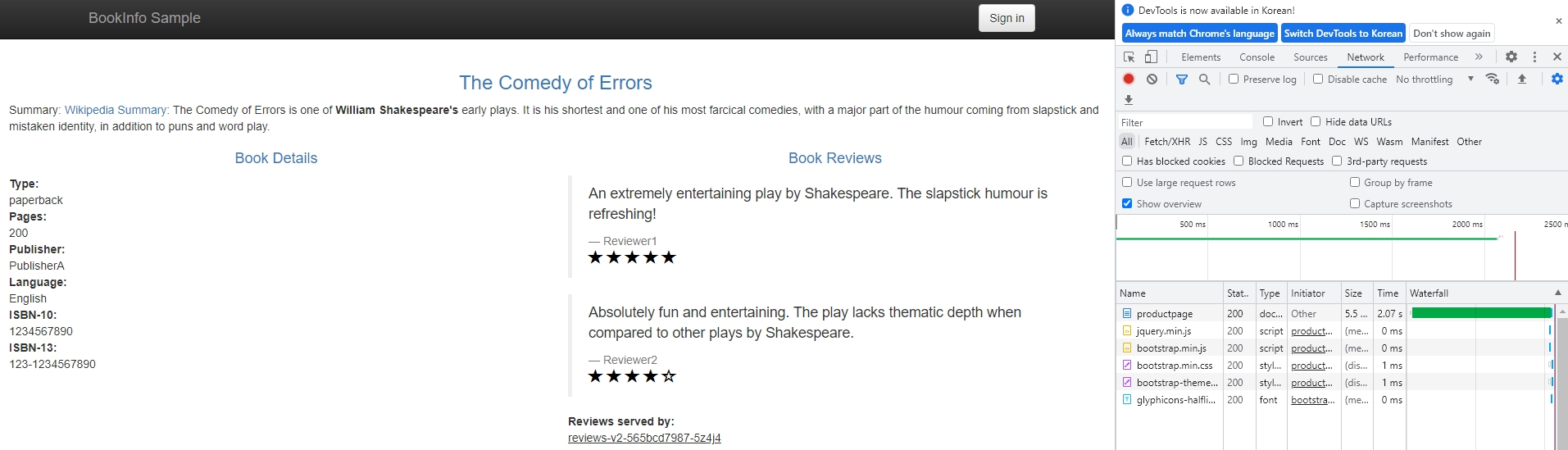{: #magnific}
- reviews 서비스에 0.5초 요청 타임아웃 추가
            kubectl apply -f - <<EOF
            apiVersion: networking.istio.io/v1alpha3
            kind: VirtualService
            metadata:
              name: reviews
            spec:
              hosts:
              - reviews
              http:
              - route:
                - destination:
                    host: reviews
                    subset: v2
                timeout: 0.5s
            EOF
- 타임아웃 확인
- 1초 후(1회 재시도로 인해 reviews 서비스가 2번 호출)에 reviews 항목 에러 확인
- 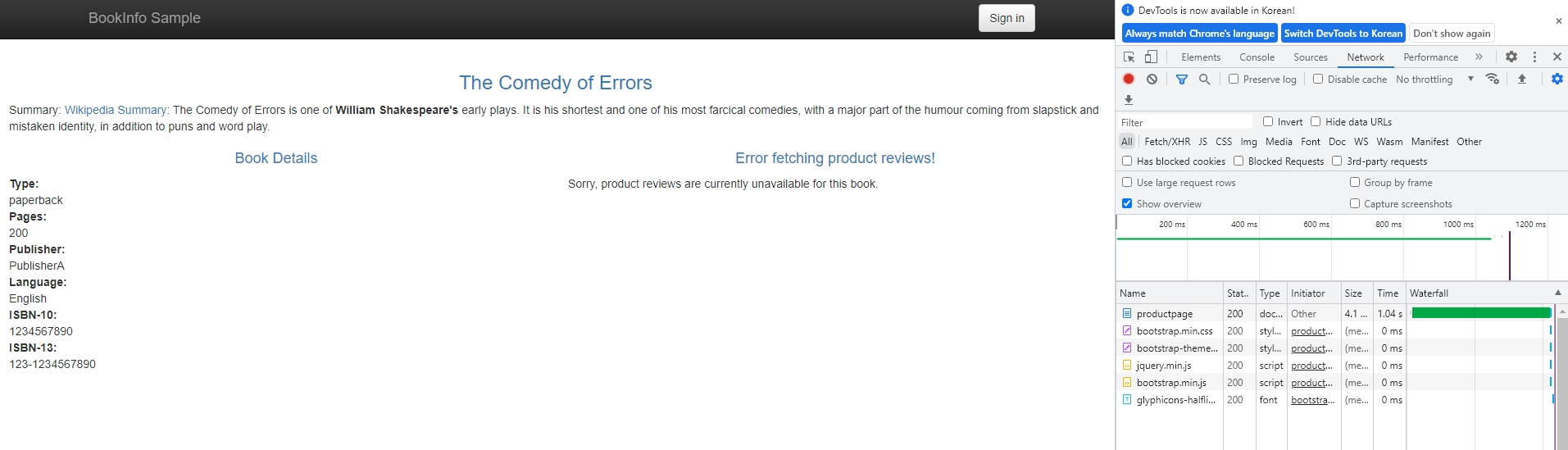{: #magnific}
- 회로 차단(Circuit Breaking)
- 연결, 요청 및 이상값 감지에 대한 회로 차단을 구성
- 장애, 지연 시간 급증 및 기타 네트워크 특성의 바람직하지 않은 영향을 제한하는 응용 프로그램 작성 가능
- 예제 애플리케이션
- 서버 배포
kubectl label namespace default istio-injection=enabledkubectl apply -f [samples/httpbin/httpbin.yaml](https://raw.githubusercontent.com/istio/istio/release-1.14/samples/httpbin/httpbin.yaml)
- 클라이언트 배포
kubectl apply -f [samples/httpbin/sample-client/fortio-deploy.yaml](https://raw.githubusercontent.com/istio/istio/release-1.14/samples/httpbin/sample-client/fortio-deploy.yaml)export FORTIO_POD=$(kubectl get pods -l app=fortio -o 'jsonpath={.items[0].metadata.name}')
- 삭제
kubectl delete destinationrule httpbinkubectl delete -f [samples/httpbin/sample-client/fortio-deploy.yaml](https://raw.githubusercontent.com/istio/istio/release-1.14/samples/httpbin/sample-client/fortio-deploy.yaml)kubectl delete -f [samples/httpbin/httpbin.yaml](https://raw.githubusercontent.com/istio/istio/release-1.14/samples/httpbin/httpbin.yaml)
- 서버 배포
- 설정
- 둘 이상의 연결 및 요청을 동시에 초과하는 경우 istio-proxy가 추가 요청 및 연결을 위해 회로를 열 때 일부 오류가 표시
        kubectl apply -f - <<EOF
        apiVersion: networking.istio.io/v1alpha3
        kind: DestinationRule
        metadata:
          name: httpbin
        spec:
          host: httpbin
          trafficPolicy:
            connectionPool:
              tcp:
                maxConnections: 1
              http:
                http1MaxPendingRequests: 1
                maxRequestsPerConnection: 1
            outlierDetection:
              consecutive5xxErrors: 1
              interval: 1s
              baseEjectionTime: 3m
              maxEjectionPercent: 100
        EOF
 - 테스트
   - 한번 호출(성공)
     - `kubectl exec "$FORTIO_POD" -c fortio -- /usr/bin/fortio curl -quiet http://httpbin:8000/get`
            HTTP/1.1 200 OK
            server: envoy
            date: Tue, 26 Jul 2022 06:18:26 GMT
            content-type: application/json
            content-length: 594
            access-control-allow-origin: *
            access-control-allow-credentials: true
            x-envoy-upstream-service-time: 30

            {
              "args": {},
              "headers": {
                "Host": "httpbin:8000",
                "User-Agent": "fortio.org/fortio-1.34.1",
                "X-B3-Parentspanid": "b0913d39f9c7a94c",
                "X-B3-Sampled": "1",
                "X-B3-Spanid": "00e932443e246d0b",
                "X-B3-Traceid": "9c32469f906402cab0913d39f9c7a94c",
                "X-Envoy-Attempt-Count": "1",
                "X-Forwarded-Client-Cert": "By=spiffe://cluster.local/ns/default/sa/httpbin;Hash=abe49eef768e8f60d3e36e40744054b5ff82c3391568d89eb87d075c0100ed6d;Subject=\"\";URI=spiffe://cluster.local/ns/default/sa/default"
              },
              "origin": "127.0.0.6",
              "url": "http://httpbin:8000/get"
            }
   - 두 개의 동시 연결(-c 2)로 서비스를 호출하고 20개의 요청(-n 20) 전달(일부 실패)
     - `kubectl exec "$FORTIO_POD" -c fortio -- /usr/bin/fortio load -c 2 -qps 0 -n 20 -loglevel Warning http://httpbin:8000/get`
            06:21:59 I logger.go:134> Log level is now 3 Warning (was 2 Info)
            Fortio 1.34.1 running at 0 queries per second, 4->4 procs, for 20 calls: http://httpbin:8000/get
            Starting at max qps with 2 thread(s) [gomax 4] for exactly 20 calls (10 per thread + 0)
            06:22:00 W http_client.go:889> [1] Non ok http code 503 (HTTP/1.1 503)
            06:22:00 W http_client.go:889> [1] Non ok http code 503 (HTTP/1.1 503)
            06:22:00 W http_client.go:889> [0] Non ok http code 503 (HTTP/1.1 503)
            06:22:00 W http_client.go:889> [1] Non ok http code 503 (HTTP/1.1 503)
            06:22:00 W http_client.go:889> [0] Non ok http code 503 (HTTP/1.1 503)
            06:22:00 W http_client.go:889> [1] Non ok http code 503 (HTTP/1.1 503)
            06:22:00 W http_client.go:889> [0] Non ok http code 503 (HTTP/1.1 503)
            06:22:00 W http_client.go:889> [0] Non ok http code 503 (HTTP/1.1 503)
            06:22:00 W http_client.go:889> [0] Non ok http code 503 (HTTP/1.1 503)
            06:22:00 W http_client.go:889> [1] Non ok http code 503 (HTTP/1.1 503)
            Ended after 68.340708ms : 20 calls. qps=292.65
            Aggregated Function Time : count 20 avg 0.0064953683 +/- 0.006925 min 0.000398773 max 0.024354332 sum 0.129907367
            # range, mid point, percentile, count
            >= 0.000398773 <= 0.001 , 0.000699387 , 30.00, 6
            > 0.001 <= 0.002 , 0.0015 , 40.00, 2
            > 0.003 <= 0.004 , 0.0035 , 45.00, 1
            > 0.004 <= 0.005 , 0.0045 , 55.00, 2
            > 0.006 <= 0.007 , 0.0065 , 70.00, 3
            > 0.007 <= 0.008 , 0.0075 , 75.00, 1
            > 0.008 <= 0.009 , 0.0085 , 80.00, 1
            > 0.014 <= 0.016 , 0.015 , 90.00, 2
            > 0.018 <= 0.02 , 0.019 , 95.00, 1
            > 0.02 <= 0.0243543 , 0.0221772 , 100.00, 1
            # target 50% 0.0045
            # target 75% 0.008
            # target 90% 0.016
            # target 99% 0.0234835
            # target 99.9% 0.0242672
            Error cases : count 10 avg 0.0033702329 +/- 0.005902 min 0.000398773 max 0.019577634 sum 0.033702329
            # range, mid point, percentile, count
            >= 0.000398773 <= 0.001 , 0.000699387 , 60.00, 6
            > 0.001 <= 0.002 , 0.0015 , 80.00, 2
            > 0.008 <= 0.009 , 0.0085 , 90.00, 1
            > 0.018 <= 0.0195776 , 0.0187888 , 100.00, 1
            # target 50% 0.000879755
            # target 75% 0.00175
            # target 90% 0.009
            # target 99% 0.0194199
            # target 99.9% 0.0195619
            Sockets used: 11 (for perfect keepalive, would be 2)
            Uniform: false, Jitter: false
            IP addresses distribution:
            10.233.5.252:8000: 2
            Code 200 : 10 (50.0 %)
            Code 503 : 10 (50.0 %)
            Response Header Sizes : count 20 avg 115.15 +/- 115.2 min 0 max 231 sum 2303
            Response Body/Total Sizes : count 20 avg 532.65 +/- 291.7 min 241 max 825 sum 10653
            All done 20 calls (plus 0 warmup) 6.495 ms avg, 292.7 qps
- 미러링
- 섀도잉이라고도 하는 트래픽 미러링은 가능한 한 적은 위험으로 프로덕션에 변경 사항을 가져올 수 있는 강력한 개념
- 미러링은 라이브 트래픽의 복사본을 미러링된 서비스로 전달
- 두 가지 버전의 httpbin 애플리케이션를 배포
- httpbin-v1
        cat <<EOF | istioctl kube-inject -f - | kubectl create -f -
        apiVersion: apps/v1
        kind: Deployment
        metadata:
          name: httpbin-v1
        spec:
          replicas: 1
          selector:
            matchLabels:
              app: httpbin
              version: v1
          template:
            metadata:
              labels:
                app: httpbin
                version: v1
            spec:
              containers:
              - image: docker.io/kennethreitz/httpbin
                imagePullPolicy: IfNotPresent
                name: httpbin
                command: ["gunicorn", "--access-logfile", "-", "-b", "0.0.0.0:80", "httpbin:app"]
                ports:
                - containerPort: 80
        EOF
- httpbin-v2
        cat <<EOF | istioctl kube-inject -f - | kubectl create -f -
        apiVersion: apps/v1
        kind: Deployment
        metadata:
          name: httpbin-v2
        spec:
          replicas: 1
          selector:
            matchLabels:
              app: httpbin
              version: v2
          template:
            metadata:
              labels:
                app: httpbin
                version: v2
            spec:
              containers:
              - image: docker.io/kennethreitz/httpbin
                imagePullPolicy: IfNotPresent
                name: httpbin
                command: ["gunicorn", "--access-logfile", "-", "-b", "0.0.0.0:80", "httpbin:app"]
                ports:
                - containerPort: 80
        EOF
- httpbin Kubernetes service
            kubectl create -f - <<EOF
            apiVersion: v1
            kind: Service
            metadata:
              name: httpbin
              labels:
                app: httpbin
            spec:
              ports:
              - name: http
                port: 8000
                targetPort: 80
              selector:
                app: httpbin
            EOF
- sleep service
        cat <<EOF | istioctl kube-inject -f - | kubectl create -f -
        apiVersion: apps/v1
        kind: Deployment
        metadata:
          name: sleep
        spec:
          replicas: 1
          selector:
            matchLabels:
              app: sleep
          template:
            metadata:
              labels:
                app: sleep
            spec:
              containers:
              - name: sleep
                image: curlimages/curl
                command: ["/bin/sleep","3650d"]
                imagePullPolicy: IfNotPresent
        EOF
- export
        export SLEEP_POD=$(kubectl get pod -l app=sleep -o jsonpath={.items..metadata.name})
        export V1_POD=$(kubectl get pod -l app=httpbin,version=v1 -o jsonpath={.items..metadata.name})
        export V2_POD=$(kubectl get pod -l app=httpbin,version=v2 -o jsonpath={.items..metadata.name})
 - 모든 트래픽이 v1으로 이동하도록 설정
   - 설정
            kubectl apply -f - <<EOF
            apiVersion: networking.istio.io/v1alpha3
            kind: VirtualService
            metadata:
              name: httpbin
            spec:
              hosts:
                - httpbin
              http:
              - route:
                - destination:
                    host: httpbin
                    subset: v1
                  weight: 100
            ---
            apiVersion: networking.istio.io/v1alpha3
            kind: DestinationRule
            metadata:
              name: httpbin
            spec:
              host: httpbin
              subsets:
              - name: v1
                labels:
                  version: v1
              - name: v2
                labels:
                  version: v2
            EOF
   - 확인
     - 요청 후 로그 출력 확인
     - 요청
       - `kubectl exec "${SLEEP_POD}" -c sleep -- curl -sS http://httpbin:8000/headers`
     - v1 로그
       - `kubectl logs "$V1_POD" -c httpbin`
            [2022-07-26 06:57:23 +0000] [1] [INFO] Starting gunicorn 19.9.0
            [2022-07-26 06:57:23 +0000] [1] [INFO] Listening at: http://0.0.0.0:80 (1)
            [2022-07-26 06:57:23 +0000] [1] [INFO] Using worker: sync
            [2022-07-26 06:57:23 +0000] [9] [INFO] Booting worker with pid: 9
            127.0.0.6 - - [26/Jul/2022:06:58:55 +0000] "GET /headers HTTP/1.1" 200 529 "-" "curl/7.84.0-DEV"
     - v2 로그
       - `kubectl logs "$V2_POD" -c httpbin`
            [2022-07-26 06:57:35 +0000] [1] [INFO] Starting gunicorn 19.9.0
            [2022-07-26 06:57:35 +0000] [1] [INFO] Listening at: http://0.0.0.0:80 (1)
            [2022-07-26 06:57:35 +0000] [1] [INFO] Using worker: sync
            [2022-07-26 06:57:35 +0000] [9] [INFO] Booting worker with pid: 9
 - v2로 트래픽 미러링
   - mirrorPercentage 필드가 없으면 모든 트래픽이 미러링
   - 트래픽이 미러링되면 요청이 -shadow가 추가된 Host/Authority 헤더와 함께 미러링된 서비스로 전송
   - 실행 후 잊어버리기(fire and forget)로 미러링 되어 응답이 삭제
            kubectl apply -f - <<EOF
            apiVersion: networking.istio.io/v1alpha3
            kind: VirtualService
            metadata:
              name: httpbin
            spec:
              hosts:
                - httpbin
              http:
              - route:
                - destination:
                    host: httpbin
                    subset: v1
                  weight: 100
                mirror:
                  host: httpbin
                  subset: v2
                mirrorPercentage:
                  value: 100.0
            EOF
   - 확인
     - 요청 후 로그 출력 확인
     - 요청
       - `kubectl exec "${SLEEP_POD}" -c sleep -- curl -sS http://httpbin:8000/headers`
     - v1 로그
       - `kubectl logs "$V1_POD" -c httpbin`
            [2022-07-26 06:57:23 +0000] [1] [INFO] Starting gunicorn 19.9.0
            [2022-07-26 06:57:23 +0000] [1] [INFO] Listening at: http://0.0.0.0:80 (1)
            [2022-07-26 06:57:23 +0000] [1] [INFO] Using worker: sync
            [2022-07-26 06:57:23 +0000] [9] [INFO] Booting worker with pid: 9
            127.0.0.6 - - [26/Jul/2022:06:58:55 +0000] "GET /headers HTTP/1.1" 200 529 "-" "curl/7.84.0-DEV"
            127.0.0.6 - - [26/Jul/2022:07:12:39 +0000] "GET /headers HTTP/1.1" 200 529 "-" "curl/7.84.0-DEV"
     - v2 로그
       - `kubectl logs "$V2_POD" -c httpbin`
            [2022-07-26 06:57:35 +0000] [1] [INFO] Starting gunicorn 19.9.0
            [2022-07-26 06:57:35 +0000] [1] [INFO] Listening at: http://0.0.0.0:80 (1)
            [2022-07-26 06:57:35 +0000] [1] [INFO] Using worker: sync
            [2022-07-26 06:57:35 +0000] [9] [INFO] Booting worker with pid: 9
            127.0.0.6 - - [26/Jul/2022:07:12:39 +0000] "GET /headers HTTP/1.1" 200 569 "-" "curl/7.84.0-DEV"
 - 삭제
   - `kubectl delete virtualservice httpbin`
   - `kubectl delete destinationrule httpbin`
   - `kubectl delete deploy httpbin-v1 httpbin-v2 sleep`
   - `kubectl delete svc httpbin`
- Locality Load Balancing
- Locality 정보를 이용하여 부하 분산 동작을 제어
- Locality
- 메시 내 인스턴스의 지리적 위치를 정의
- 항목
- Region
- us-east와 같은 넓은 지리적 영역
topology.kubernetes.io/region레이블로 노드의 Region을 정의
- Zone
- Region내의 리소스 집합
topology.kubernetes.io/zone레이블로 노드의 Zone을 정의
- Sub-zone
- 동일한 랙(rack)과 같은 세분화된 제어를 위해 Zone을 더 세분화
- Sub-zone 개념은 Kubernetes에 없고
topology.istio.io/subzone레이블로 Sub-zone을 정의
- Region
- 호스팅된 Kubernetes 서비스를 이용하는 경우 클라우드 공급자가 레이블을 구성
- 자체 Kubernetes 클러스터를 실행하는 경우 레이블을 노드에 추가
- Localities 일치하는 순서로 계층적
- Region -> Zone -> Sub-zone
- Before you begin
- Locality failover
- Locality weighted distribution
- Cleanup
- Ingress
- Egress
- Security
- Policy Enforcement
- Observability
- Telemetry API
- Metrics
- TCP 서비스에 대한 메트릭 수집
- 메시에서 TCP 서비스에 대한 원격 분석을 자동으로 수집하도록 Istio를 구성하는 방법
- 메시에 대한 기본 TCP 메트릭을 쿼리 가능
- Prometheus 설치
samples/addons/prometheus.yaml파일을 열어 prometheus Service 타입을 NodePort로 변경
- TCP 서비스에 대한 메트릭 수집
            ...
            kind: Service
            metadata:
            ...
              name: prometheus
            ...
            spec:
              ports:
                - name: http
                  port: 9090
                  protocol: TCP
                  targetPort: 9090
                  nodePort: 31000
            ...
            #  type: "ClusterIP"
              type: "NodePort"
            ---
            ...
     - `kubectl apply -f samples/addons/prometheus.yaml`
   - 애플리케이션 설치
     - `export INGRESS_HOST=$(kubectl get po -l istio=ingressgateway -n istio-system -o jsonpath='{.items[0].status.hostIP}')`
     - `kubectl label namespace default istio-injection=enabled`
     - `kubectl apply -f samples/bookinfo/platform/kube/bookinfo.yaml`
     - `kubectl apply -f samples/bookinfo/networking/bookinfo-gateway.yaml`
     - `kubectl apply -f samples/bookinfo/platform/kube/bookinfo-ratings-v2.yaml`
     - `kubectl apply -f samples/bookinfo/platform/kube/bookinfo-db.yaml`
     - `kubectl apply -f samples/bookinfo/networking/destination-rule-all.yaml`
     - `kubectl apply -f samples/bookinfo/networking/virtual-service-ratings-db.yaml`
   - 메트릭 확인
     - 브라우저에서 `http://$INGRESS_HOST:31000`에 접속
     - istio_tcp_connections_opened_total 또는 istio_tcp_connections_closed_total를 검색해서 출력 확인
   - 삭제
     - `kubectl delete -f samples/bookinfo/networking/virtual-service-ratings-db.yaml`
     - `kubectl delete -f samples/bookinfo/platform/kube/bookinfo-db.yaml`
     - `samples/bookinfo/platform/kube/cleanup.sh`
     - `kubectl delete -f samples/addons/prometheus.yaml`
 - [Customizing Istio Metrics](https://istio.io/latest/docs/tasks/observability/metrics/customize-metrics/)
 - [Classifying Metrics Based on Request or Response](https://istio.io/latest/docs/tasks/observability/metrics/classify-metrics/)
 - [Querying Metrics from Prometheus](https://istio.io/latest/docs/tasks/observability/metrics/querying-metrics/)
 - [Visualizing Metrics with Grafana](https://istio.io/latest/docs/tasks/observability/metrics/using-istio-dashboard/)
- Logs
- Envoy 엑세스 로그
- 가장 단순한 종류의 Istio 로깅
- Envoy 프록시는 표준 출력에 대한 액세스 정보를 인쇄
- Envoy 컨테이너의 표준 출력이 kubectl logs 명령으로 출력
- 시작하기 전에
- 애플리케이션 설치
kubectl label namespace default istio-injection=enabledkubectl apply -f samples/sleep/sleep.yamlexport SOURCE_POD=$(kubectl get pod -l app=sleep -o jsonpath={.items..metadata.name})kubectl apply -f samples/httpbin/httpbin.yaml
- 애플리케이션 설치
- Envoy 액세스 로깅 활성화
- Telemetry API 혹은 Mesh Config를 이용하며 Telemetry API를 권장
- Telemetry API
- yaml
- Envoy 엑세스 로그
                apiVersion: telemetry.istio.io/v1alpha1
                kind: Telemetry
                metadata:
                  name: mesh-default
                  namespace: istio-system
                spec:
                  accessLogging:
                    - providers:
                      - name: envoy
     - Mesh Config
       - IstioOperator CR을 사용하여 Istio를 설치한 경우
         - 필드 추가
    spec:
      meshConfig:
        accessLogFile: /dev/stdout
       - istioctl install을 사용하여 Istio를 설치한 경우
         - `istioctl install <flags-you-used-to-install-Istio> --set meshConfig.accessLogFile=/dev/stdout`
     - 필드
       - meshConfig.accessLogFile
       - meshConfig.accessLogEncoding
         - JSON 또는 TEXT 설정 가능
       - meshConfig.accessLogFormat
         - 로그 포맷 사용자 정의 가능
         - [Default access log format](https://istio.io/latest/docs/tasks/observability/logs/access-log/#default-access-log-format)
   - 테스트
     - 요청
       - `kubectl exec "$SOURCE_POD" -c sleep -- curl -sS -v httpbin:8000/status/418`
     - 로그 확인
       - sleep
         - `kubectl logs -l app=sleep -c istio-proxy`
       - httpbin
         - `kubectl logs -l app=httpbin -c istio-proxy`
   - 삭제
     - `kubectl delete -f samples/sleep/sleep.yaml`
     - `kubectl delete -f samples/httpbin/httpbin.yaml`
 - OpenTelemetry
   - Envoy 프록시는 OpenTelemetry 형식으로 액세스 로그를 내보내도록 구성 가능
   - 시작하기 전에
     - `kubectl apply -f samples/sleep/sleep.yaml`
     - `export SOURCE_POD=$(kubectl get pod -l app=sleep -o jsonpath={.items..metadata.name})`
     - `kubectl apply -f samples/httpbin/httpbin.yaml`
     - `kubectl apply -f samples/open-telemetry/otel.yaml`
   - Envoy의 액세스 로깅 활성화
     - MeshConfig를 편집하여 otel이라는 OpenTelemetry provider를 추가
       - `kubectl edit configmaps istio -n istio-system`
                ...
                apiVersion: v1
                data:
                  mesh: |-
                ...
                    extensionProviders:
                    - name: otel
                      envoyOtelAls:
                        service: otel-collector.istio-system.svc.cluster.local
                        port: 4317
                ...
- OpenTelemetry 수집기에 액세스 로그를 보내도록 지시하는 Telemetry 리소스를 Istio에 추가
            cat <<EOF | kubectl apply -n default -f -
            apiVersion: telemetry.istio.io/v1alpha1
            kind: Telemetry
            metadata:
              name: sleep-logging
            spec:
              selector:
                matchLabels:
                  app: sleep
              accessLogging:
                - providers:
                  - name: otel
            EOF
   - 테스트
     - 요청
       - `kubectl exec "$SOURCE_POD" -c sleep -- curl -sS -v httpbin:8000/status/418`
     - 로그 확인
       - `kubectl logs -l app=otel-collector -n istio-system`
   - 삭제
     - `kubectl delete telemetry sleep-logging`
     - `kubectl delete -f samples/sleep/sleep.yaml`
     - `kubectl delete -f samples/httpbin/httpbin.yaml`
     - `kubectl delete -f samples/open-telemetry/otel.yaml`
- Distributed Tracing
- Overview
- 분산 추적을 활성화 하면 사용자는 여러 서비스에 분산된 메시를 통해 요청 추적 가능
- 시각화를 통해 요청 대기 시간, 직렬화 및 병렬 처리에 대해 더 깊이 이해 가능
- Envoy의 분산 추적 기능을 활용하여 즉시 추적 통합을 제공
- 다양한 추적 백엔드(Zipkin, Jaeger and Lightstep)를 설치하고 추적 스팬을 자동으로 보내도록 프록시를 구성하는 옵션을 제공
- 추적 컨텍스트 전파(Trace context propagation)
- 프록시는 자동으로 스팬을 보낼 수 있지만 전체 추적을 연결하려면 몇 가지 힌트가 필요
- 프록시가 스팬 정보를 보낼 때 스팬이 단일 추적으로 올바르게 상관될 수 있도록 애플리케이션은 적절한 HTTP 헤더를 전파해야 함
- 이를 위해 애플리케이션은 들어오는 요청에서 나가는 요청으로 다음 헤더를 수집하고 전파해야 함
- x-request-id
- x-b3-traceid
- x-b3-spanid
- x-b3-parentspanid
- x-b3-sampled
- x-b3-flags
- x-ot-span-context
- OpenCensus(예: Stackdriver) 기반 추적 통합은 다음 헤더를 전파
- x-cloud-trace-context
- traceparent
- grpc-trace-bin
- Jaeger
- 애플리케이션을 빌드하는 데 사용하는 언어, 프레임워크 또는 플랫폼에 관계없이 애플리케이션이 Jaeger를 사용한 추적에 참여하는 방법을 이해
- Jaeger 설치
samples/addons/jaeger.yaml파일을 열어 tracing Service의 타입을 NodePort로 변경
- Overview
            ...
            ---
            apiVersion: v1
            kind: Service
            metadata:
              name: tracing
            ...
            spec:
            #  type: ClusterIP
              type: NodePort
              ports:
                - name: http-query
                  port: 80
                  protocol: TCP
                  targetPort: 16686
                  nodePort: 31100
            ...
- `kubectl apply -f samples/addons/jaeger.yaml`
- 추적을 활성화하면 Istio가 추적에 사용하는 샘플링 속도를 설정 가능
- meshConfig.defaultConfig.tracing.sampling 옵션을 사용하여 샘플링 속도를 설정
- 기본 샘플링 비율은 1%
- 애플리케이션 설치
- `export INGRESS_HOST=$(kubectl get po -l istio=ingressgateway -n istio-system -o jsonpath='{.items[0].status.hostIP}')`
- `export INGRESS_PORT=$(kubectl -n istio-system get service istio-ingressgateway -o jsonpath='{.spec.ports[?(@.name=="http2")].nodePort}')`
- `export GATEWAY_URL=$INGRESS_HOST:$INGRESS_PORT`
- `kubectl label namespace default istio-injection=enabled`
- `kubectl apply -f samples/bookinfo/platform/kube/bookinfo.yaml`
- `kubectl apply -f samples/bookinfo/networking/bookinfo-gateway.yaml`
- `kubectl apply -f samples/bookinfo/networking/destination-rule-all.yaml`
- 추적 생성
- `for i in $(seq 1 100); do curl -s -o /dev/null "http://$GATEWAY_URL/productpage"; done`
- 기본 샘플링 비율은 1%이므로 100번 요청
- 확인
- 브라우저에서 `http://$INGRESS_HOST:31100`에 접속
- 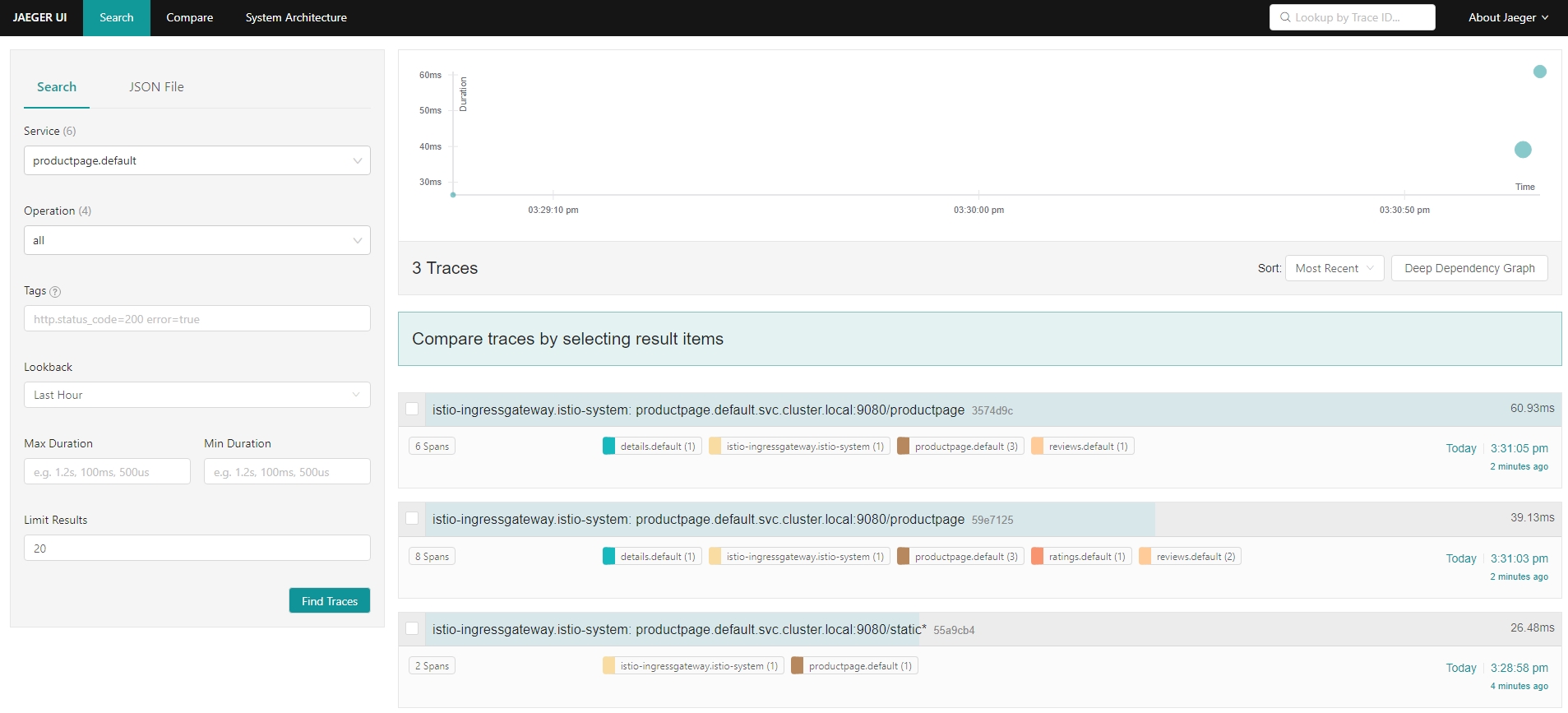{: #magnific}
- 삭제
- `kubectl delete -f samples/addons/jaeger.yaml`
- `samples/bookinfo/platform/kube/cleanup.sh`
- [Zipkin](https://istio.io/latest/docs/tasks/observability/distributed-tracing/zipkin/)
- [Lightstep](https://istio.io/latest/docs/tasks/observability/distributed-tracing/lightstep/)
- [Configure tracing using MeshConfig and Pod annotations *](https://istio.io/latest/docs/tasks/observability/distributed-tracing/mesh-and-proxy-config/)
- Visualizing Your Mesh
- Istio 메시의 다양한 측면을 시각화하는 방법
- 시작하기 전에
- Kiali 설치
samples/addons/kiali.yaml파일을 열어 kiali Service의 타입을 NodePort로 변경
- Kiali 설치
                ...
                kind: Service
                metadata:
                  name: kiali
                ...
                spec:
                  type: NodePort
                  ports:
                  - name: http
                    protocol: TCP
                    port: 20001
                    nodePort: 31200
                ...
- `kubectl apply -f samples/addons/kiali.yaml`
- 애플리케이션 설치
- `export INGRESS_HOST=$(kubectl get po -l istio=ingressgateway -n istio-system -o jsonpath='{.items[0].status.hostIP}')`
- `export INGRESS_PORT=$(kubectl -n istio-system get service istio-ingressgateway -o jsonpath='{.spec.ports[?(@.name=="http2")].nodePort}')`
- `export GATEWAY_URL=$INGRESS_HOST:$INGRESS_PORT`
- `kubectl label namespace default istio-injection=enabled`
- `kubectl apply -f samples/bookinfo/platform/kube/bookinfo.yaml`
- `kubectl apply -f samples/bookinfo/networking/bookinfo-gateway.yaml`
- 주기적으로 요청 전송
- `watch -n 1 curl -o /dev/null -s -w %{http_code} $GATEWAY_URL/productpage`
- 그래프 생성
- Kiali 접속
- `http://$INGRESS_HOST:32100`
- Overview 페이지
- 메시에 서비스가 있는 모든 네임스페이스가 표시
- 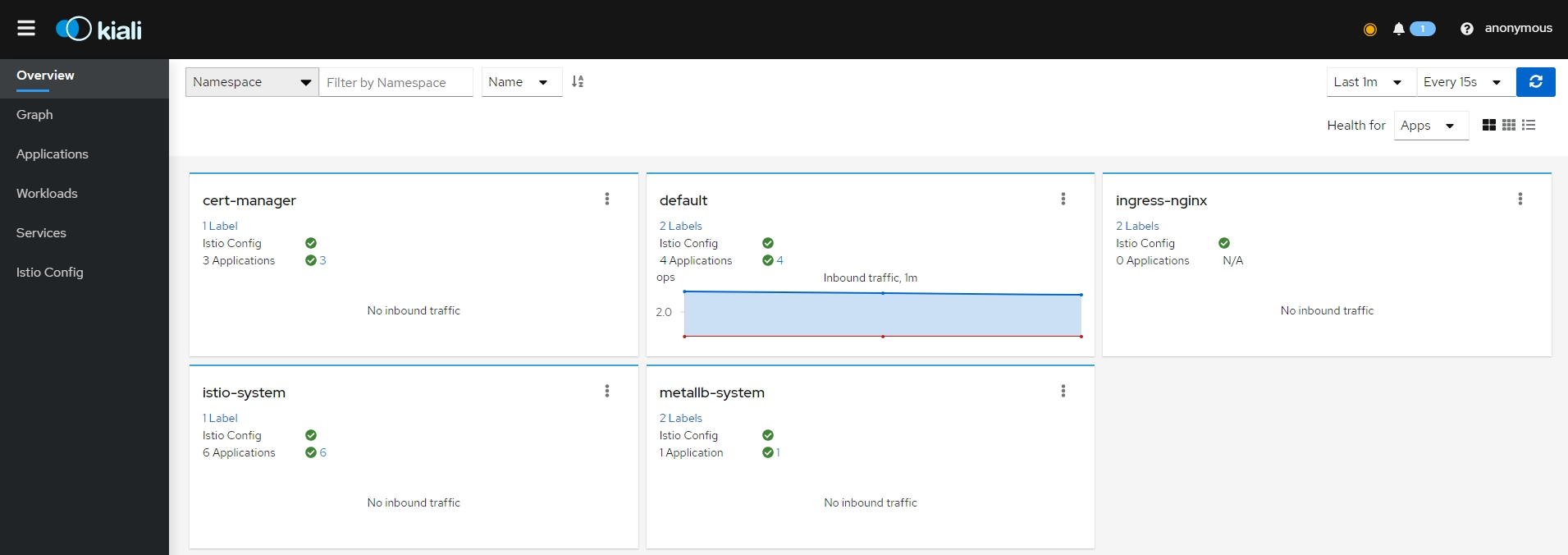{: #magnific}
- Graph 페이지
- 그래프는 일정 기간 동안 서비스 메시를 통해 흐르는 트래픽을 표시
- 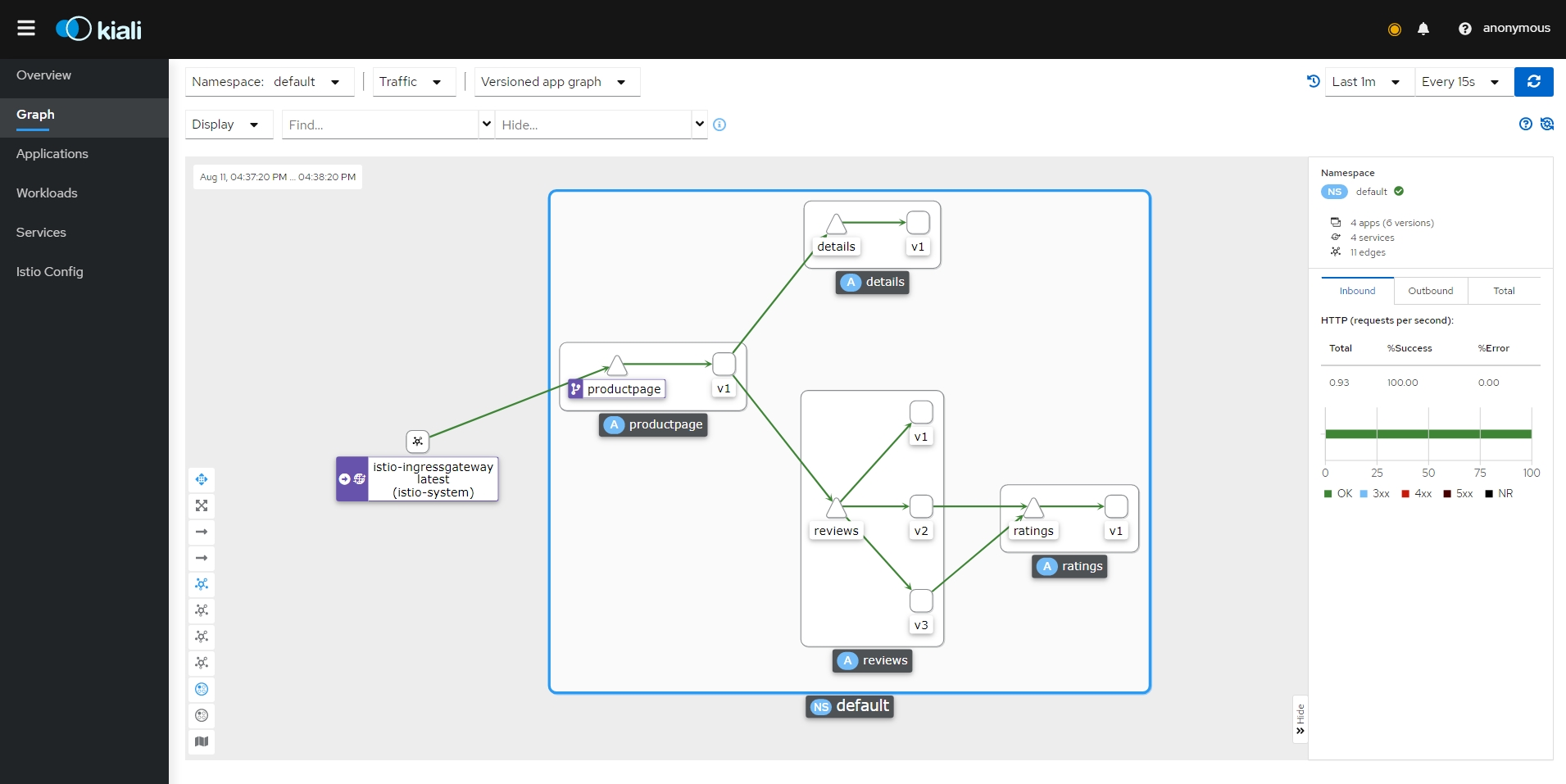{: #magnific}
- 메트릭 요약을 보려면 그래프에서 노드 또는 에지를 선택하여 오른쪽의 요약 세부 정보 패널에 해당 메트릭 세부 정보를 표시
- 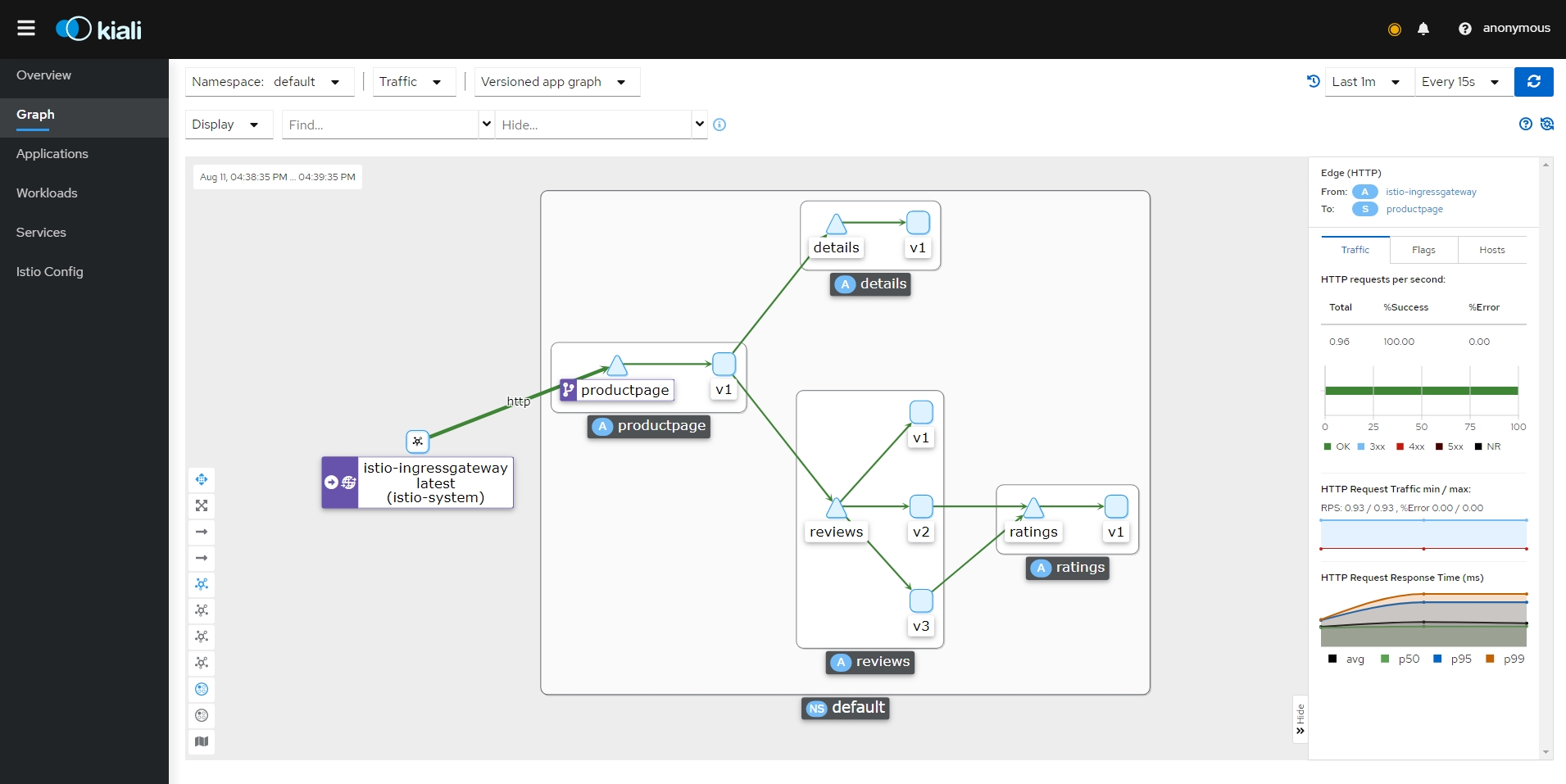{: #magnific}
- 그래프 유형
- App
- 앱의 모든 버전을 단일 그래프 노드로 집계
- 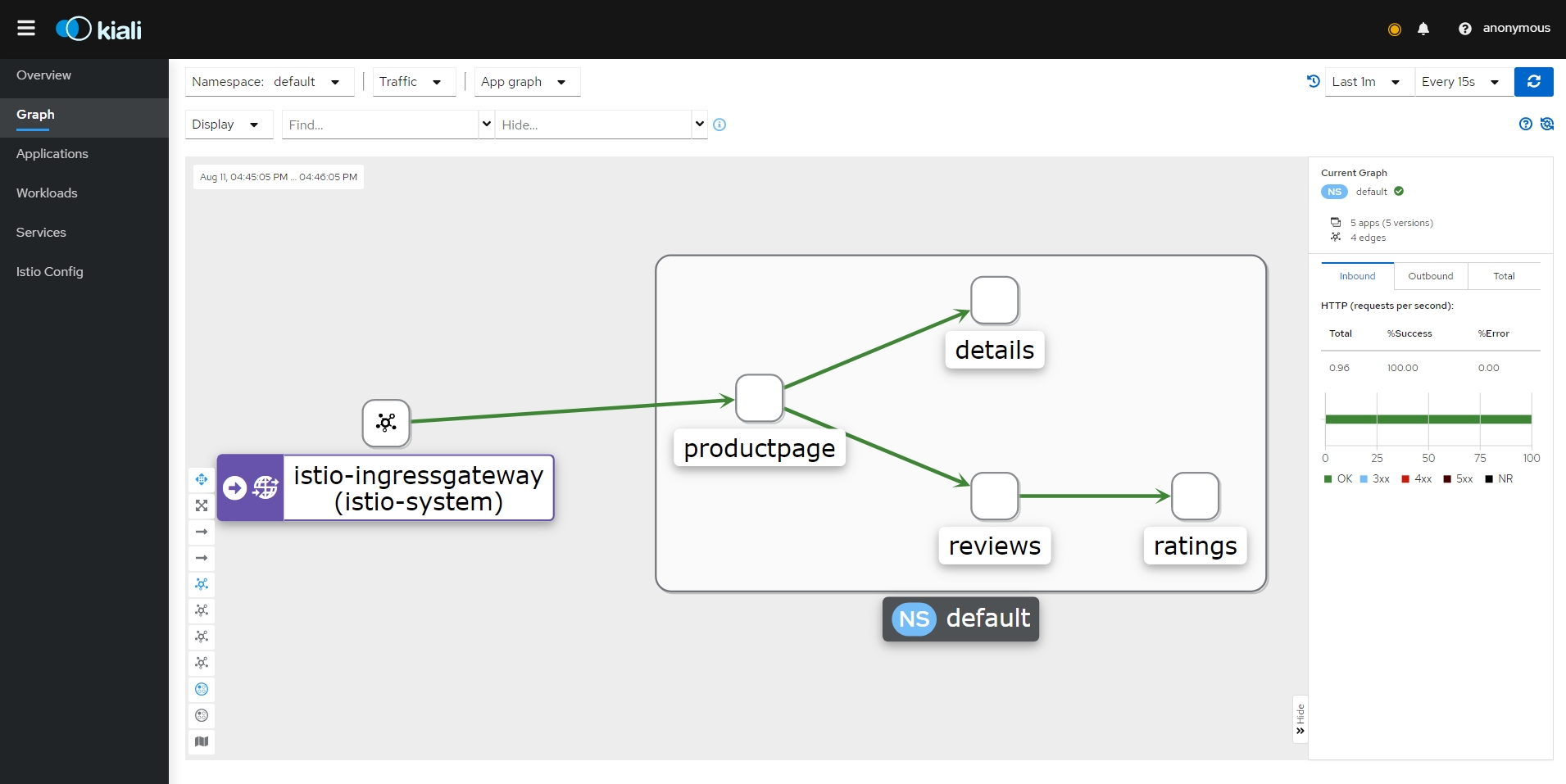{: #magnific}
- Service
- 메시에 있는 서비스 트래픽의 상위 수준 집계
- 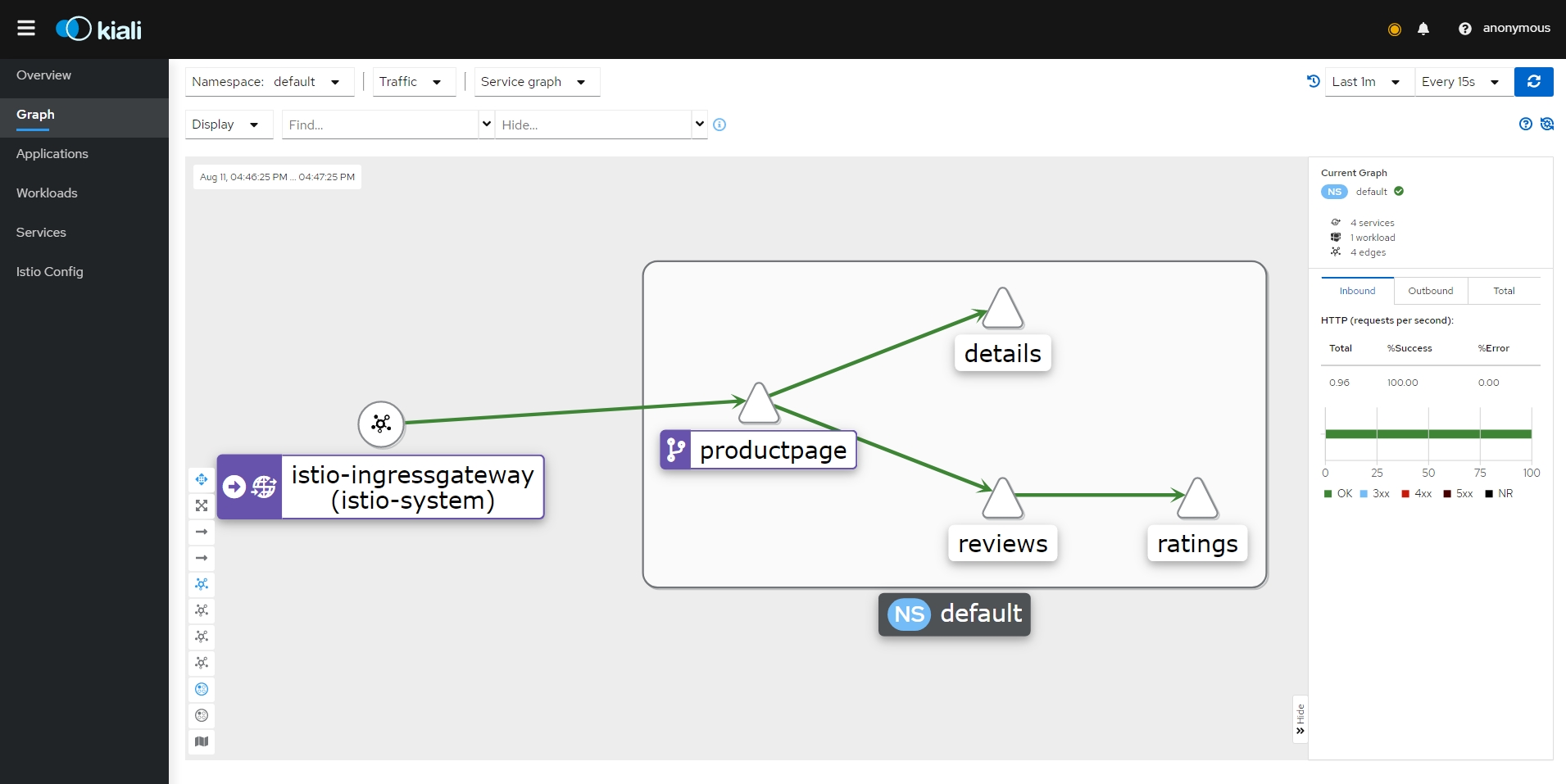{: #magnific}
- Versioned App
- 앱의 각 버전에 대한 노드를 표시
- 특정 앱의 모든 버전은 함께 그룹화
- 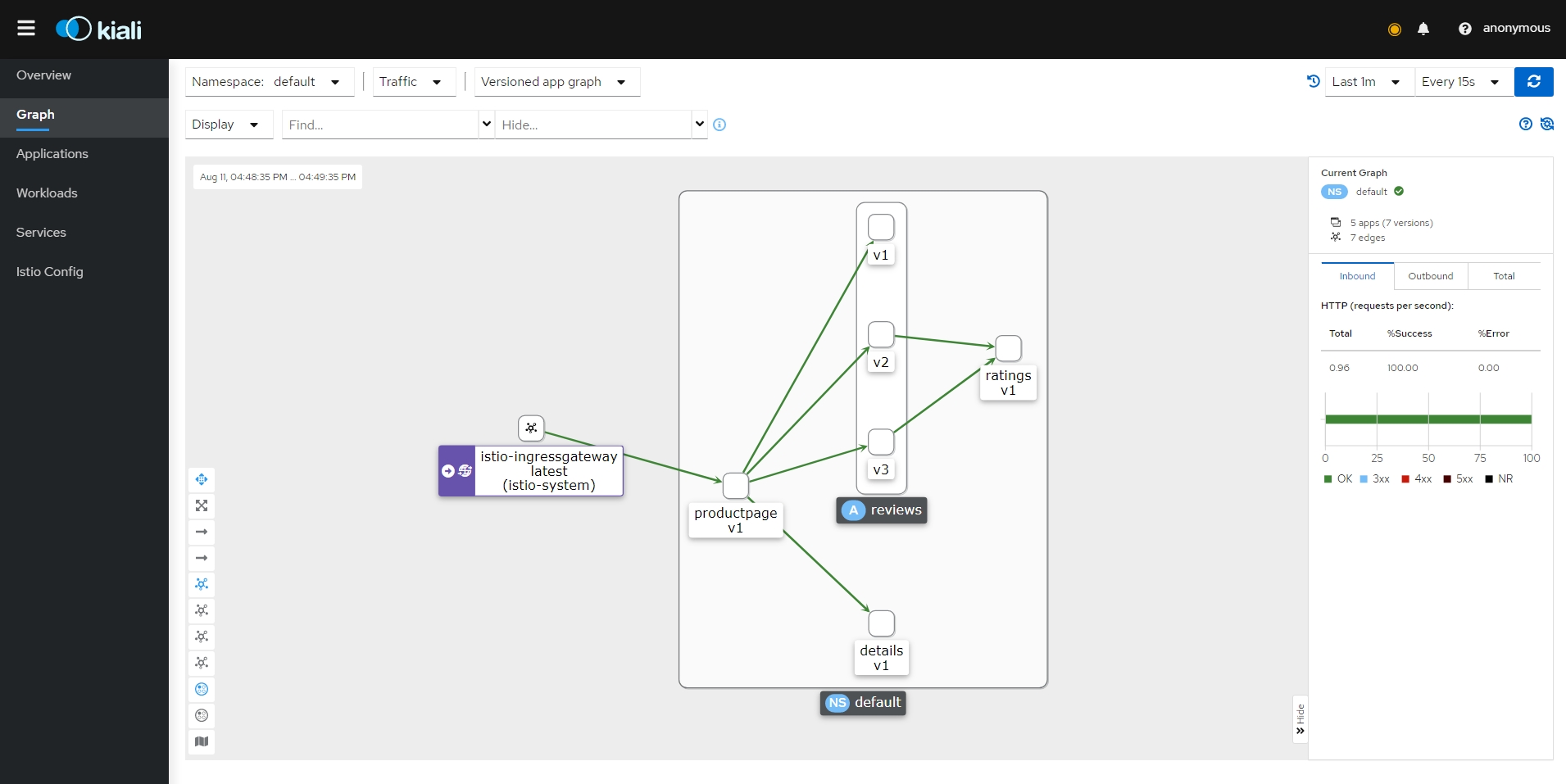{: #magnific}
- Workload
- 서비스 메시의 각 워크로드에 대한 노드
- 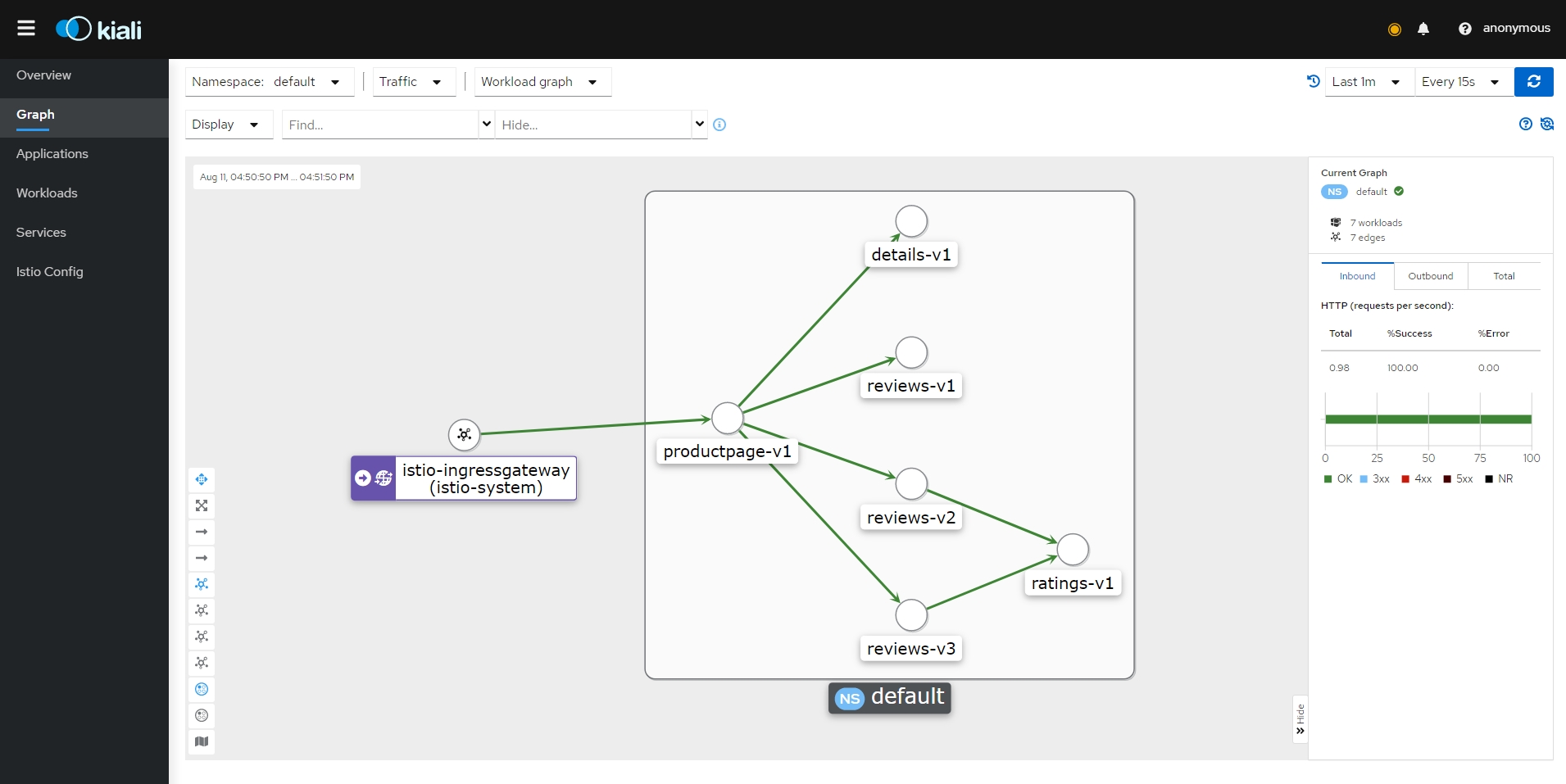{: #magnific}
- Traffic Shifting
- 둘 이상의 워크로드로 라우팅할 요청 트래픽의 특정 비율을 정의 가능
- Graph 페이지에서 default 네임스페이스의 Versioned App 유형 선택 후 Display에서 Traffic Distribution 항목과 Service Nodes 항목 선택
- 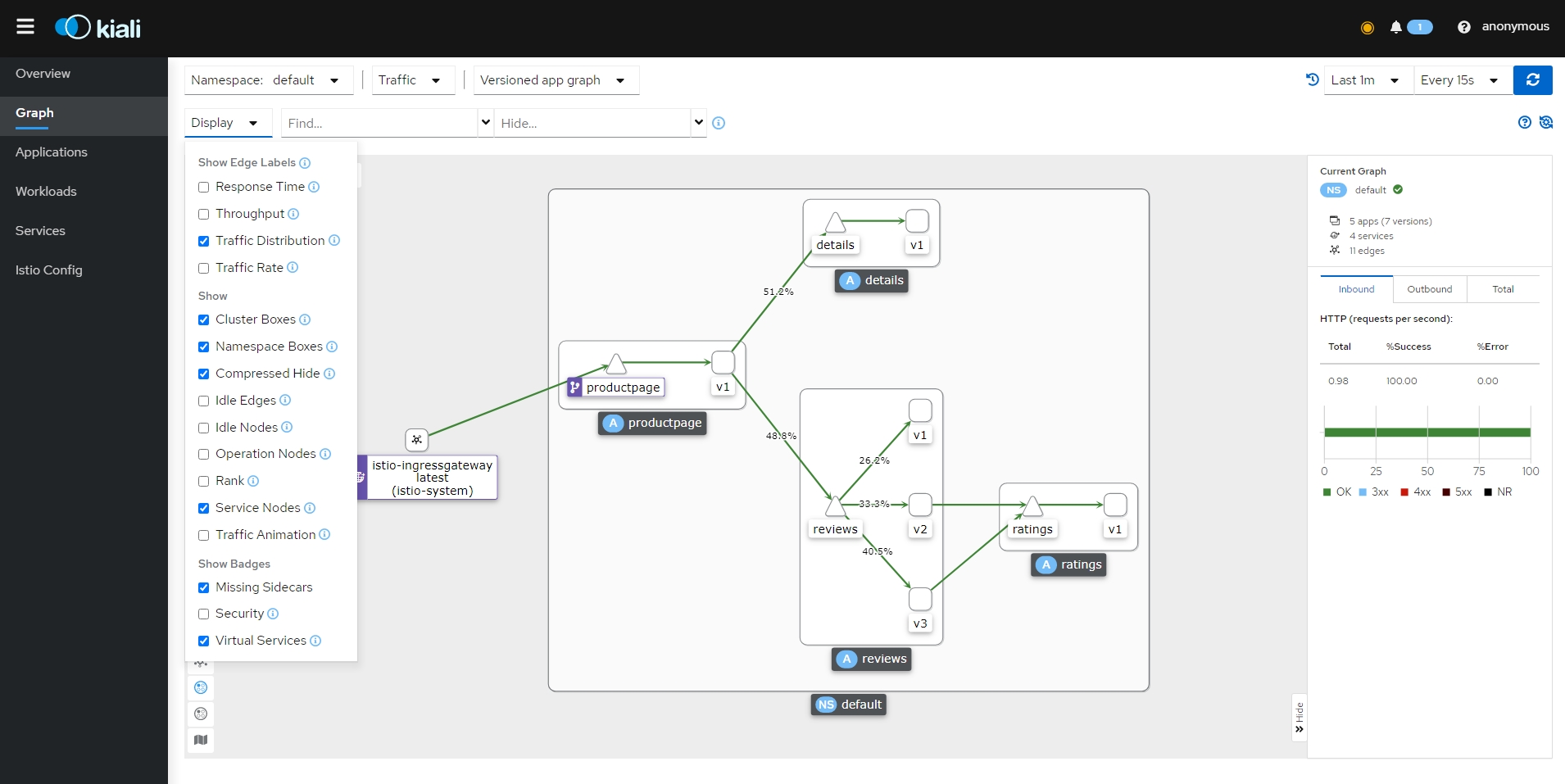{: #magnific}
- reviews 서비스 노드 선택 후 측면 패널의 reviews 서비스 링크 클릭
- 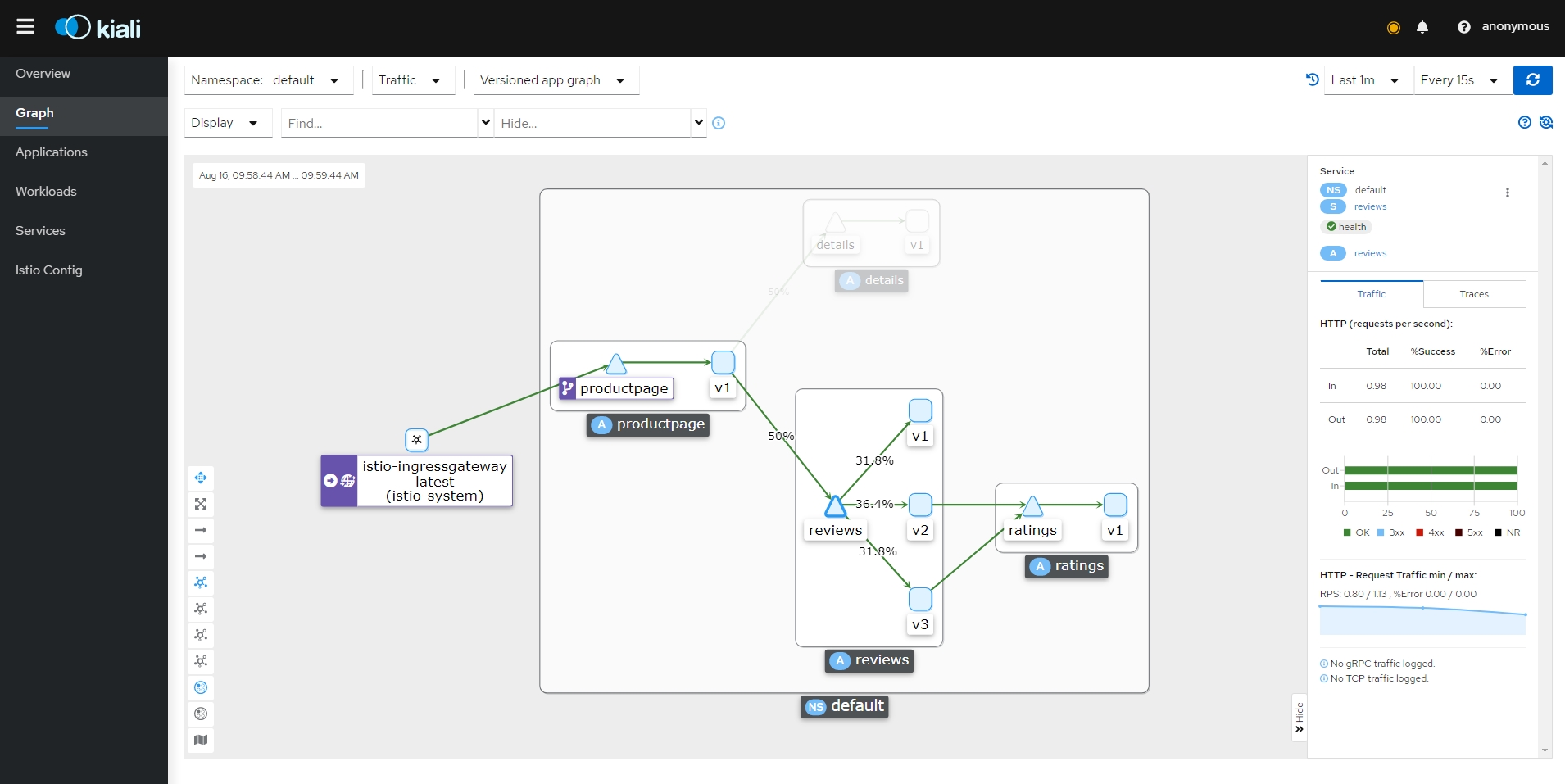{: #magnific}
- 오른쪽 위 Actions에서 Traffic Shifting 선택
- 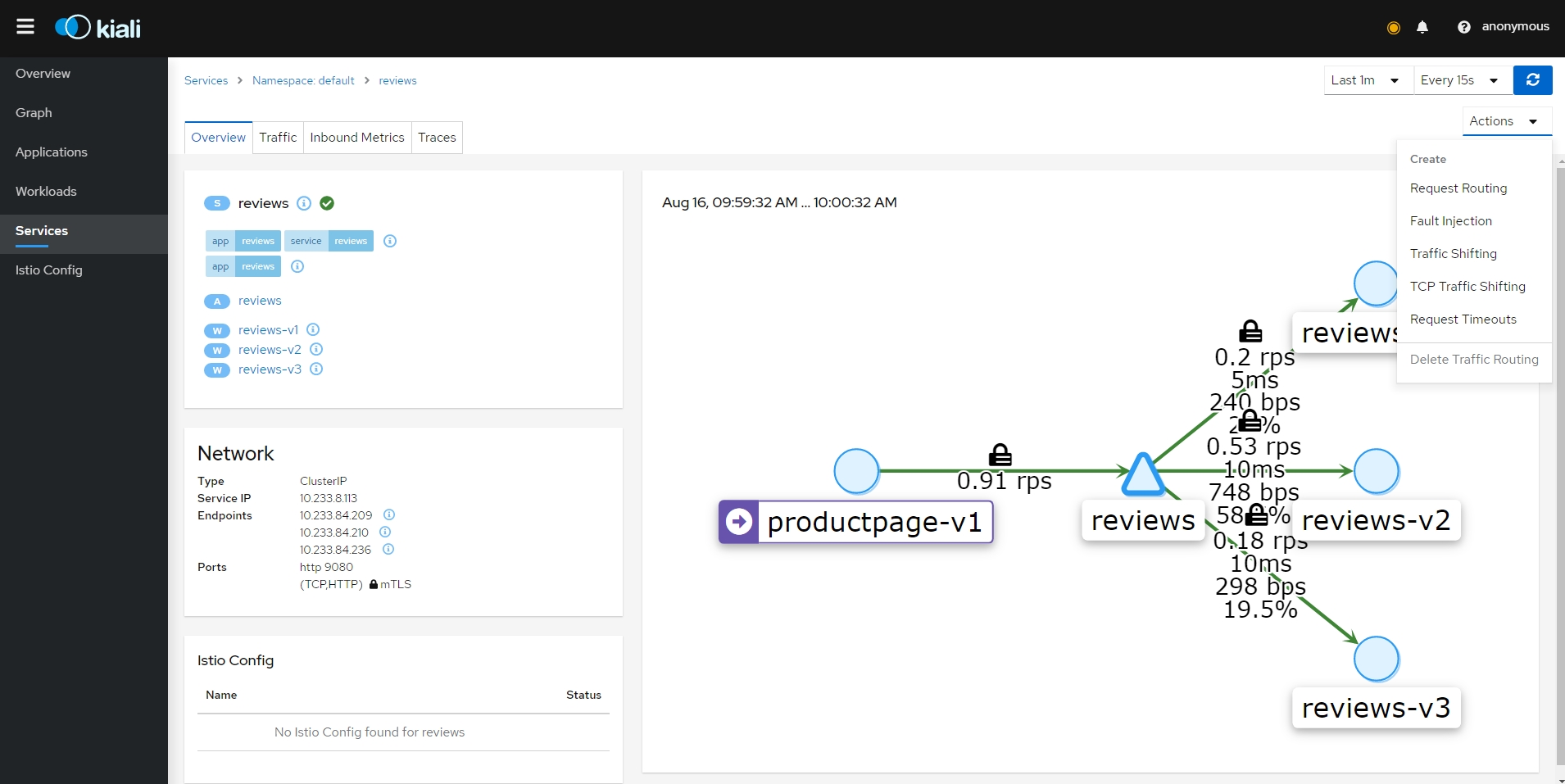{: #magnific}
- 비율 조정 및 생성
- 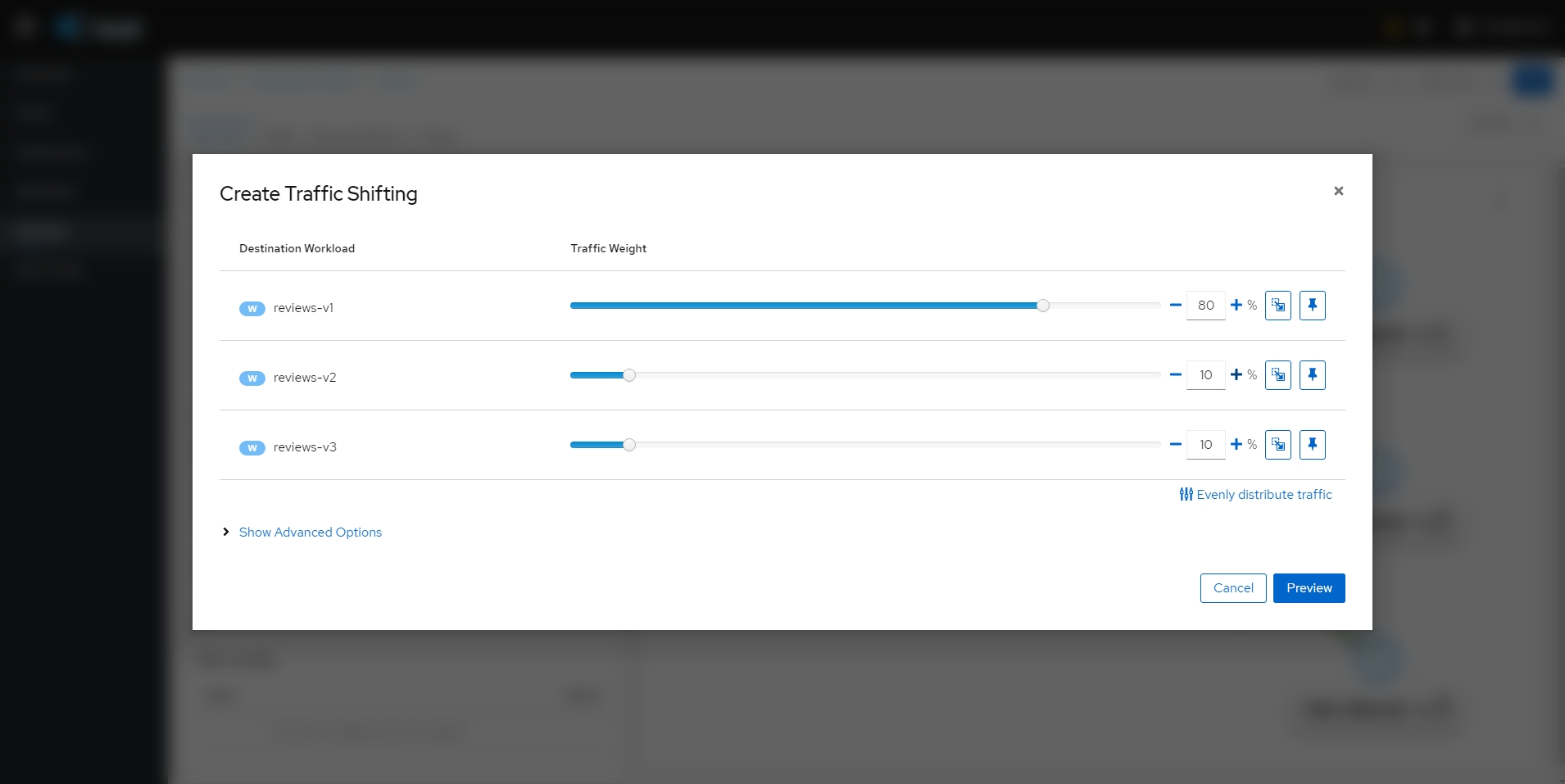{: #magnific}
- 확인
- 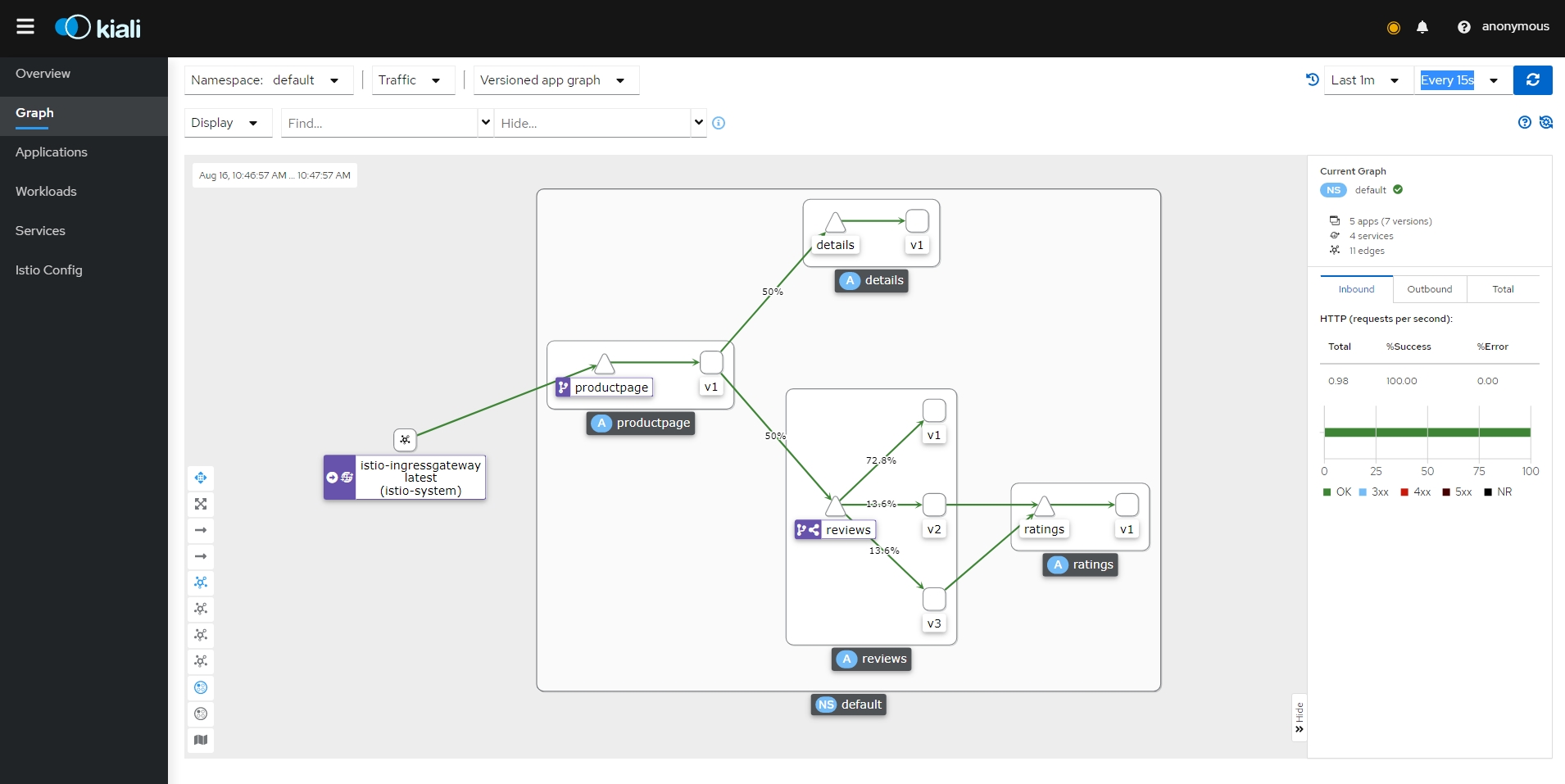{: #magnific}
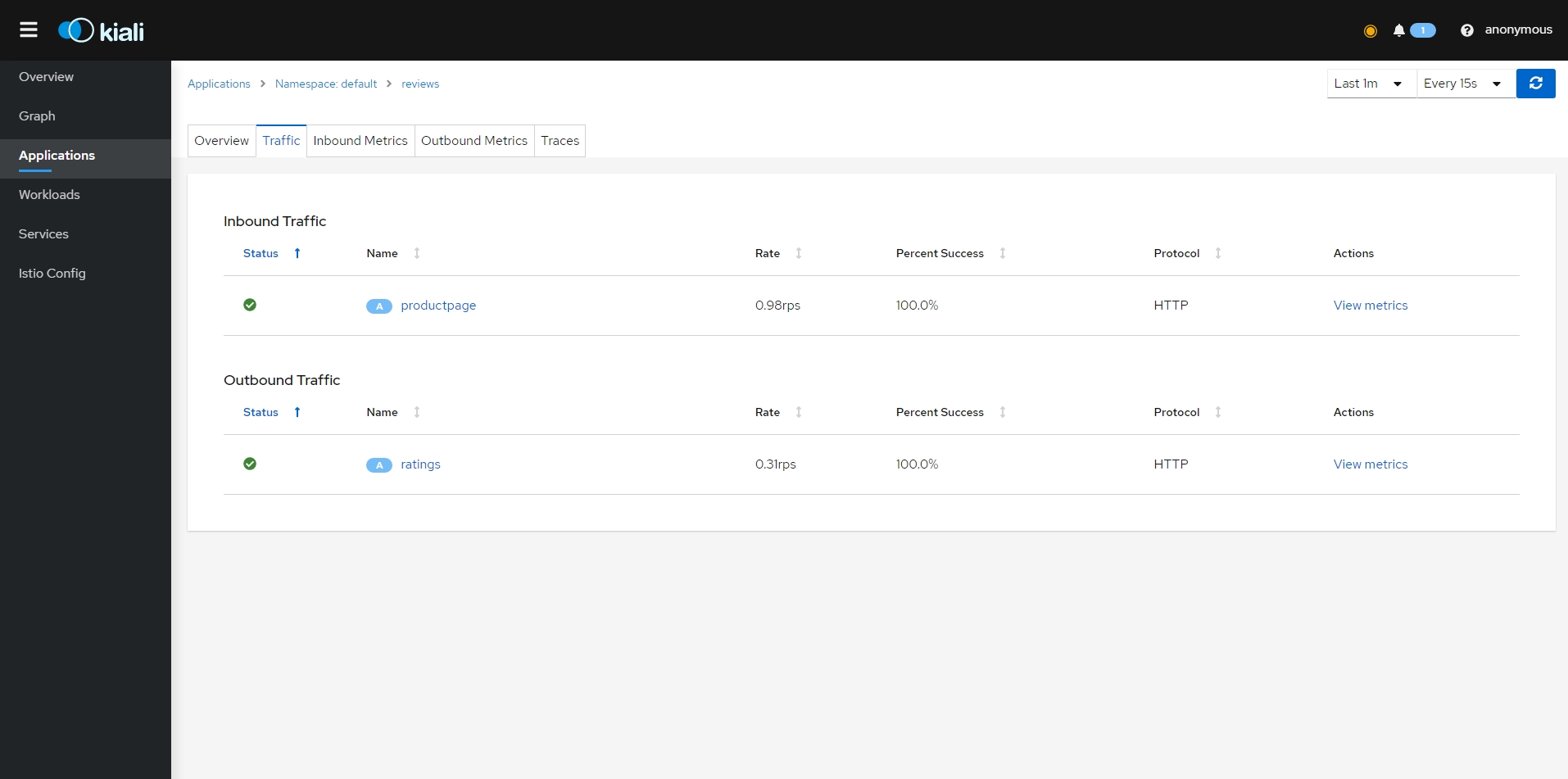
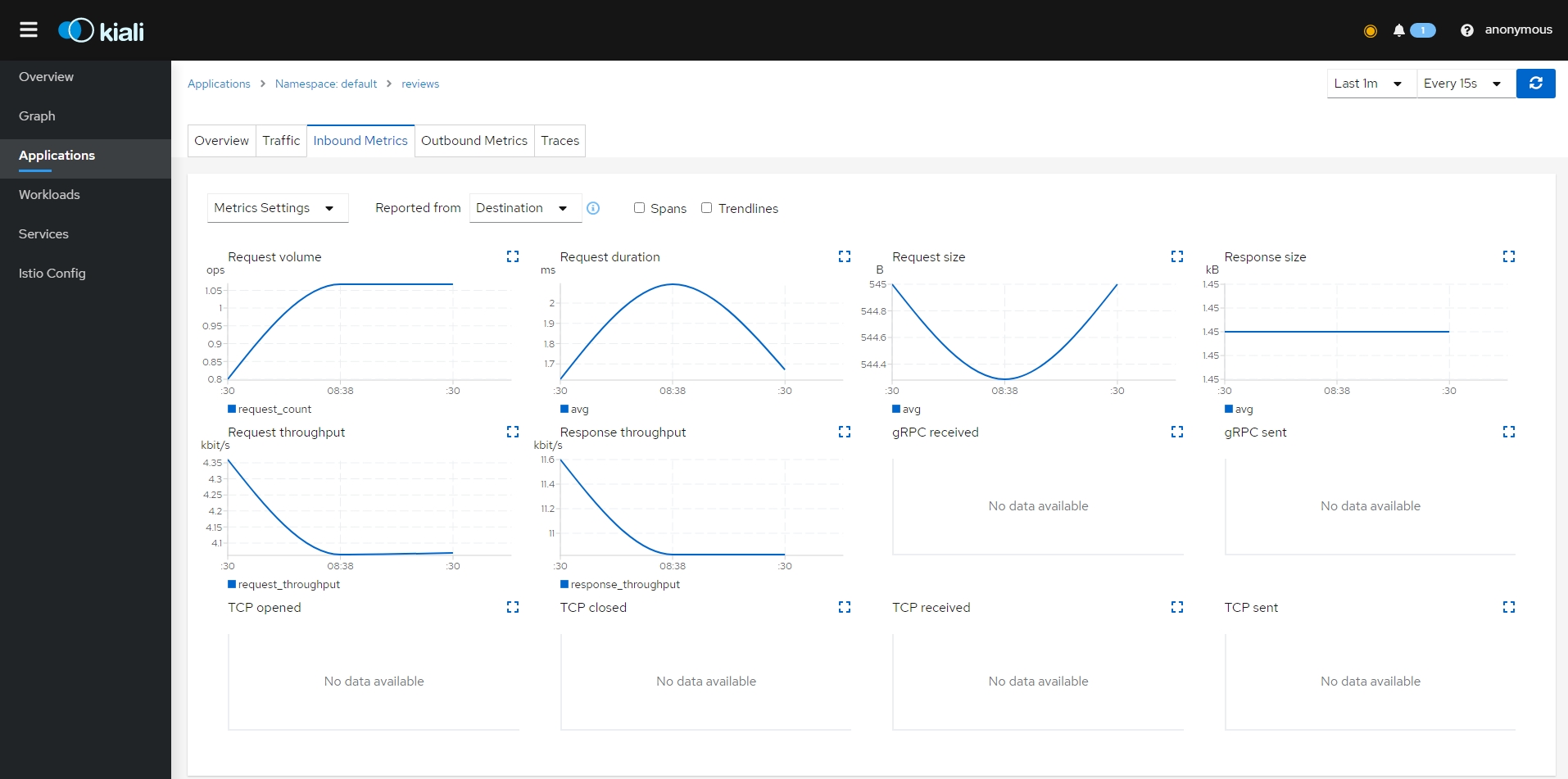
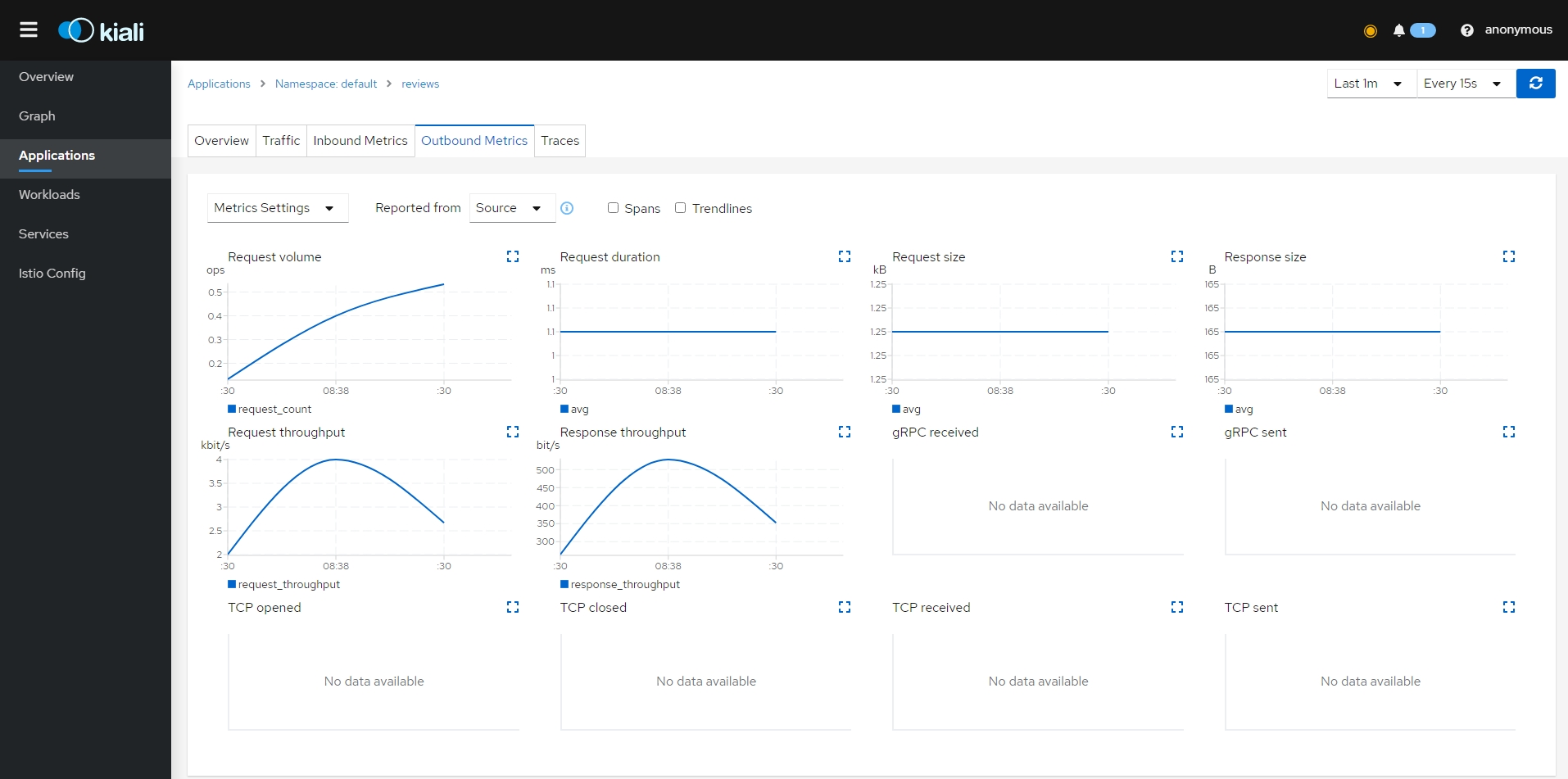
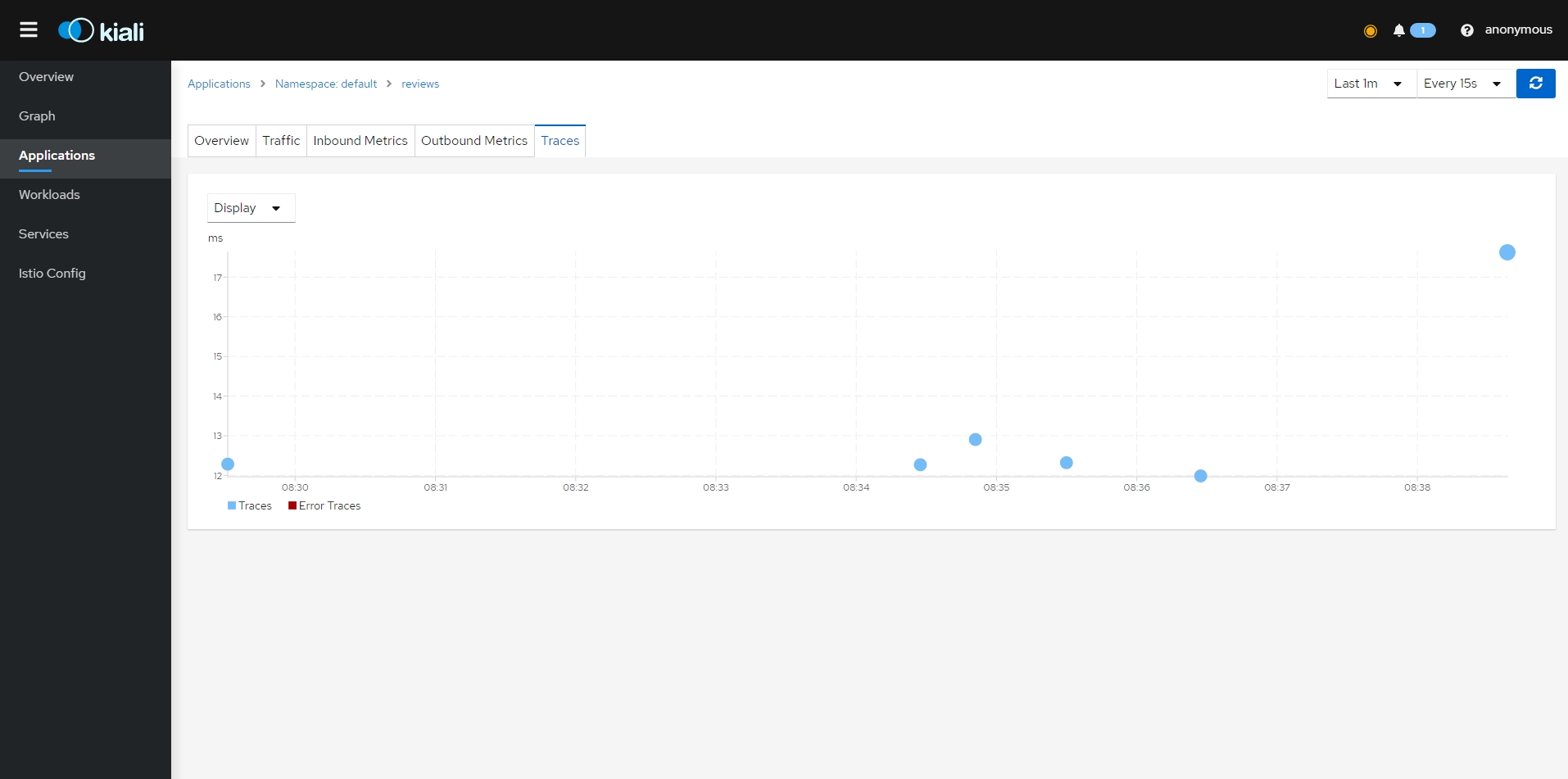
- Applications
- 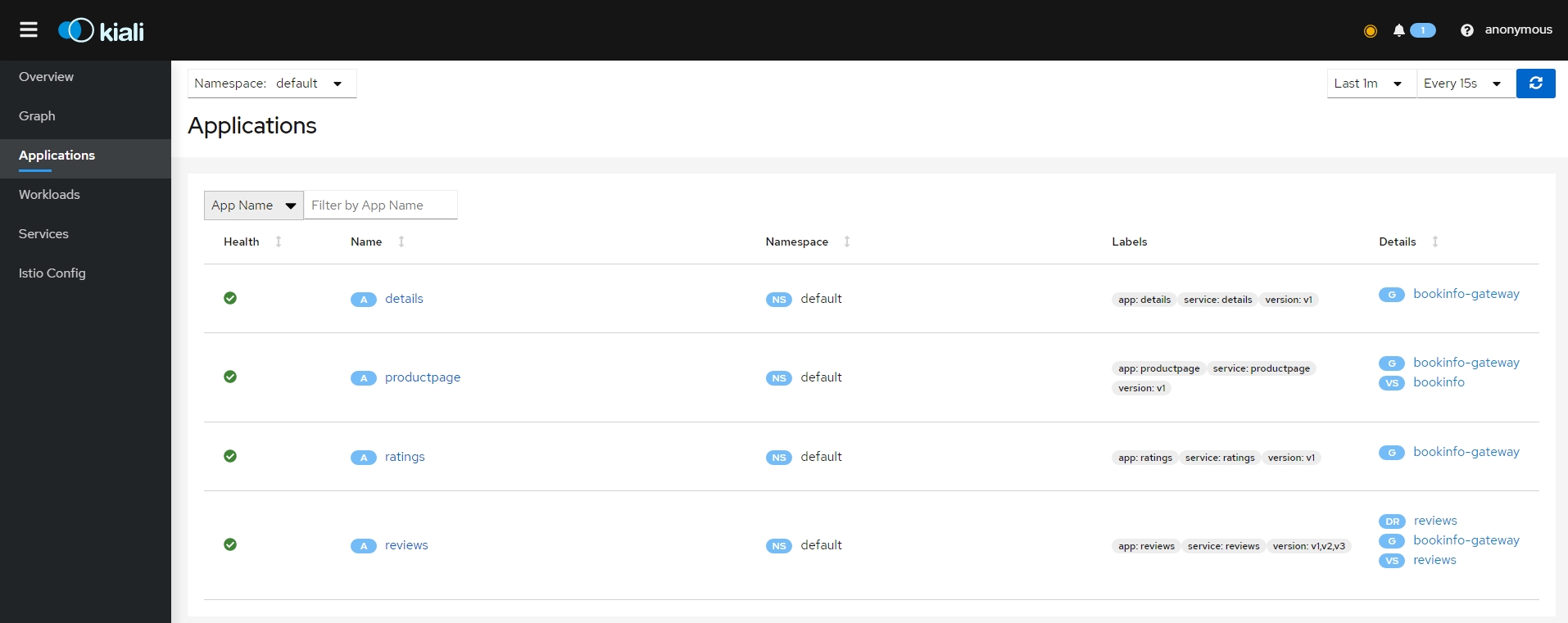{: #magnific}
- 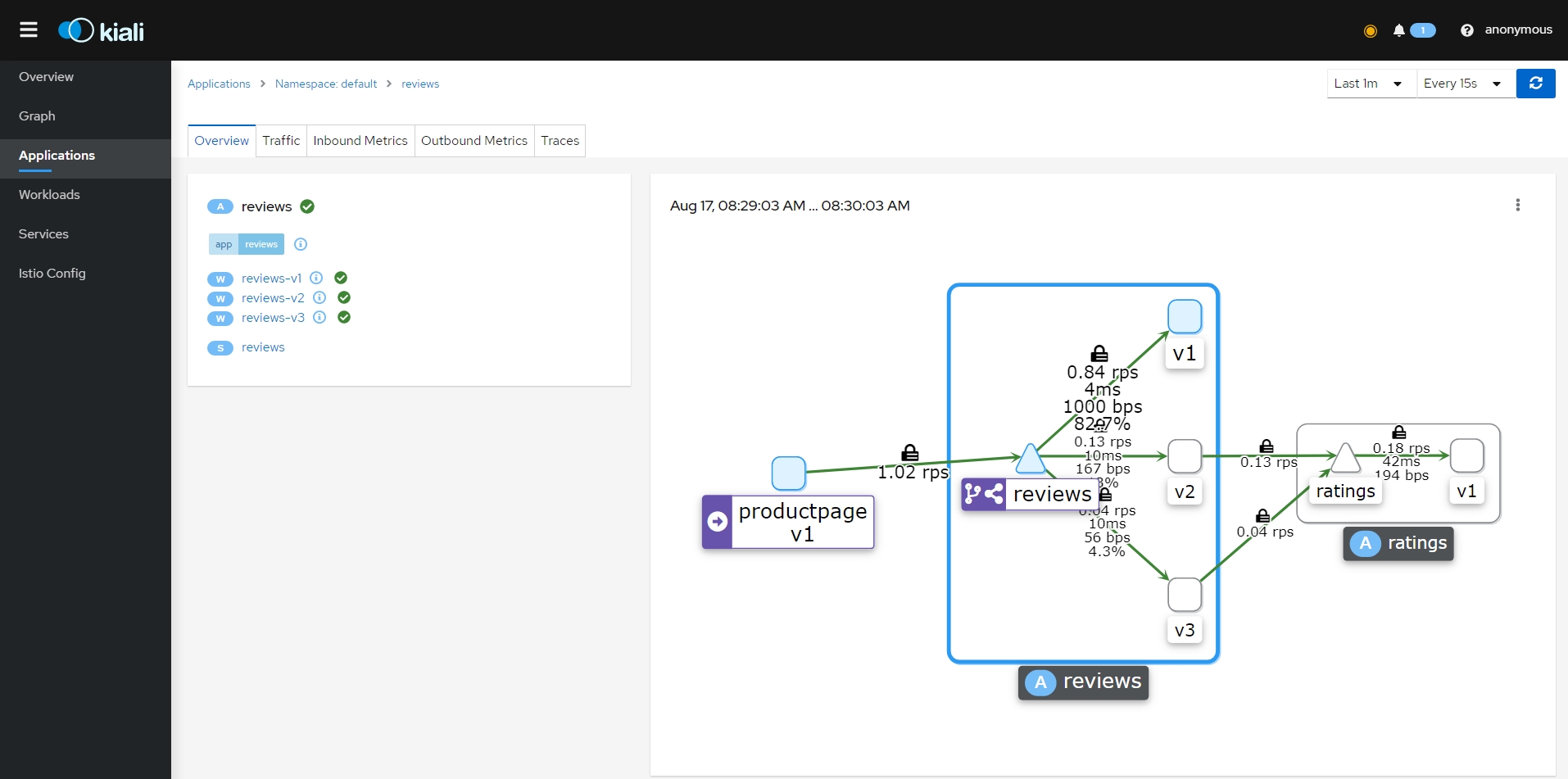{: #magnific}
- {: #magnific}
- {: #magnific}
- {: #magnific}
- {: #magnific}
- 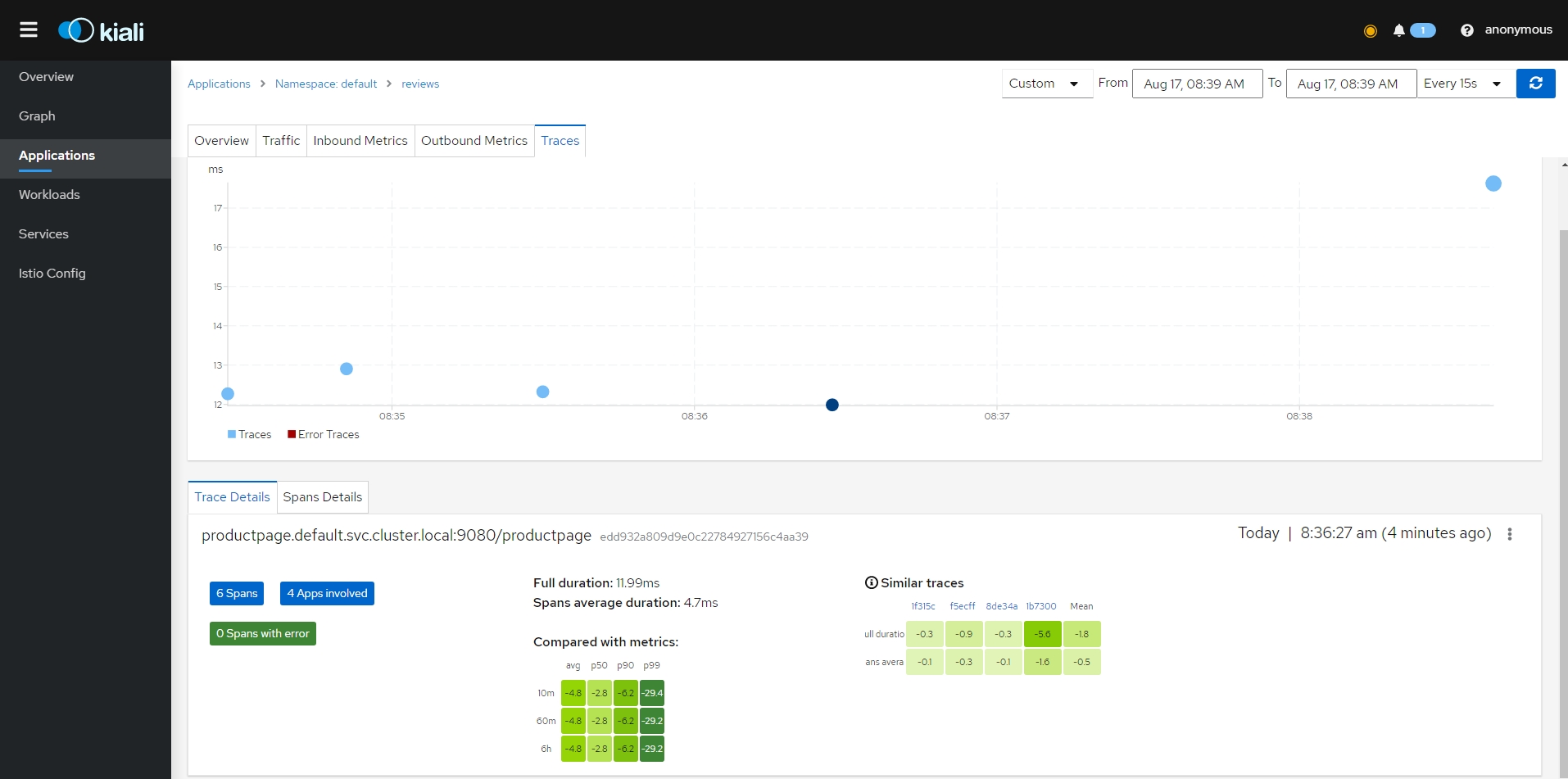{: #magnific}
- 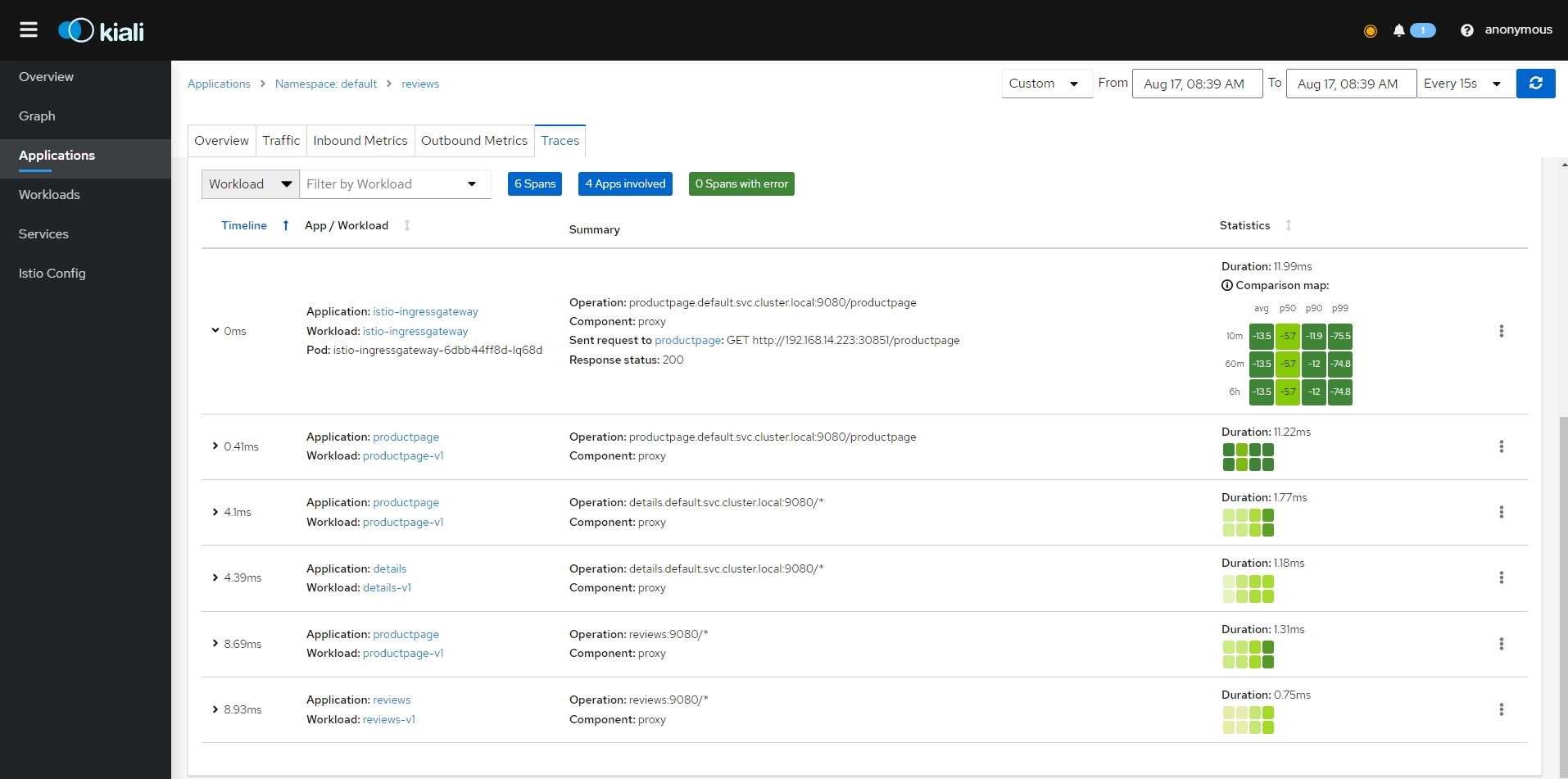{: #magnific}
- Workloads
- 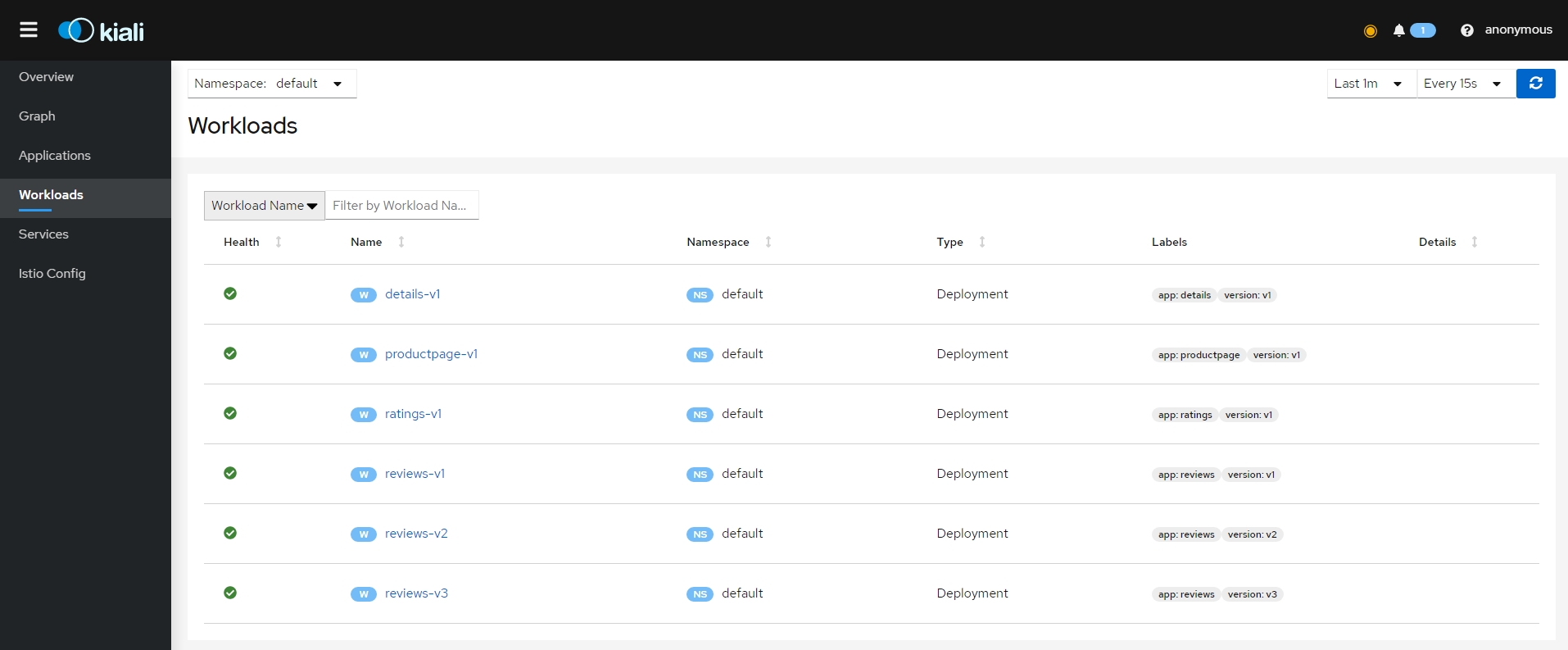{: #magnific}
- 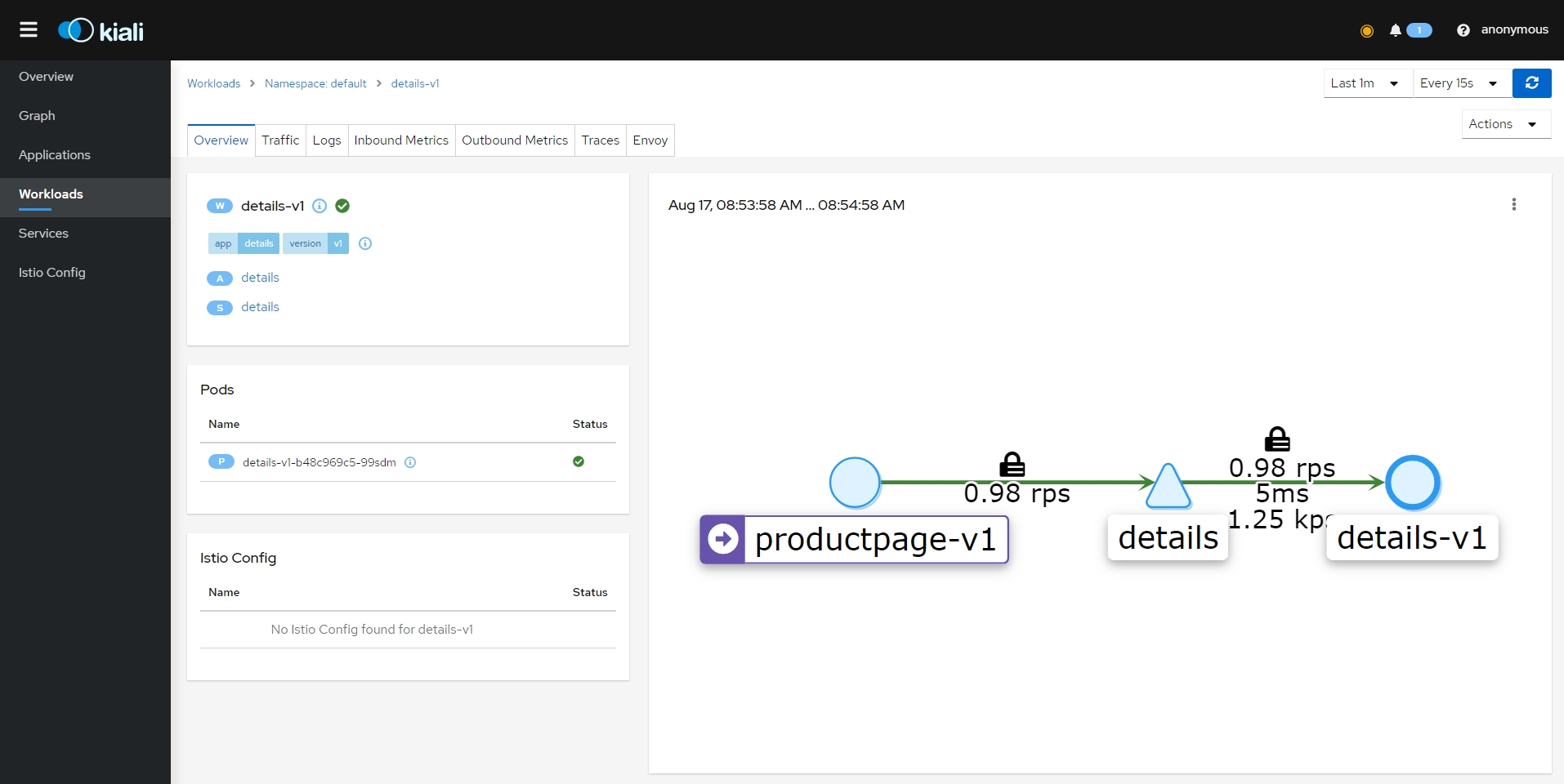{: #magnific}
- 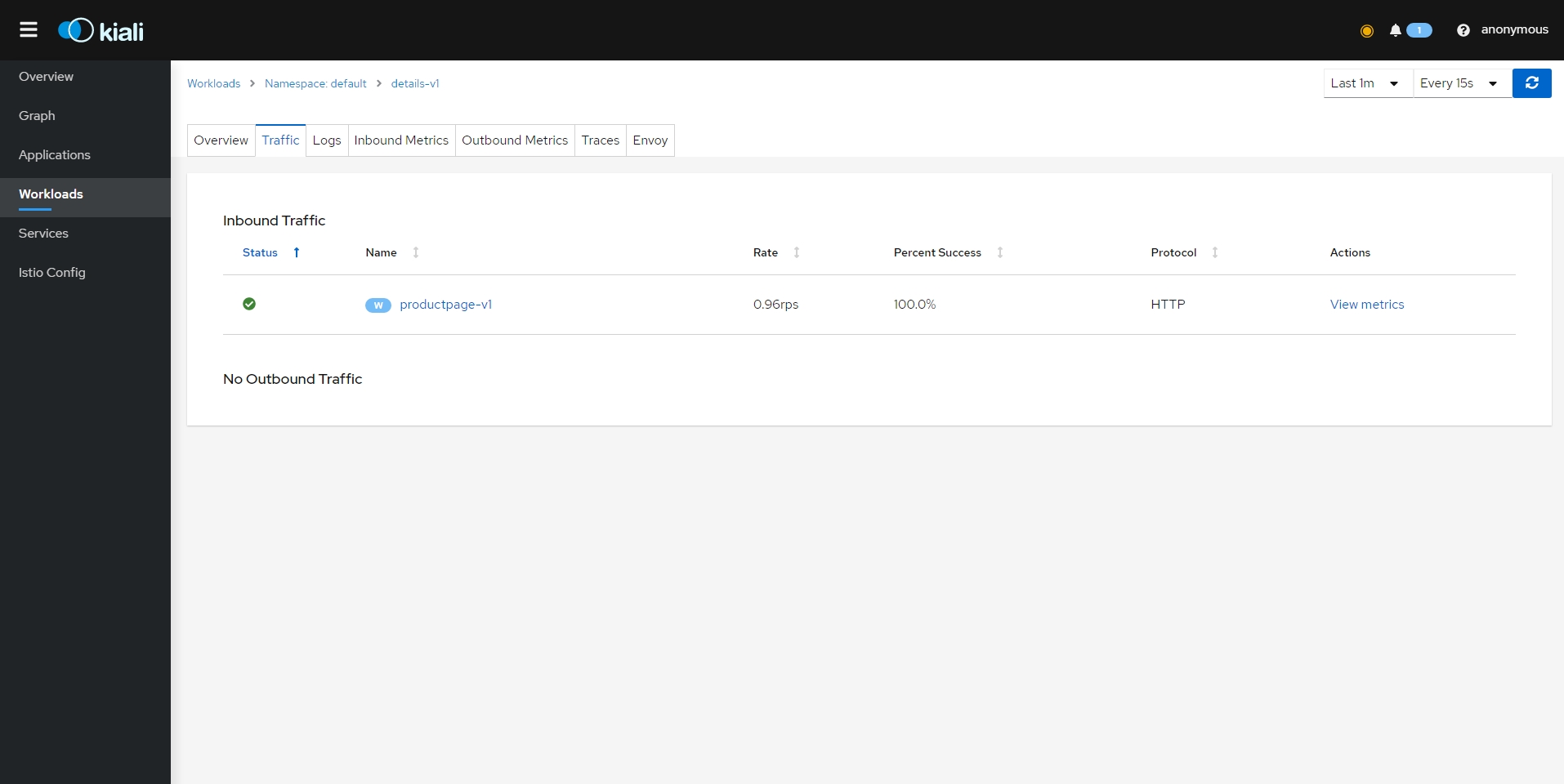{: #magnific}
- 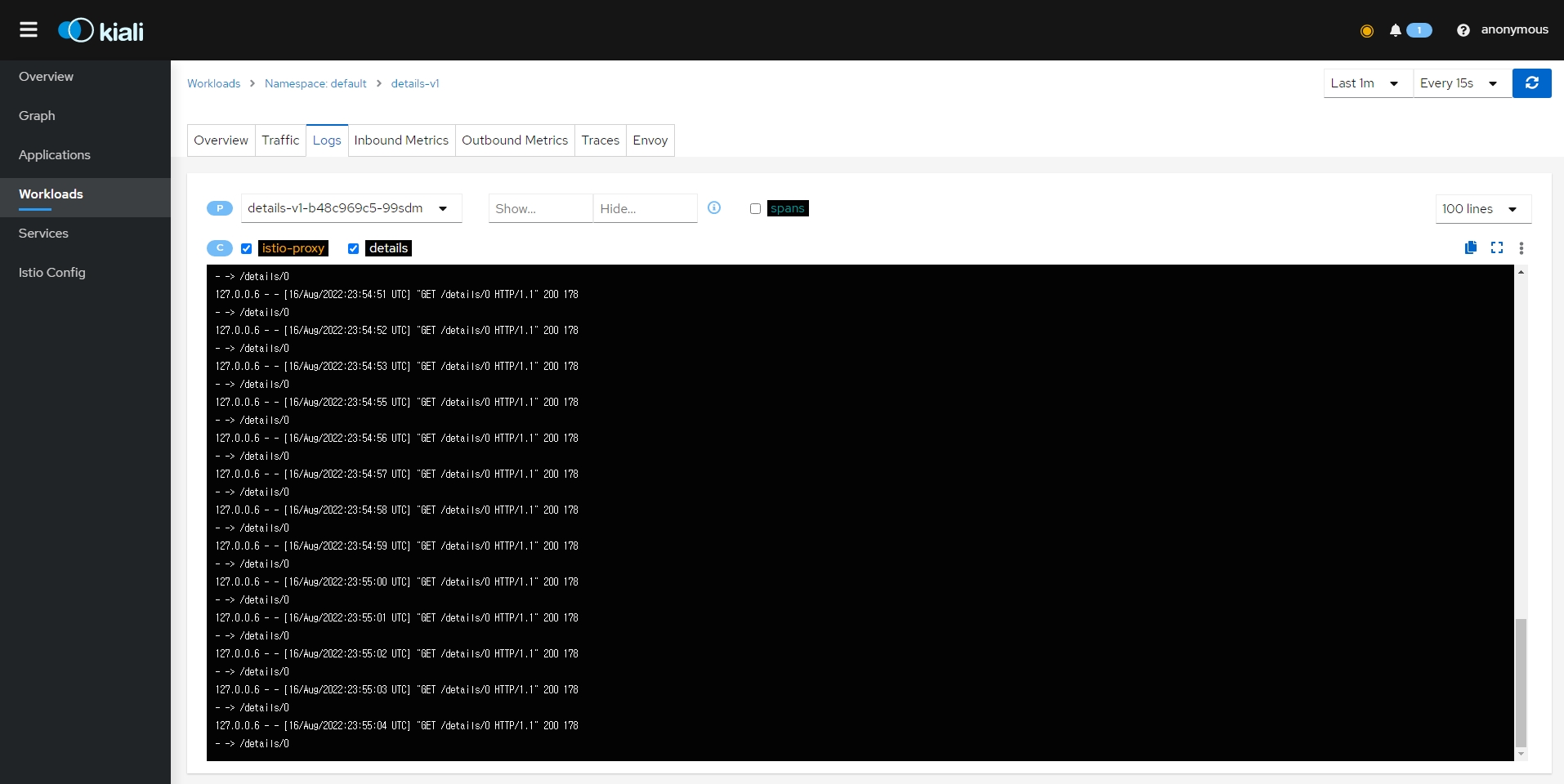{: #magnific}
- 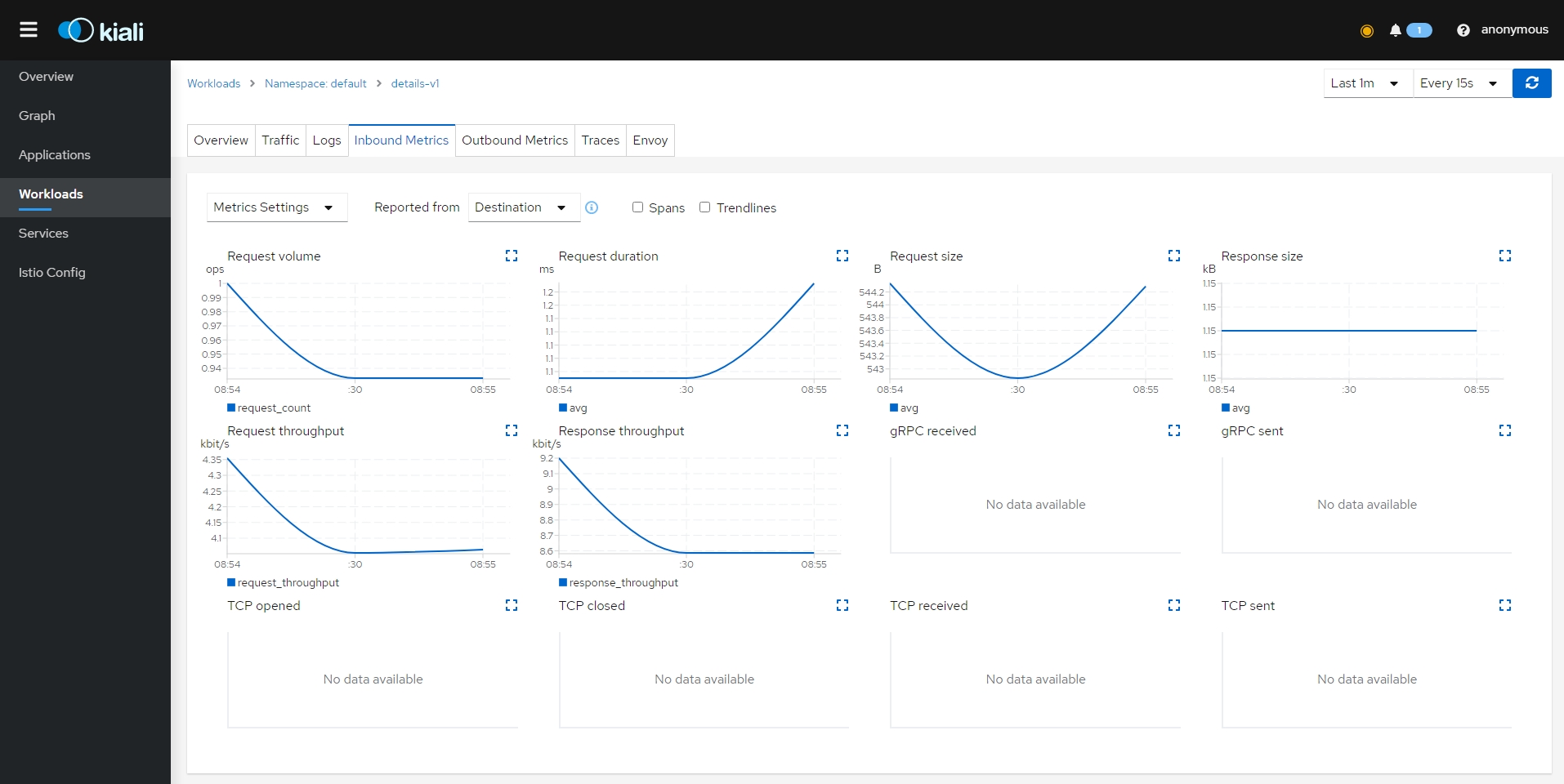{: #magnific}
- 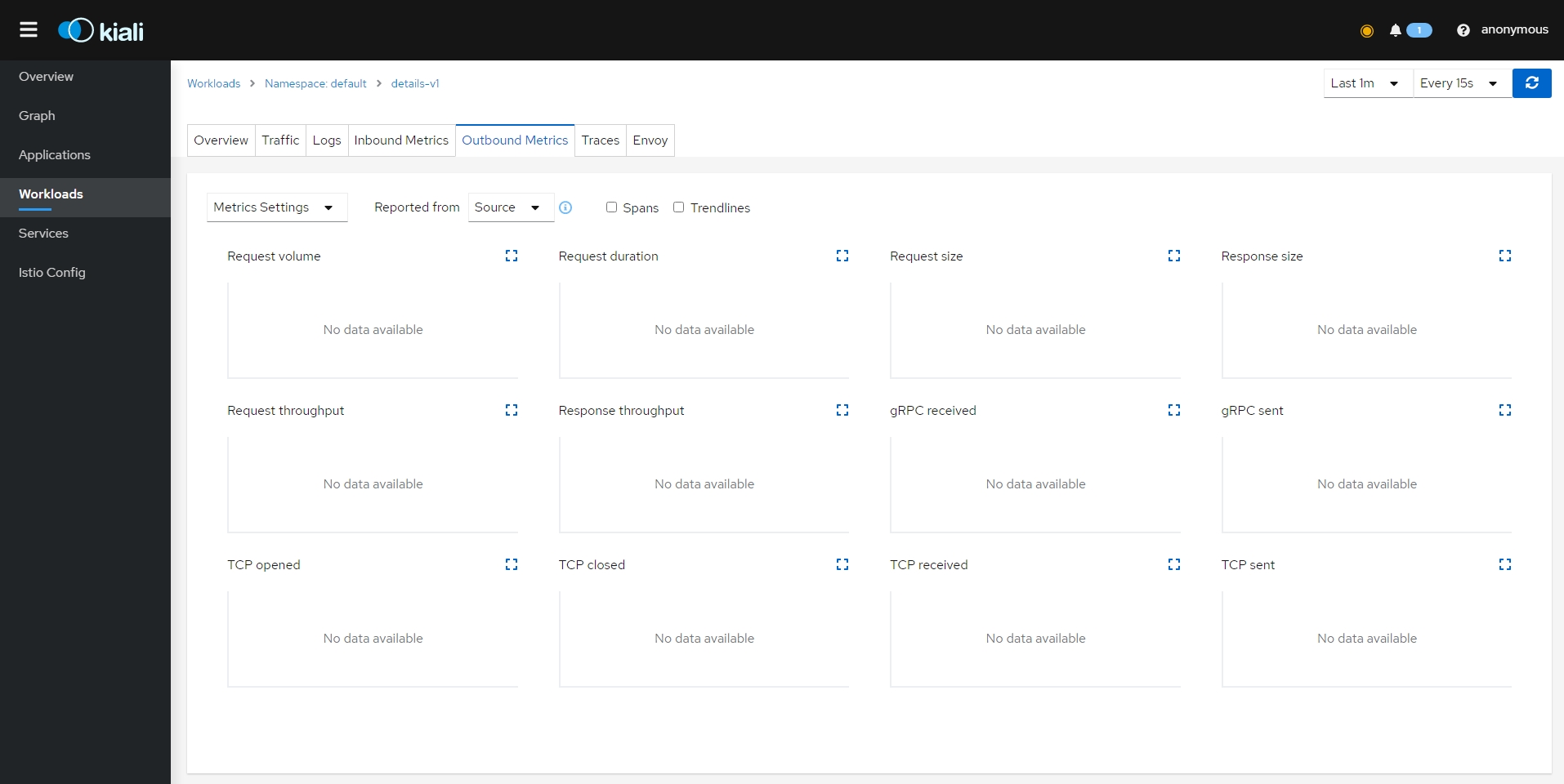{: #magnific}
- 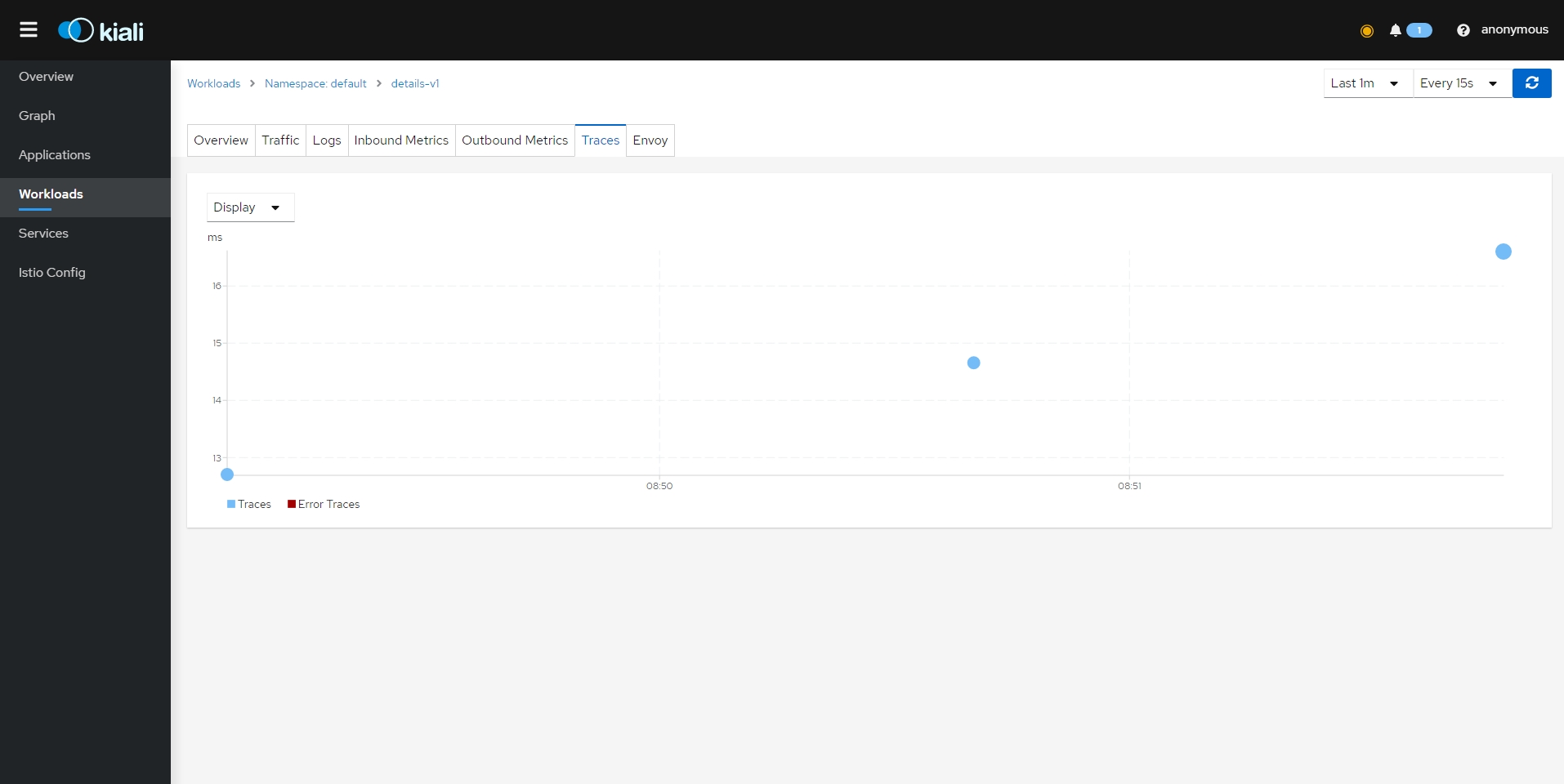{: #magnific}
- 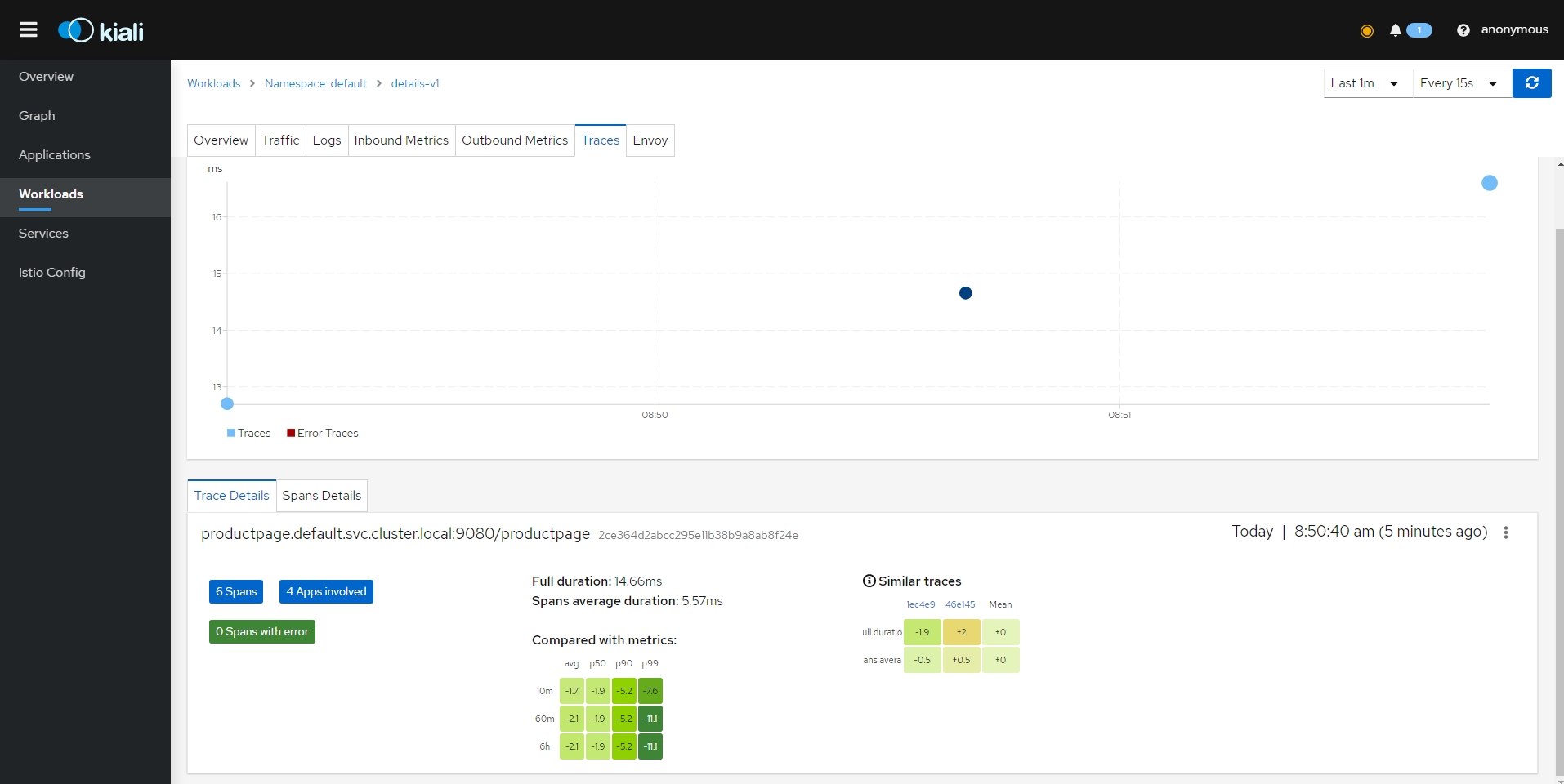{: #magnific}
- 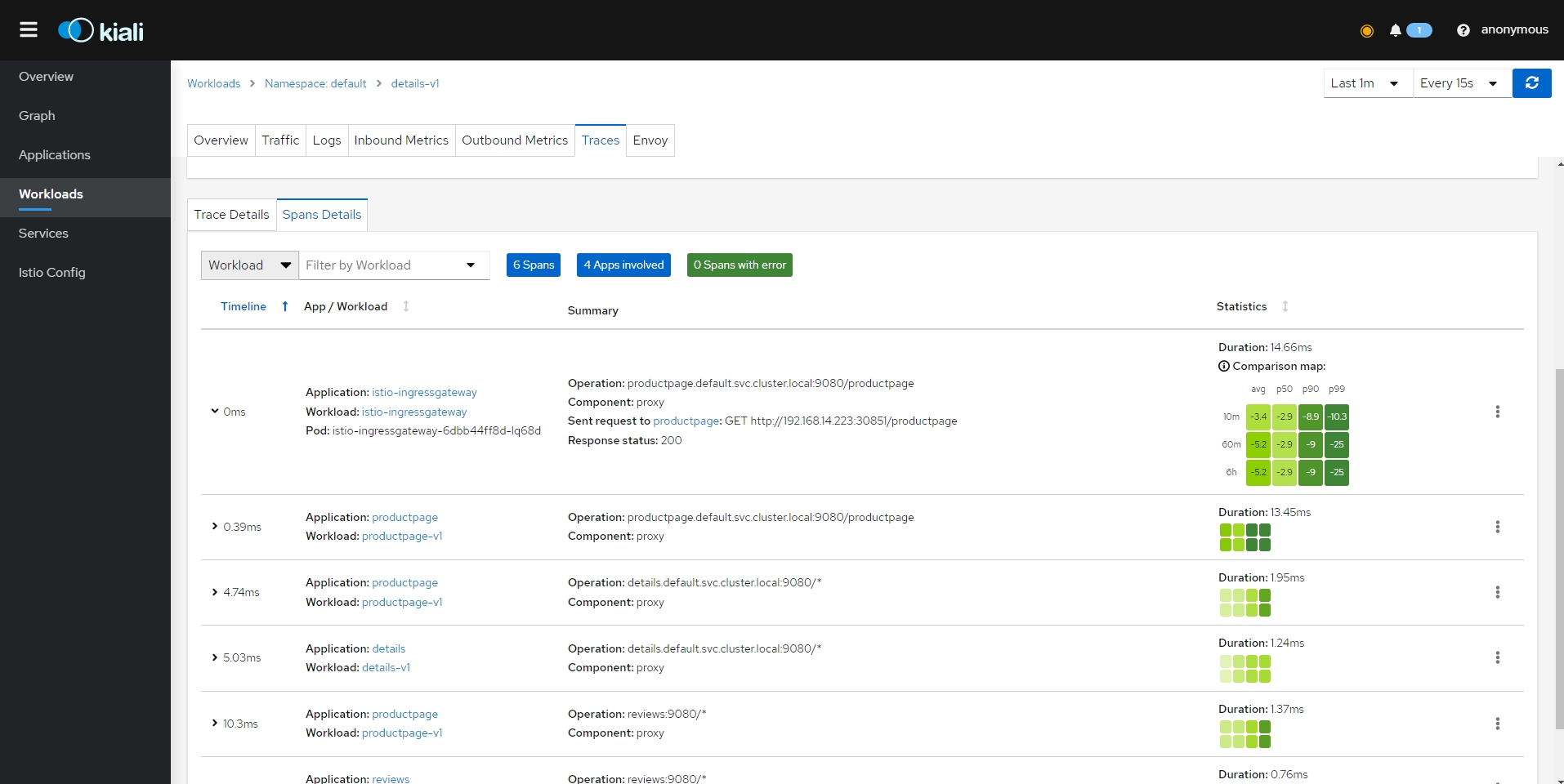{: #magnific}
- 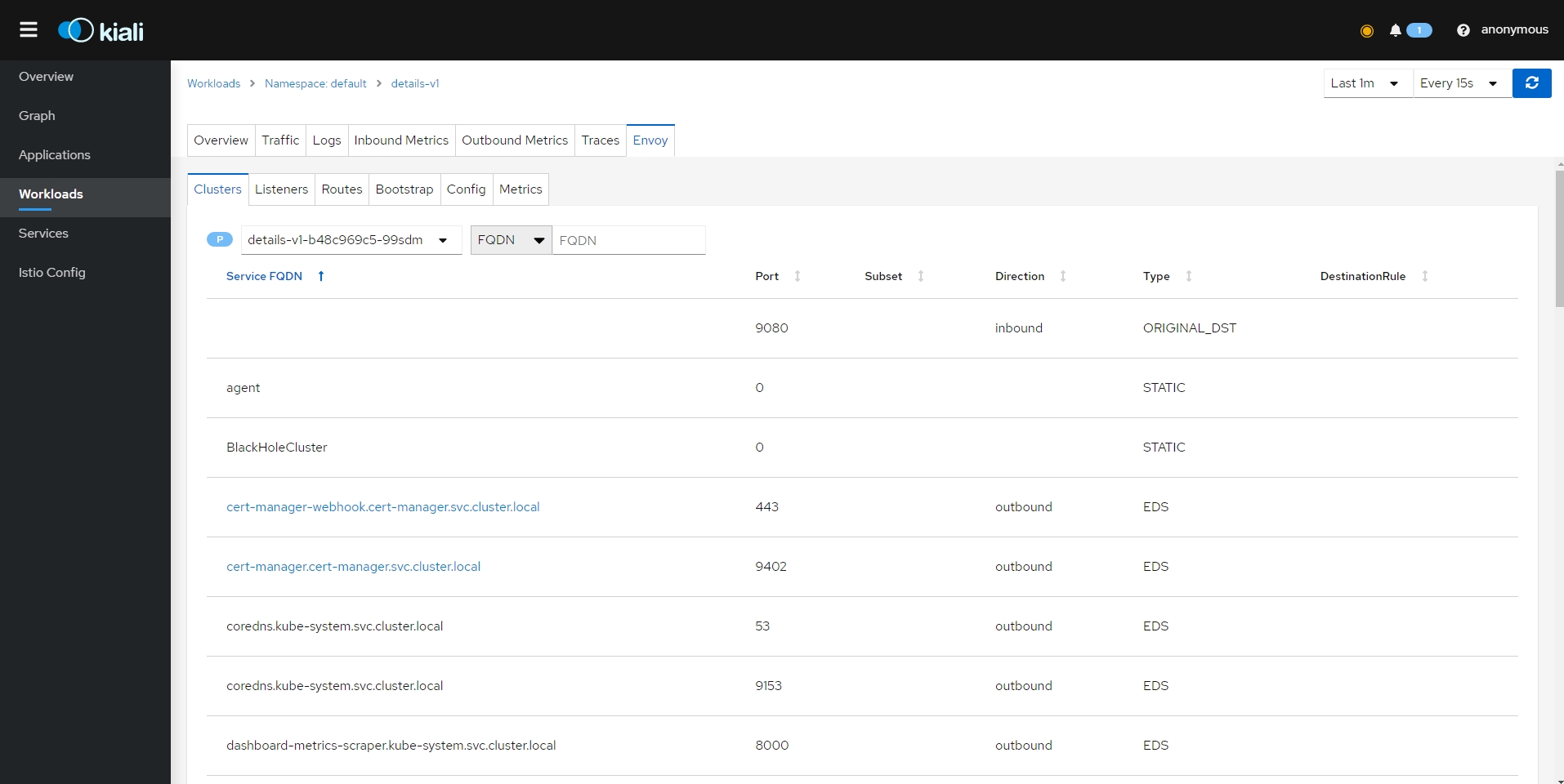{: #magnific}
- 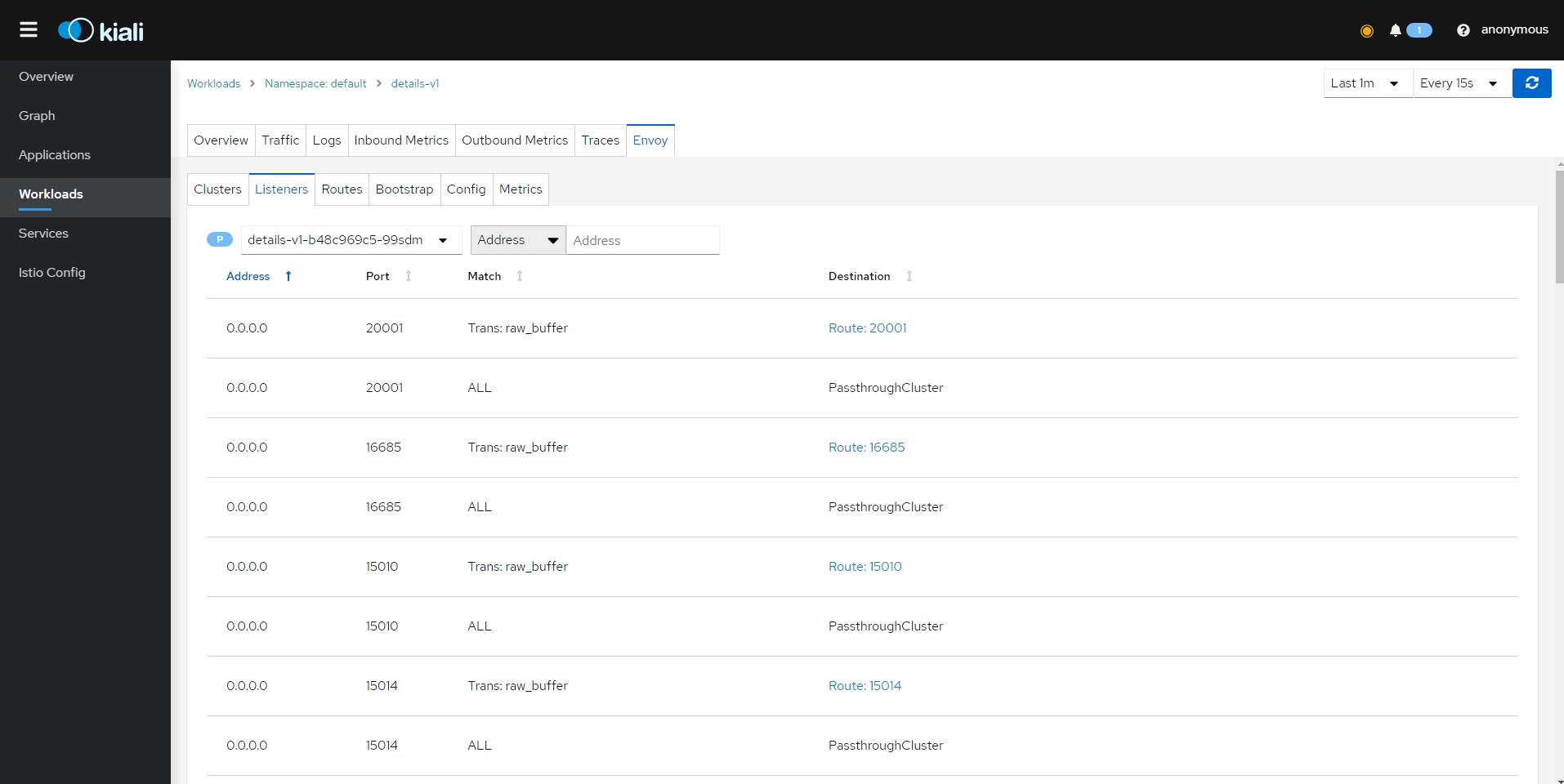{: #magnific}
- 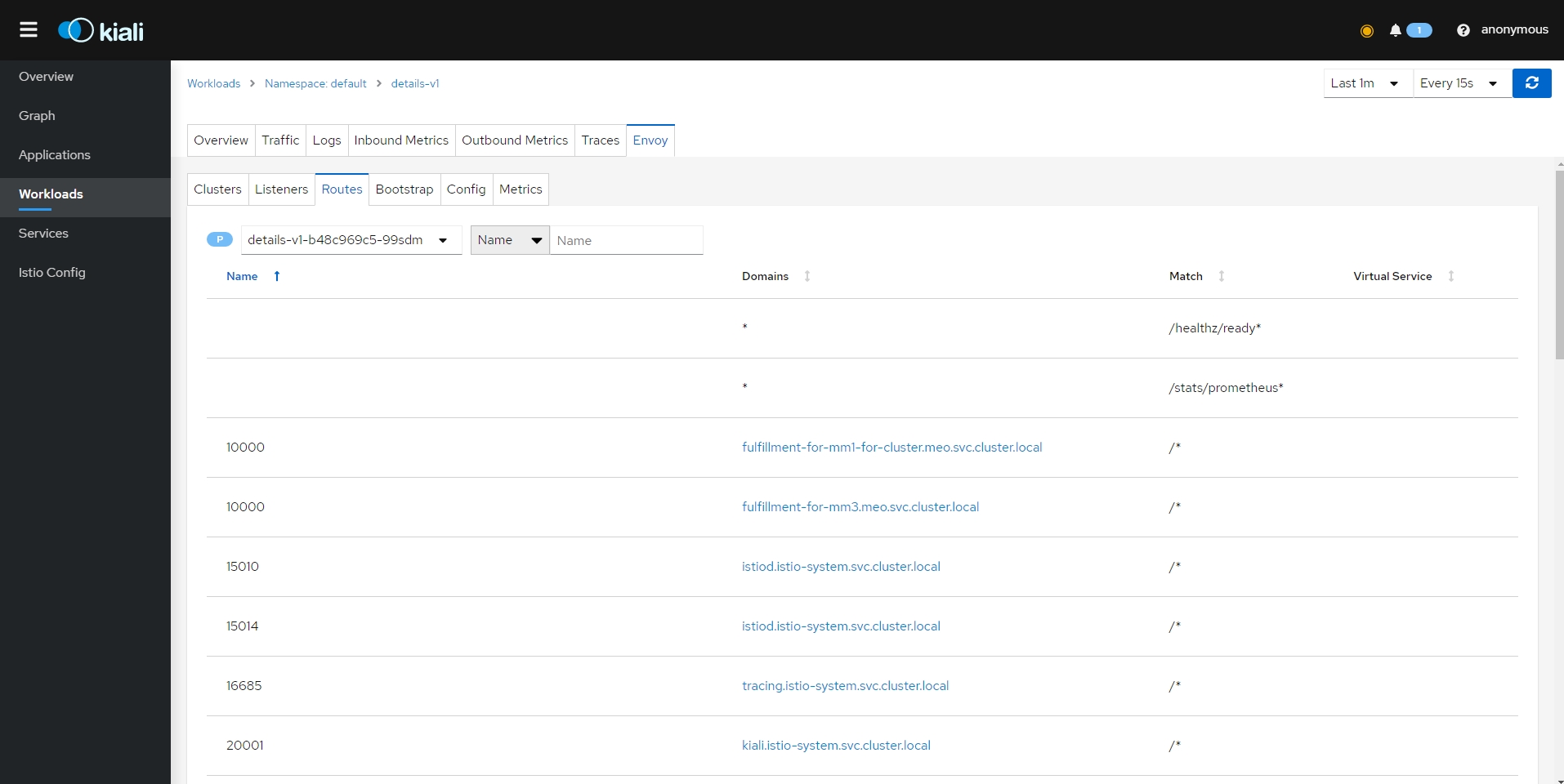{: #magnific}
- 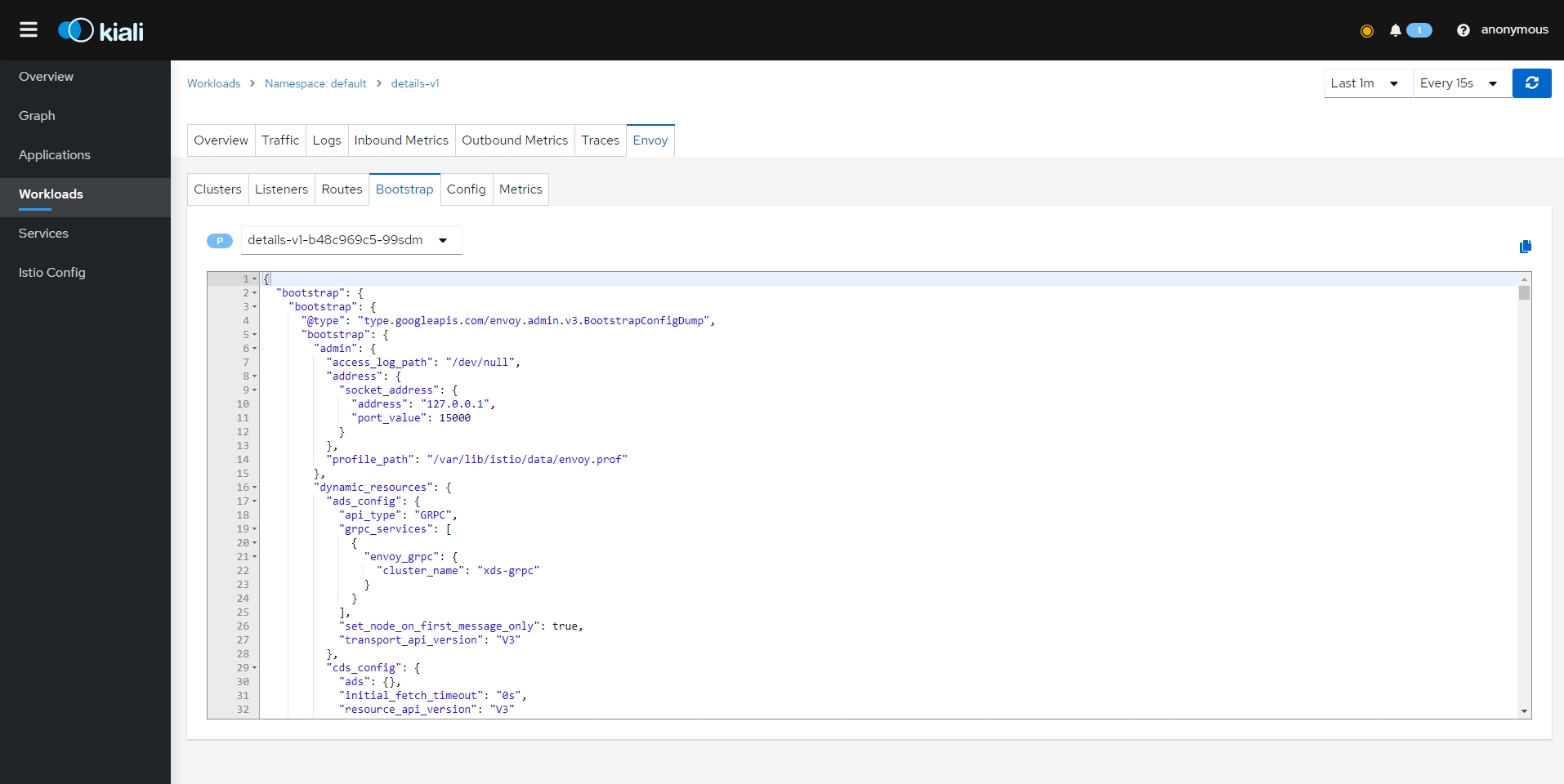{: #magnific}
- 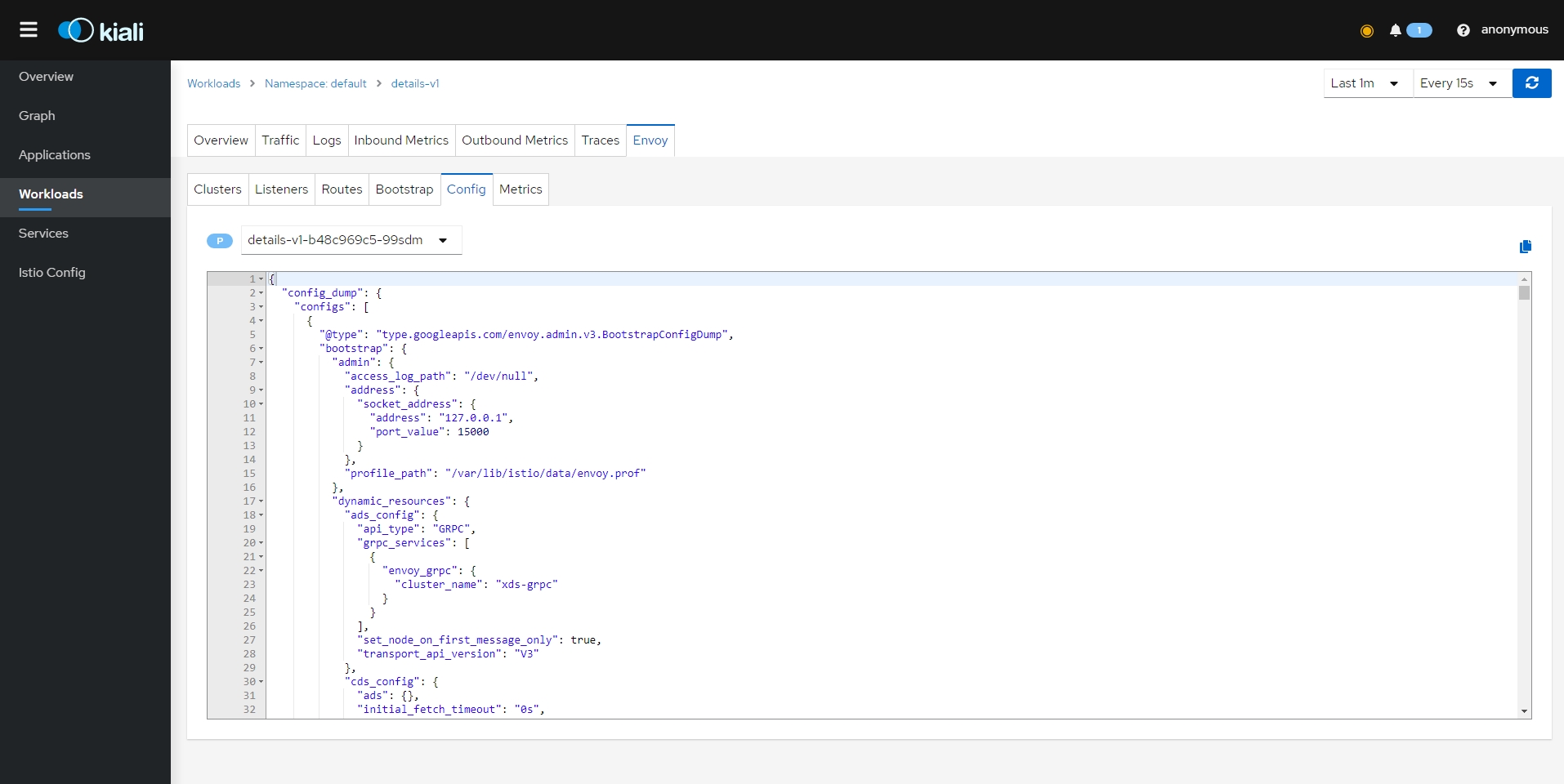{: #magnific}
- 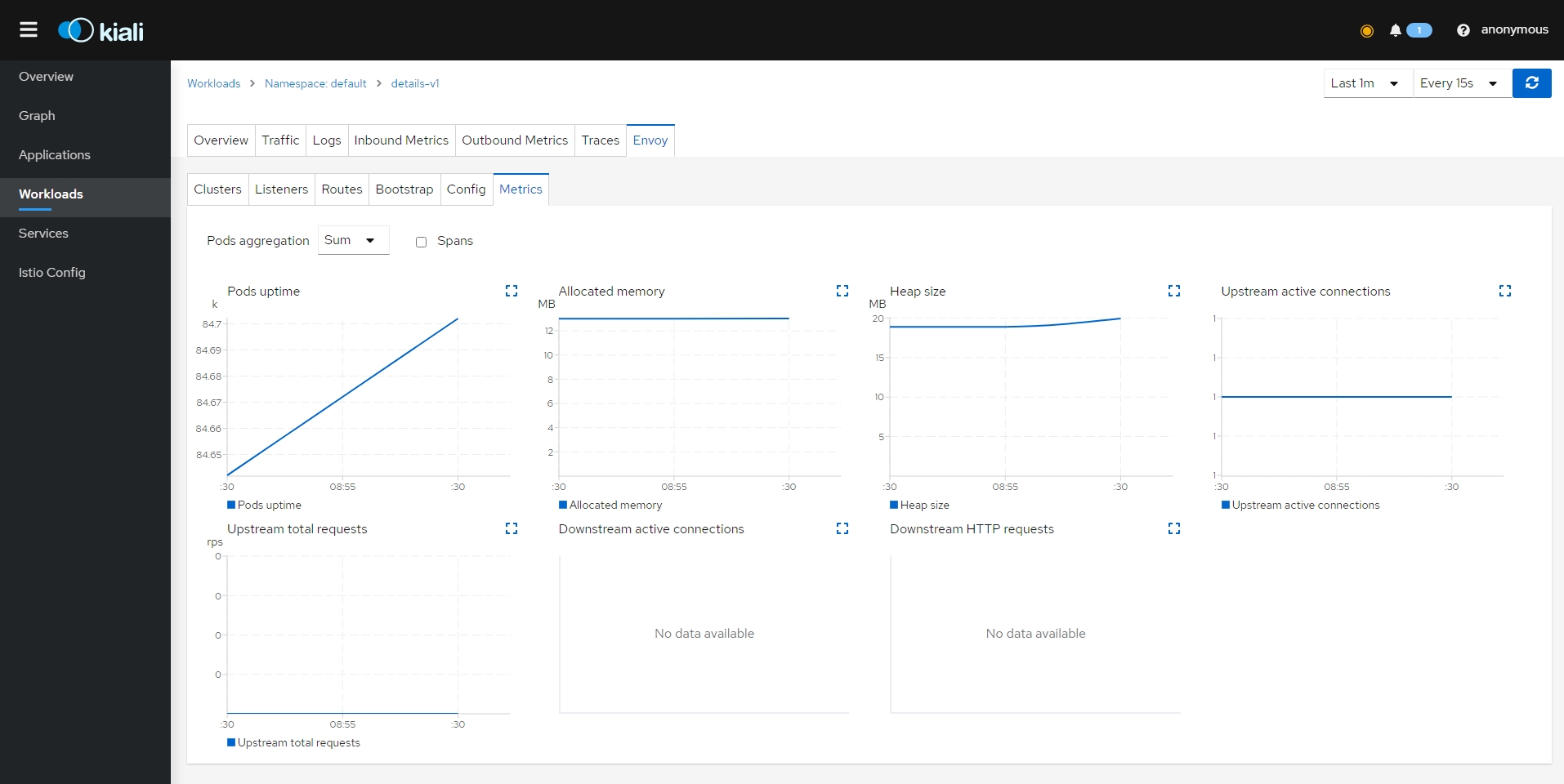{: #magnific}
- Services
- 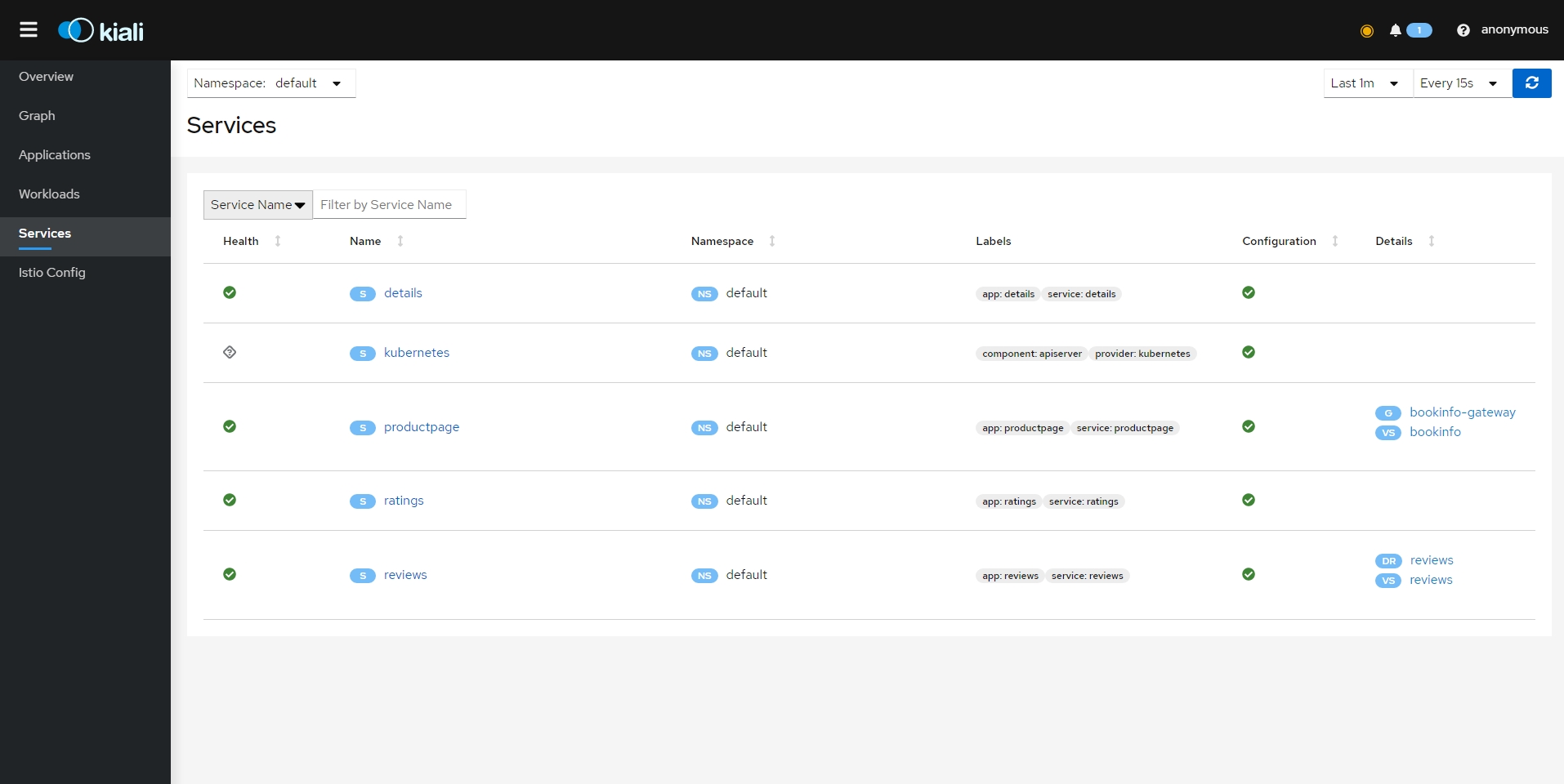{: #magnific}
- 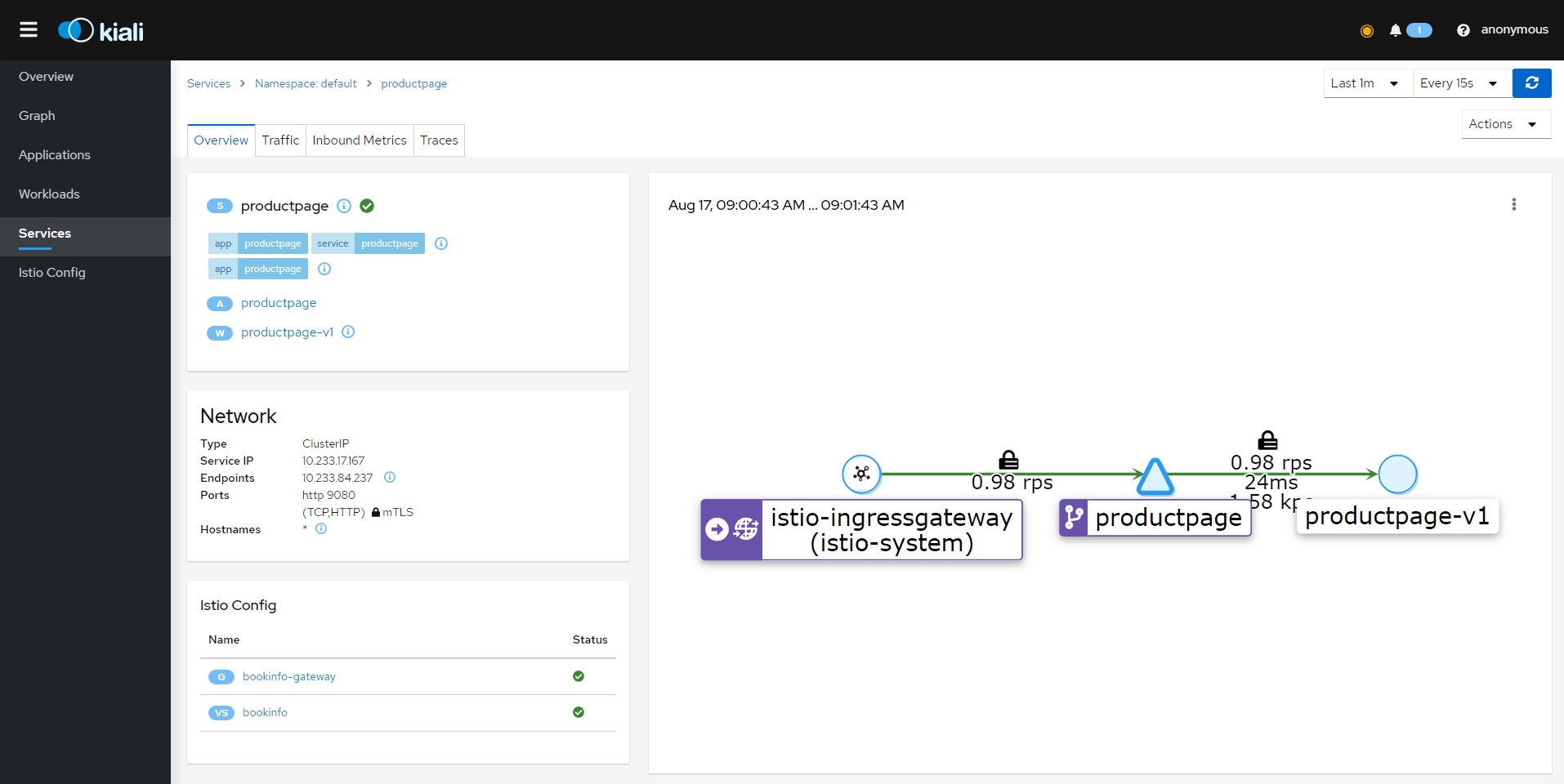{: #magnific}
- 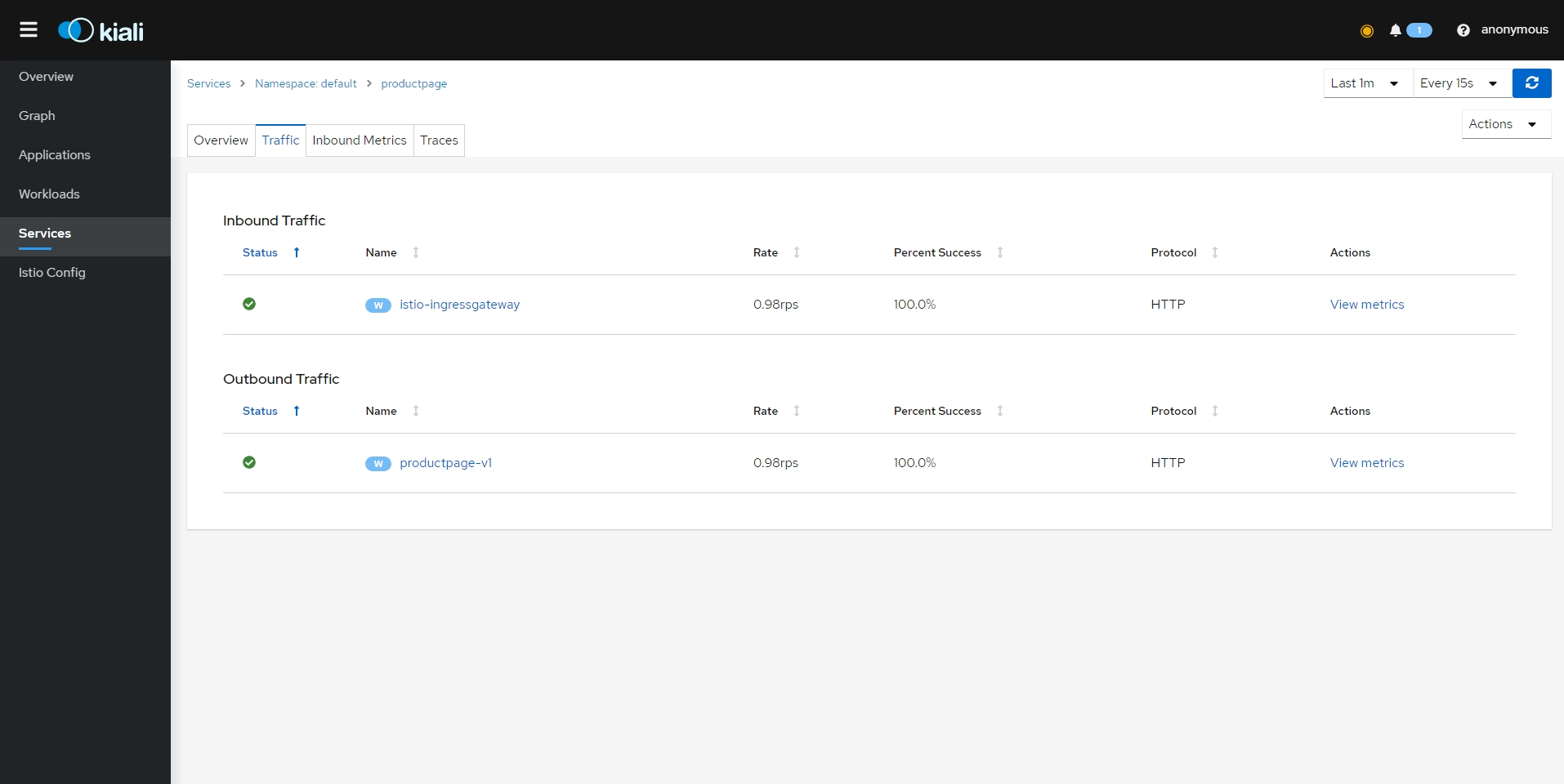{: #magnific}
- 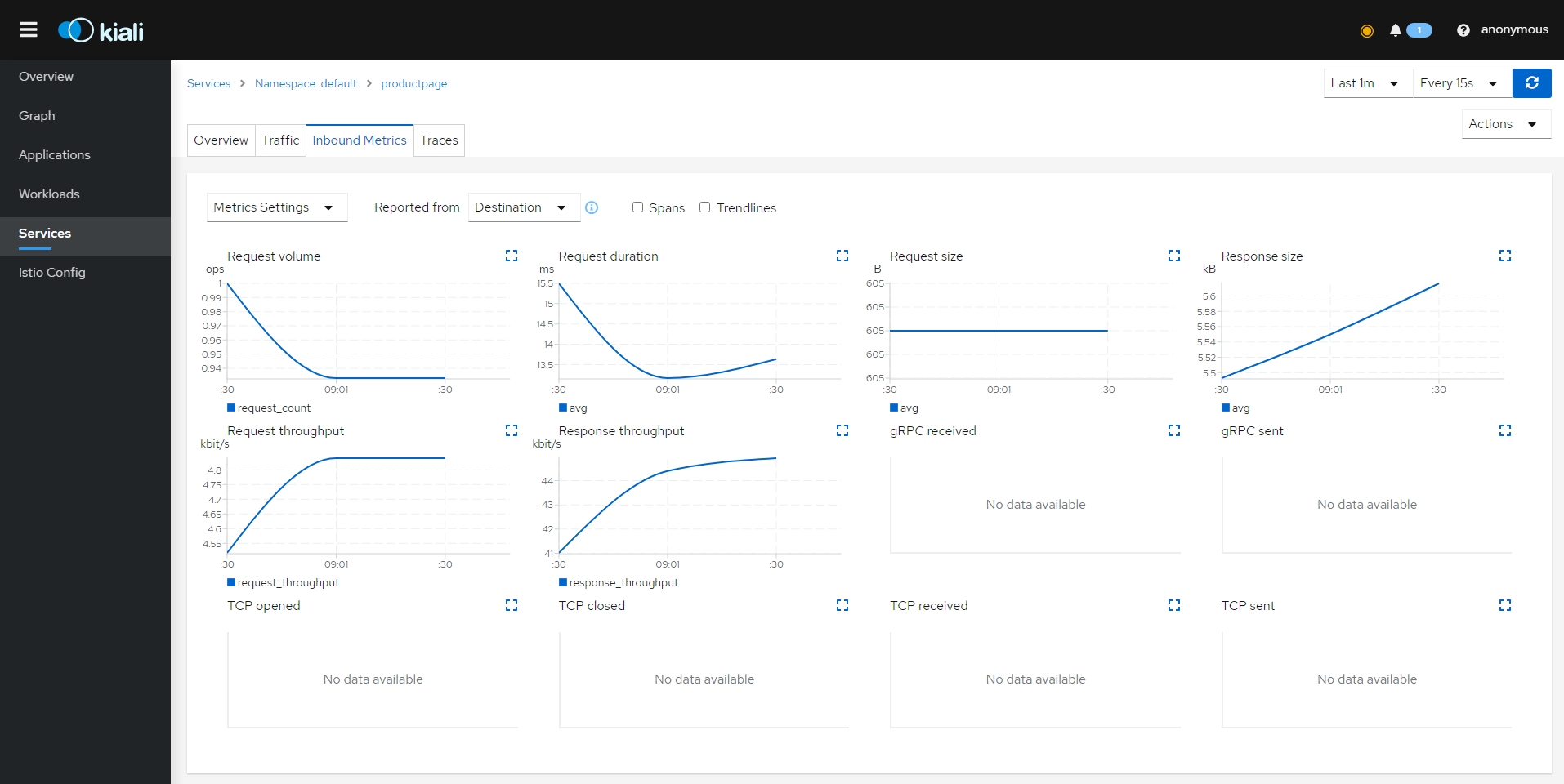{: #magnific}
- 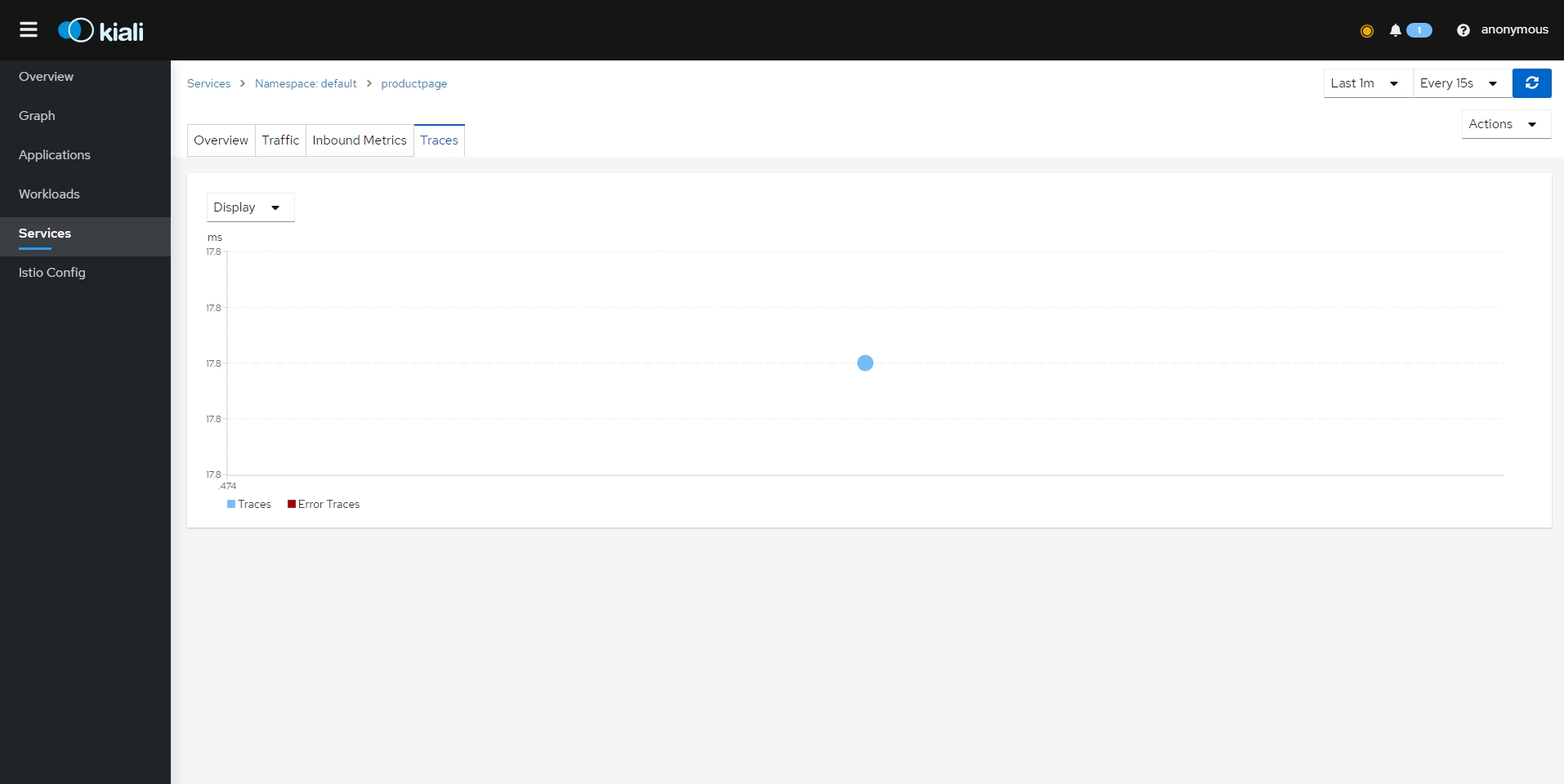{: #magnific}
- Istio 구성 검증
- Istio 리소스가 적절한 규칙과 의미 체계를 따르고 있는지 검증
- 잘못된 구성의 심각도에 따라 오류 또는 경고로 플래그가 지정
- Kiali가 수행하는 모든 유효성 검사 목록은 [Kiali 유효성 검사 페이지](https://kiali.io/docs/features/validations/)를 참조
- 잘못된 구성 적용
- `kubectl patch service details --type json -p '[{"op":"replace","path":"/spec/ports/0/name", "value":"foo"}]'`
- 확인
- 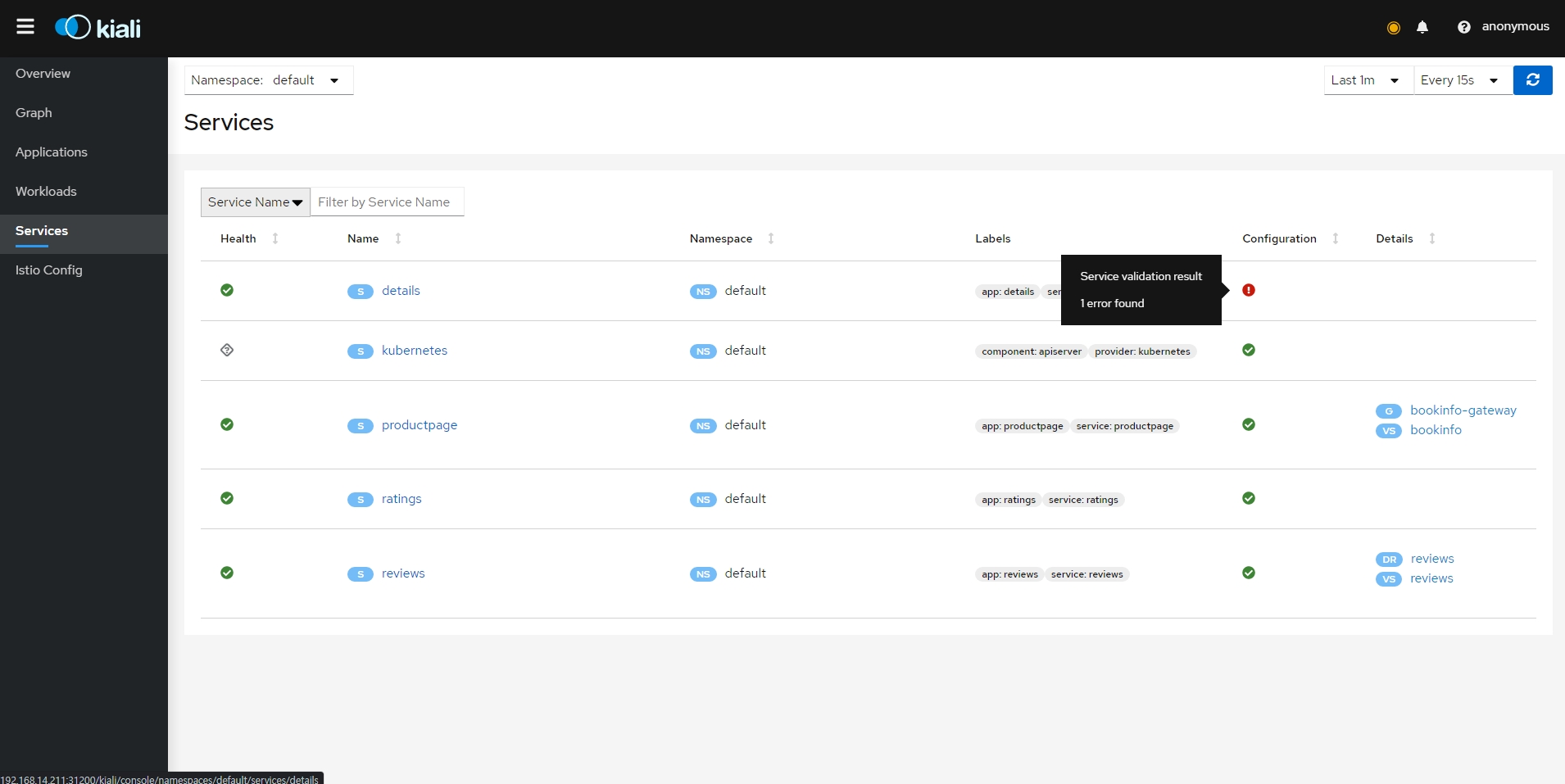{: #magnific}
- 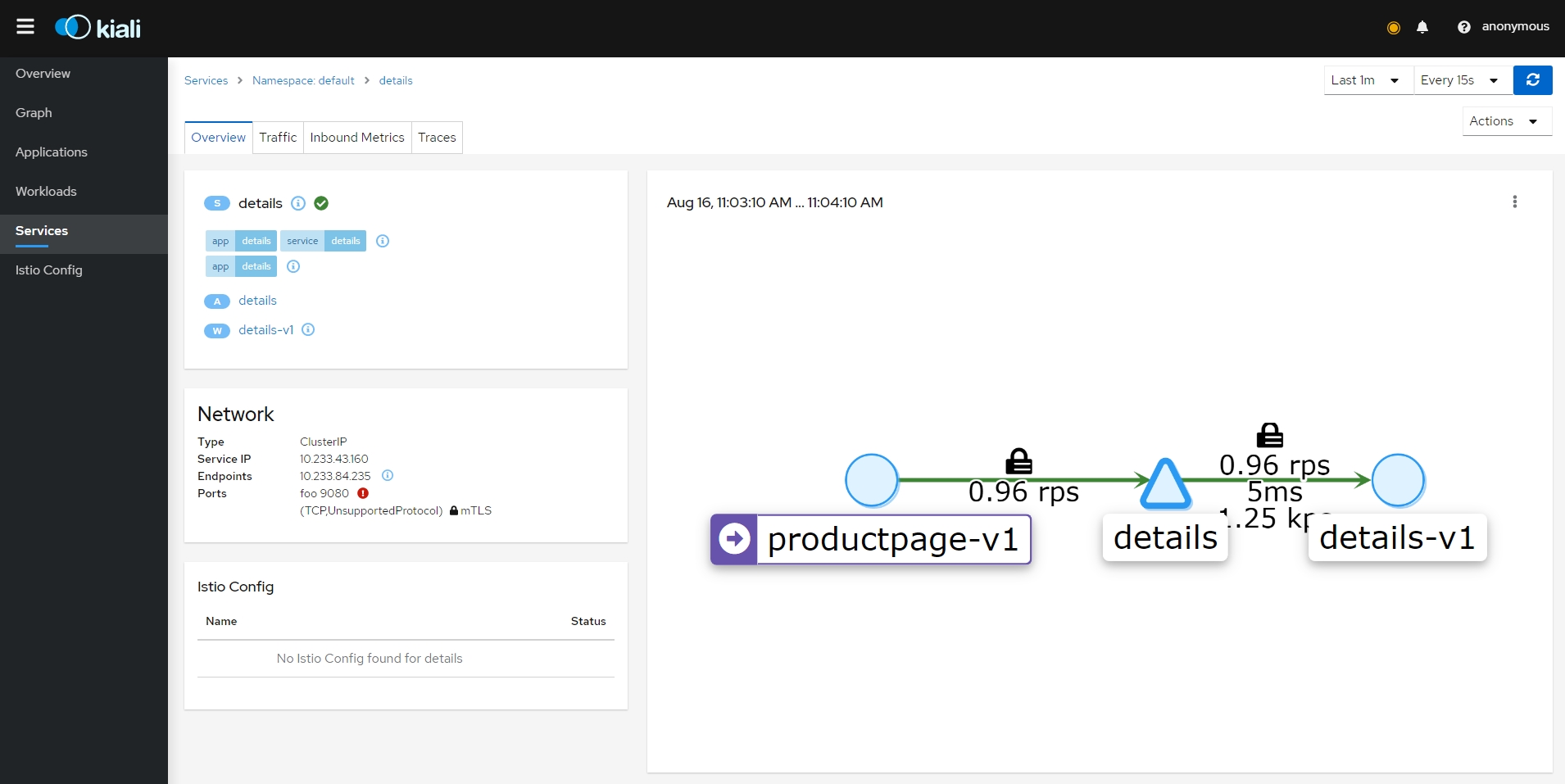{: #magnific}
- 구성 원복
- `kubectl patch service details --type json -p '[{"op":"replace","path":"/spec/ports/0/name", "value":"http"}]'`
- Istio 구성 YAML 보기 및 편집
- 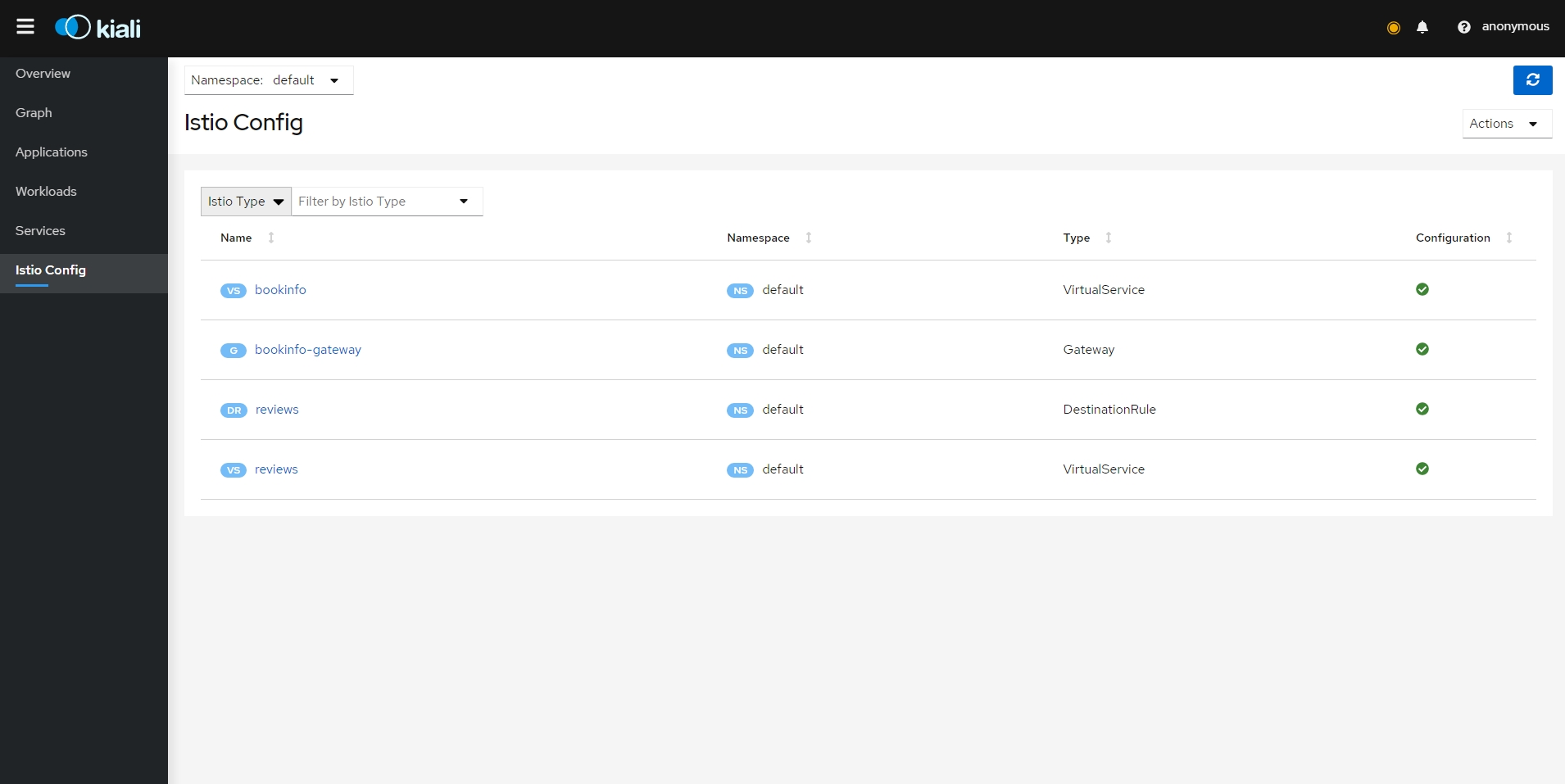{: #magnific}
- 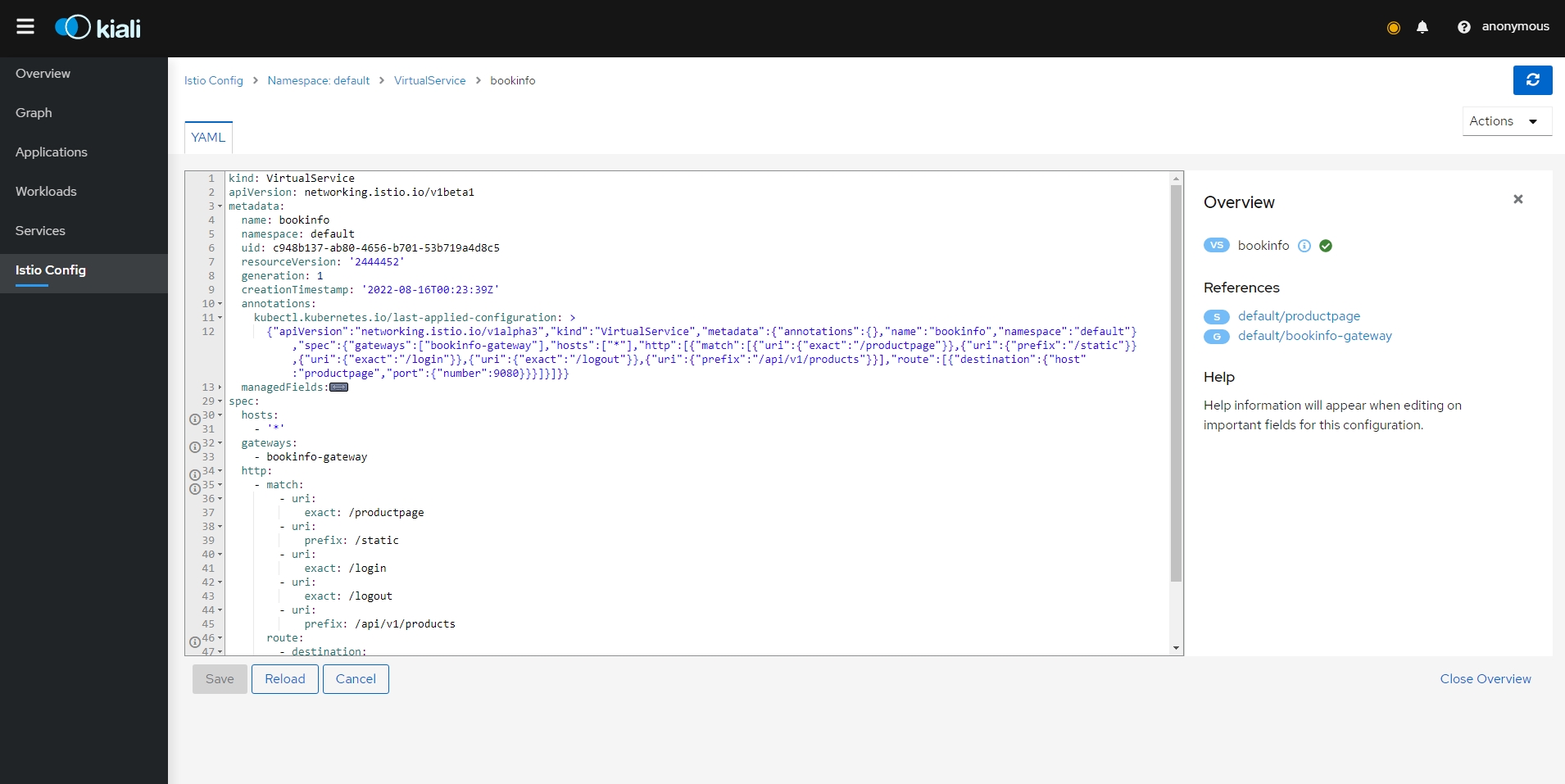{: #magnific}
- 삭제
- `kubectl delete -f samples/addons/kiali.yaml`
- `samples/bookinfo/platform/kube/cleanup.sh`
Operations
- Deployment
- Deployment Models
- 프로덕션 배포를 구성할 때 답해야할 질문
- 메시가 단일 클러스터에 국한됩니까 아니면 여러 클러스터에 분산됩니까?
- 모든 서비스가 완전히 연결된 단일 네트워크에 위치합니까, 아니면 여러 네트워크에 걸쳐 서비스를 연결하는 데 게이트웨이가 필요합니까?
- 클러스터 간에 잠재적으로 공유되는 단일 컨트롤 플레인이 있습니까? 아니면 고가용성(HA)을 보장하기 위해 배포된 여러 컨트롤 플레인이 있습니까?
- 모든 클러스터가 단일 멀티 클러스터 서비스 메시로 연결될 예정입니까 아니면 멀티 메시 배포로 연합될 예정입니까?
- 가능한 구성
- 단일 또는 다중 클러스터
- 단일 또는 다중 네트워크
- 단일 또는 다중 컨트롤 플레인
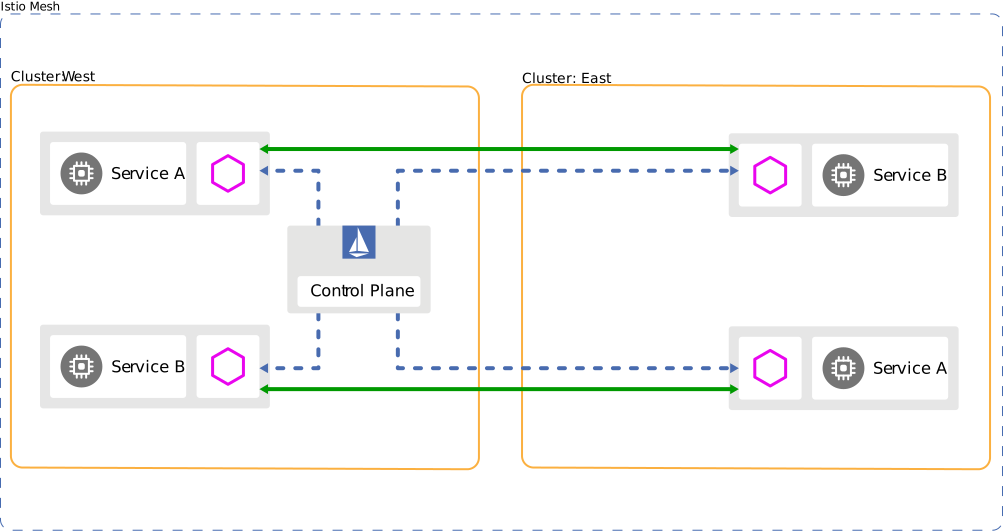
- 단일 또는 다중 메시
- Cluster models
- 단일 클러스터
- 아키텍처
- 단순성을 제공하지만 오류 격리 및 장애 조치와 같은 다른 기능이 부족
- 더 높은 가용성이 필요한 경우 멀티 클러스터를 사용
- 아키텍처
- 멀티 클러스터
- 아키텍처
- 멀티 클러스터를 포함하도록 단일 메시 구성
- 단일 클러스터 이상의 기능 제공 가능
- 장애 격리(Fault isolation) 및 장애 조치(failover)
- 클러스터-1이 다운되면 클러스터-2로 장애 조치
- 위치 인식 라우팅(Location-aware routing) 및 장애 조치
- 가장 가까운 서비스에 요청
- 다양한 컨트롤 플레인 모델
- 다양한 수준의 가용성 지원
- 팀 또는 프로젝트 격리
- 각 팀은 자체 클러스터 집합을 실행
- 장애 격리(Fault isolation) 및 장애 조치(failover)
- 더 높은 수준의 격리 및 가용성을 제공하지만 복잡성을 증가
- 메시 내에서 모든 서비스는 기본적으로 네임스페이스 동일성 개념에 따라 공유
- 트래픽 관리 규칙은 멀티 클러스터 트래픽의 동작을 세밀하게 제어
- 아키텍처
- DNS with multiple clusters
- 단일 클러스터
- Network models
- 단일 네트워크
- 아키텍처
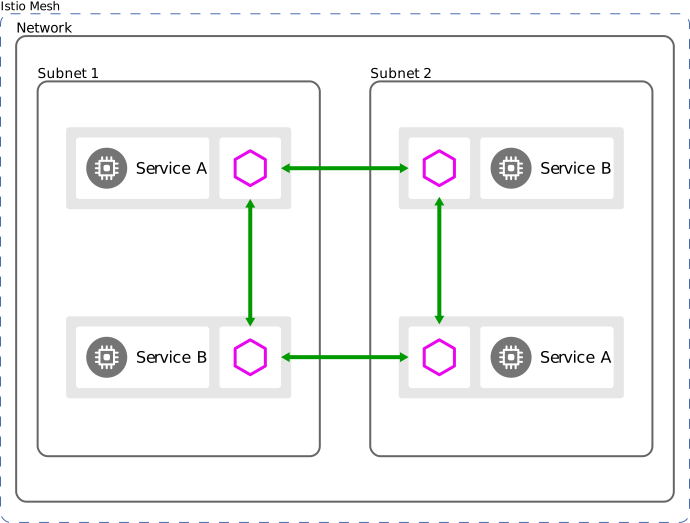
- 서비스 메시는 완전히 연결된 단일 네트워크에서 동작
- 모든 워크로드 인스턴스는 Istio 게이트웨이 없이 서로 직접 연결 가능
- 아키텍처
- 멀티 네트워크
- 아키텍처
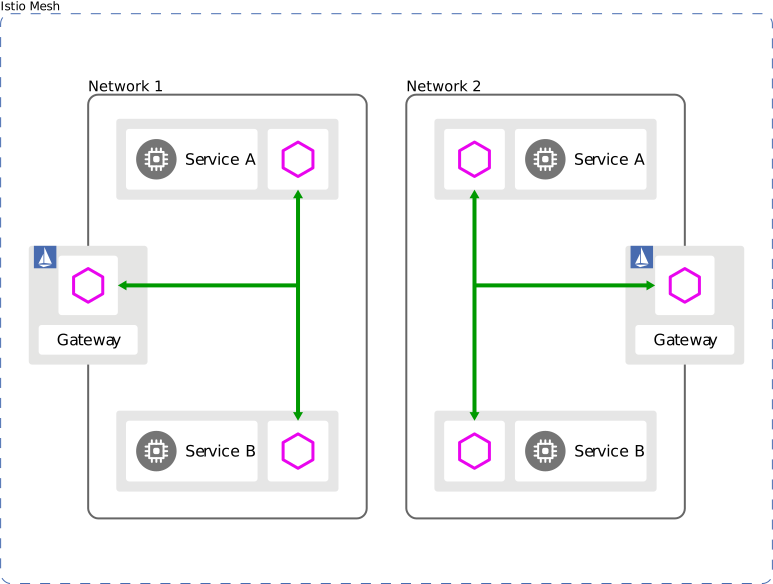
- 여러 네트워크에 걸쳐 단일 서비스 메시 구성 가능
- 단일 네트워크 이상의 기능 제공 가능
- 서비스 엔드포인트에 대해 IP 또는 VIP 범위가 겹치는 경우
- Crossing of administrative boundaries
- Fault tolerance
- 네트워크 주소 확장
- Compliance with standards that require network segmentation
- 서로 다른 네트워크의 워크로드 인스턴스는 하나 이상의 Istio 게이트웨이를 통해서만 서로 연결 가능
- Istio는 분할된 서비스 검색을 사용하여 소비자에게 서비스 엔드포인트에 대한 다른 보기를 제공
- 보기는 소비자의 네트워크에 따라 상이
- 게이트웨이를 통해 모든 서비스(또는 하위 집합)를 노출해야 함
- 보안 통신을 보장하기 위해 Istio는 Istio 프록시가 있는 워크로드에 대한 네트워크 간 통신만 지원
- 아키텍처
- 단일 네트워크
- Control plane models
- 단일 클러스터
- 아키텍처
- 자체 로컬 컨트롤 플레인이 있는 클러스터를 기본 클러스터(primary cluster)라 부름
- 아키텍처
- 멀티 클러스터
- 컨트롤 플레인 공유
- 아키텍처
- 컨트롤 플레인 인스턴스는 하나 이상의 기본 클러스터에 존재
- 자체 컨트롤 플레인이 없는 클러스터를 원격 클러스터(remote clusters)라 부름
- 메시에서 원격 클러스터를 지원하려면 안정적인 IP(예: 클러스터 IP)를 통해 기본 클러스터의 컨트롤 플레인에 액세스가 가능해야 함
- 네트워크에 걸쳐 있는 클러스터의 경우 Istio 게이트웨이를 통해 컨트롤 플레인을 노출하여 이를 달성
- 클라우드 공급업체는 공용 인터넷에 컨트롤 플레인을 노출하지 않고 이 기능을 제공하기 위해 내부 로드 밸런서와 같은 옵션을 제공
- 각 기본 클러스터에는 독립적인 구성 소스 존재
- 각 기본 클러스터는 동일한 클러스터에 있는 Kubernetes API 서버에서 해당 구성(즉, Service 및 ServiceEntry, DestinationRule 등)을 수신
- 기본 클러스터에서 이러한 구성 복제를 수행하려면 변경 사항을 롤아웃할 때 추가 단계가 필요
- 대규모 생산 시스템은 구성 롤아웃을 관리하기 위해 CI/CD 시스템과 같은 도구를 사용하여 이 프로세스를 자동화 가능
- 아키텍처
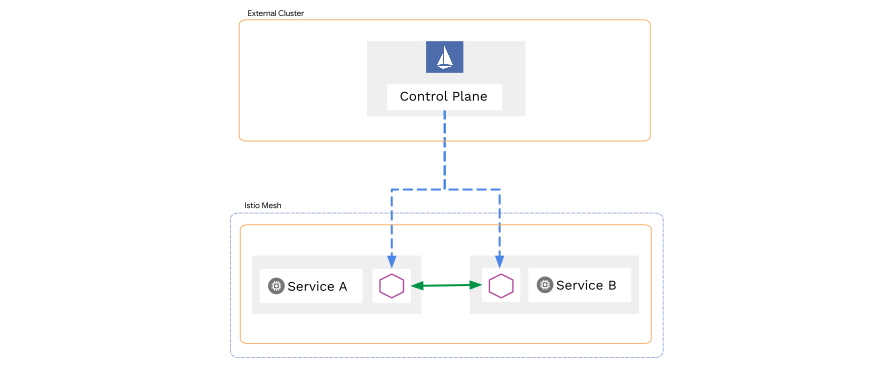
- 외부 컨트롤 플레인
- 아키텍처
- 메시 내부의 기본 클러스터에서 컨트롤 플레인을 실행하는 대신 외부 컨트롤 플레인으로 전체 원격 클러스터로 구성된 서비스 메시를 제어
- 아키텍처
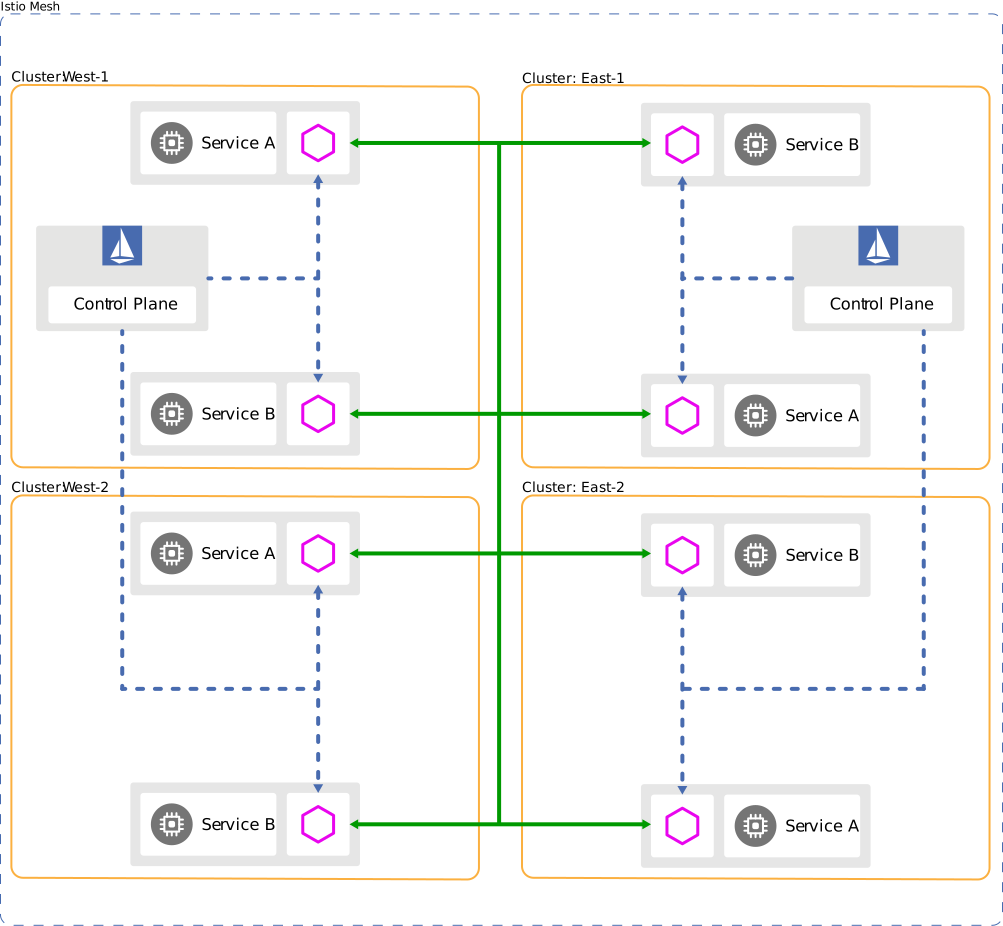
- 멀티 컨트롤 플레인
- 아키텍처
- 고가용성을 위해 여러 클러스터, zone, 또는 region에 여러 컨트롤 플레인을 배포
- 이점
- 향상된 가용성
- 컨트롤 플레인을 사용할 수 없게 되면 중단 범위는 해당 컨트롤 플레인에서 관리하는 클러스터로만 제한
- 구성 격리
- 다른 클러스터, zone, or region에 영향을 주지 않고 하나의 클러스터, zone, or region에서 구성 변경 가능
- 롤아웃 제어
- 한번에 하나의 클러스터에 구성 롤아웃을 하거나 기본 클러스터에 의해 제어되는 메시의 하위 섹션에서 카나리 구성 변경
- 선택적 서비스 가시성
- 서비스 가시성을 메시의 일부로 제한하여 서비스 수준 격리를 설정
- 예시
- 관리자는 클러스터-2가 아닌 클러스터-1에 A 서비스를 배포하도록 선택 가능
- 클러스터-2에서 A 서비스를 호출하려는 모든 시도는 DNS 조회에 실패
- 향상된 가용성
- 예시(가용성 기준 오름차순)
- region 당 단일 클러스터(가장 낮은 가용성)
- region 당 멀티 클러스터
- zone 당 단일 클러스터
- zone 당 멀티 클러스터
- 각 클러스터(가장 높은 가용성)
- 아키텍처
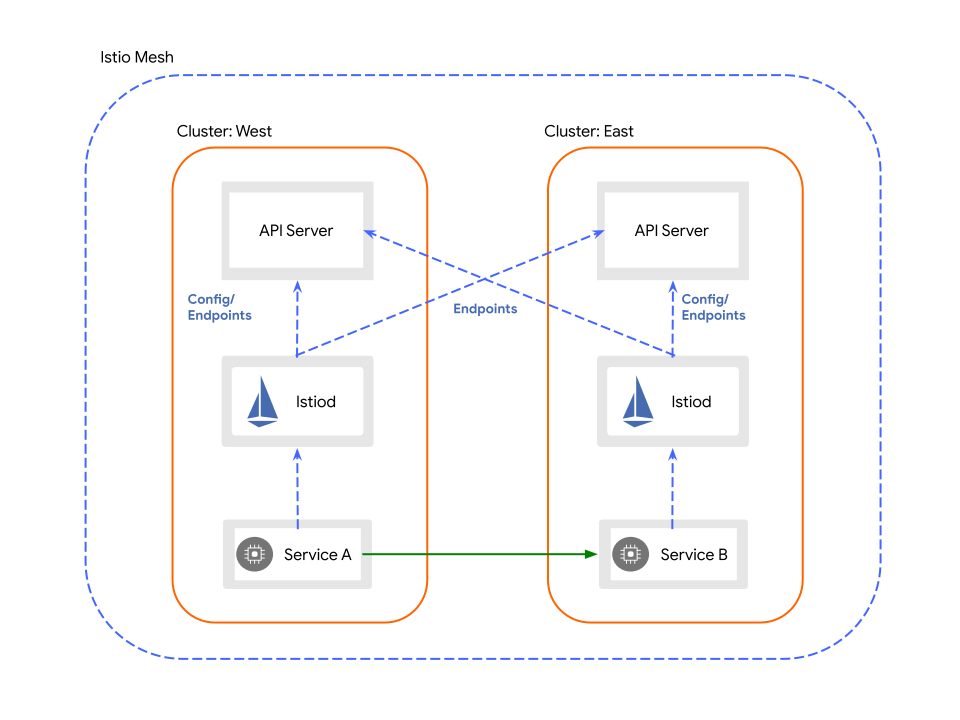
- 멀티 컨트롤 플레인과 엔드포인트 검색
- 아키텍처
- Istio 컨트롤 플레인은 각 프록시에 서비스 엔드포인트 목록을 제공하여 메시 내 트래픽을 관리
- 멀티 클러스터에서 이 작업을 수행하려면 각각의 컨트롤 플레인이 모든 클러스터의 API 서버에서 엔드포인트를 관찰해야 가능
- 클러스터에 대한 엔드포인트 검색을 활성화하기 위해 관리자는 remote secret을 생성하고 메시의 각 기본 클러스터에 배포
- remote secret에는 클러스터의 API 서버에 대한 액세스 권한을 부여하는 자격 증명이 포함
- 컨트롤 플레인이 클러스터에 대한 서비스 엔드포인트를 연결하고 검색하여 이러한 서비스에 대한 클러스터 간 로드 밸런싱을 활성화
- 아키텍처
- 컨트롤 플레인 공유
- 단일 클러스터
- Identity and trust models
- 서비스 메시 내에서 워크로드 인스턴스가 생성되면 Istio는 워크로드 ID를 할당
- 인증 기관(CA)은 메시 내에서 사용되는 ID를 확인하는 데 사용되는 인증서를 만들고 서명
- 해당 ID에 대한 인증서를 만들고 서명한 CA의 공개 키로 메시지 발신자의 ID를 확인
- trust bundle은 Istio 메시에서 사용하는 모든 CA 공개 키의 집합
- 메시의 trust bundle을 사용하면 누구나 해당 메시에서 오는 메시지의 발신자를 확인 가능
- Trust within a mesh
- 아키텍처
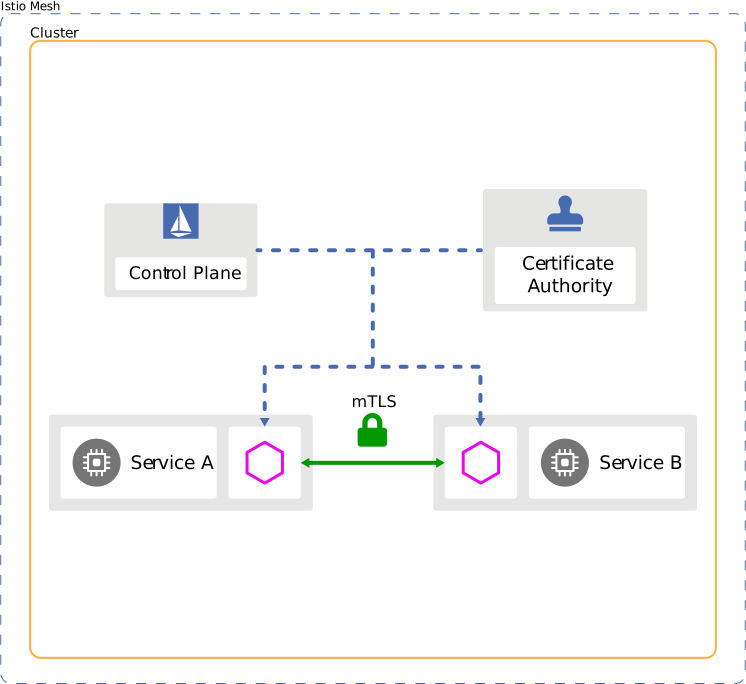
- 단일 Istio 메시 내에서 Istio는 각 워크로드 인스턴스가 자체 ID를 나타내는 적절한 인증서와 메시 및 federated meshes 내의 모든 ID를 인식하는 데 필요한 trust bundle이 있는지 확인
- 메시의 워크로드 인스턴스가 통신할 때 서로를 인증
- 아키텍처
- Trust between meshes
- 아키텍처
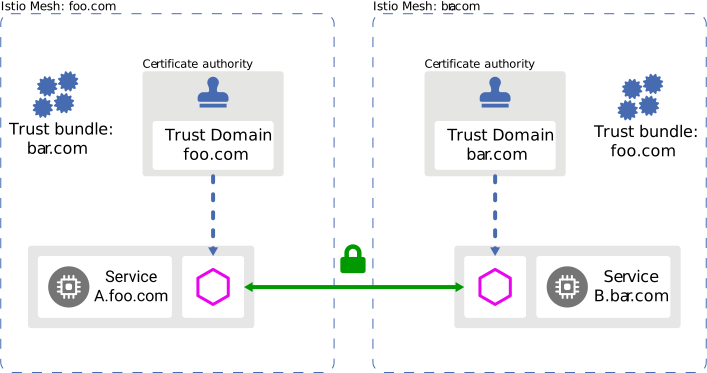
- CA가 다른 두 메시 간의 통신을 활성화하려면 메시의 trust bundles 교환 필요
- Istio는 메시 간에 trust bundles을 교환하기 위한 도구를 제공하지 않음
- SPIFFE Trust Domain Federation과 같은 프로토콜을 사용하여 수동 또는 자동으로 trust bundles을 교환
- trust bundles을 메시로 가져오면 해당 ID에 대한 로컬 정책을 구성
- 아키텍처
- Mesh models
- Istio는 모든 서비스를 하나의 메시에 포함하거나 멀티 메시라고도 하는 여러 메시를 함께 연합하는 것을 지원
- 단일 메시
- 메시 내에서 서비스 이름은 고유
- 하나의 서비스만 A 네임스페이스에서 B라는 이름을 가질 수 있음
- 서비스 계정 이름은 서비스 이름과 마찬가지로 네임스페이스내에서 고유하므로 워크로드 인스턴스는 공통 아이디를 공유
- 하나 이상의 클러스터와 하나 이상의 네트워크에 걸쳐 있을 수 있음
- 메시 내에서 네임스페이스는 테넌시에 사용
- 메시 내에서 서비스 이름은 고유
- 멀티 메시
- 아키텍처
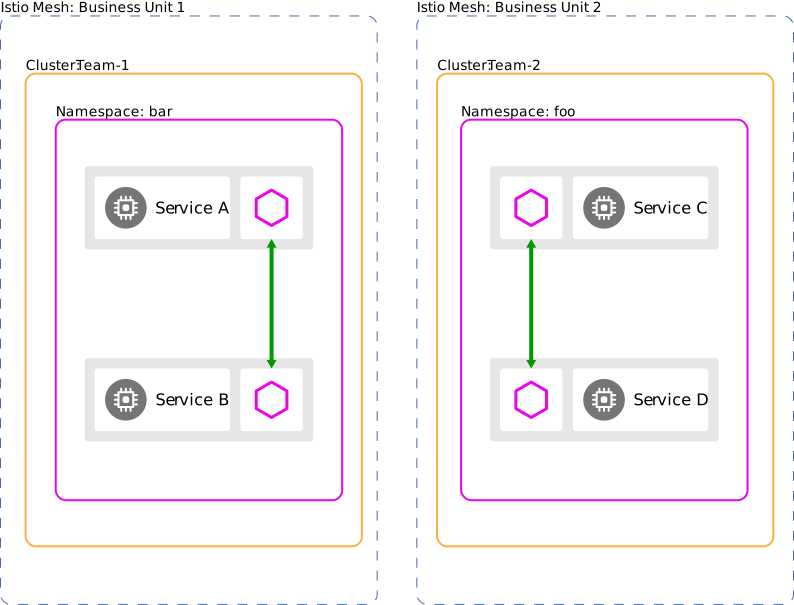
- 멀티 메시는 메시 연합의 결과
- 단일 메시 이상의 기능을 제공
- Organizational boundaries
- lines of business
- 서비스 이름 또는 네임스페이스 재사용
- 기본 네임스페이스의 여러 가지 고유한 사용
- 더 강력한 격리
- 프로덕션 워크로드에서 테스트 워크로드 분리
- Organizational boundaries
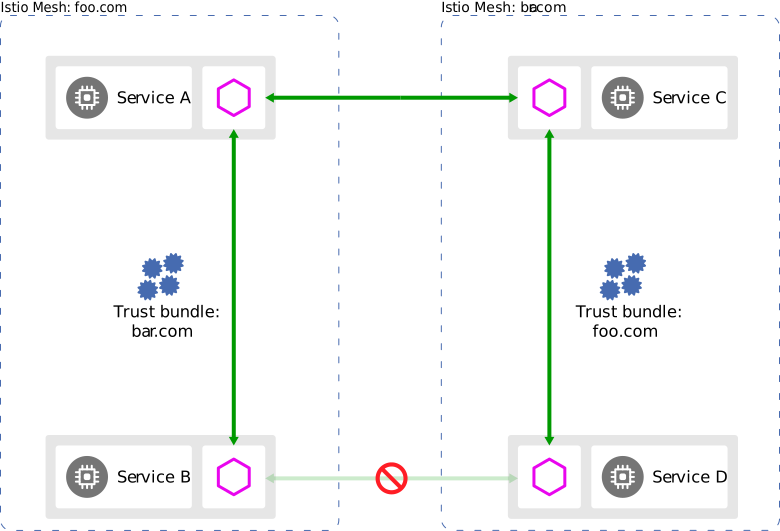
- 메시 연합으로 메시 간 통신을 활성화
- 연합할 때 각 메시는 참여하는 모든 메시가 인식할 수 있는 일련의 서비스 및 ID를 노출
- 서비스 이름 충돌을 방지하기 위해 각 메시에 전역적으로 고유한 메시 ID를 부여하여 각 서비스의 FQDN(Fully Qualified Domain Name)(정규화된 도메인 이름)이 고유하도록 할 수 있음
- 동일한 트러스트 도메인을 공유하지 않는 두 개의 메시를 연합할 때 이들 사이에 ID 및 트러스트 번들을 연합해야 함
- 아키텍처
- Tenancy models
- Istio에서 테넌트는 배포된 워크로드 세트에 대한 공통 액세스 및 권한을 공유하는 사용자 그룹
- 테넌트는 서로 다른 팀 간에 격리 수준을 제공하는 데 사용
- 충족 가능한 격리 요구 사항
- 보안
- 정책
- 용량
- 비용
- 성능
- 네임스페이스 테넌시
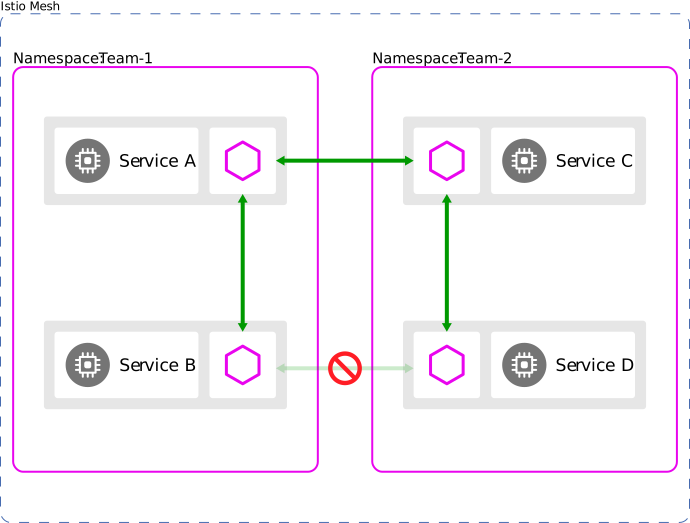
- 클러스터는 각각 다른 네임스페이스를 사용하는 여러 팀에서 공유 가능
- 지정된 네임스페이스 또는 네임스페이스 집합에만 워크로드를 배포할 수 있는 권한을 팀에 부여 가능
- 기본적으로 여러 네임스페이스의 서비스는 서로 통신할 수 있지만 다른 네임스페이스에 노출할 서비스를 선택적으로 선택하여 격리를 높일 수 있음
- 적절한 호출자에게만 액세스를 제한하도록 노출된 서비스에 대한 권한 부여 정책을 구성 가능
- 아키텍처
- 단일 클러스터 이상으로 확장 가능
- 아키텍처
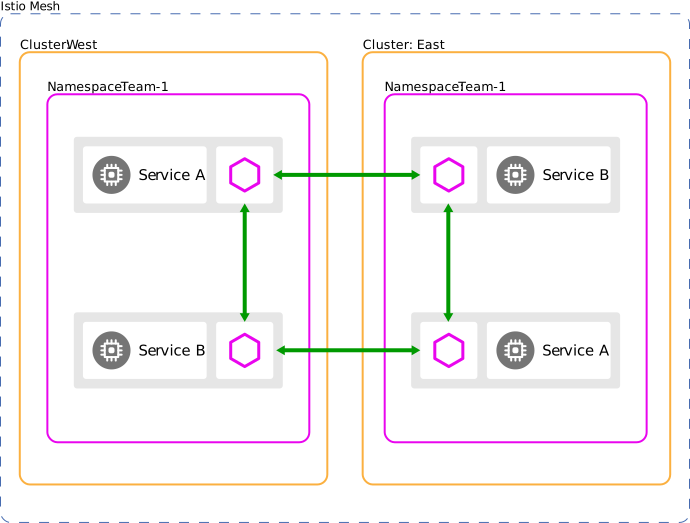
- 멀티 클러스터를 사용할 때 동일한 이름을 공유하는 각 클러스터의 네임스페이스는 기본적으로 동일한 네임스페이스로 간주
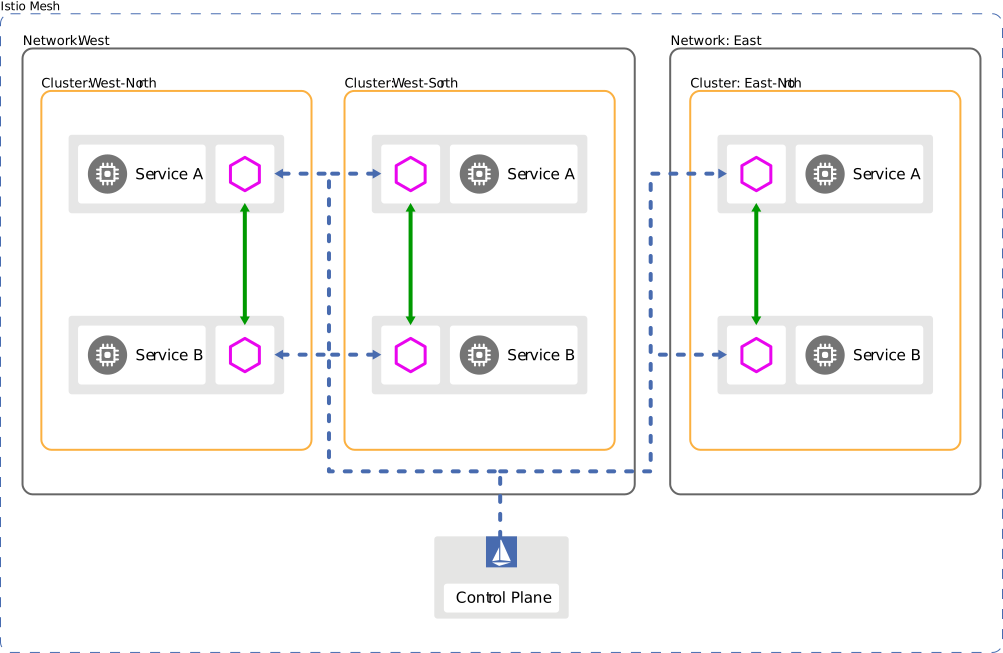
- 클러스터 West의 Team-1 네임스페이스에 있는 서비스 B와 클러스터 East의 Team-1 네임스페이스에 있는 서비스 B는 동일한 서비스를 참조하고 Istio는 서비스 검색 및 로드 밸런싱을 위해 엔드포인트를 병합
- 아키텍처
- 클러스터 테넌시
- 클러스터를 테넌시 단위로 사용하는 것을 지원
- 각 팀에 워크로드를 배포할 전용 클러스터 또는 클러스터 집합을 제공 가능
- 세밀한 제어를 위해 다양한 역할 설정 가능
- 클러스터 관리자
- 개발자
- 클러스터 테넌시를 사용하려면 각 팀의 클러스터를 자체 컨트롤 플레인으로 구성하여 각 팀이 자체 구성을 관리할 수 있도록 해야함
- 또는 Istio를 사용하여 원격 클러스터 또는 동기화된 여러 기본 클러스터를 사용하는 단일 테넌트로 클러스터 그룹을 구현 가능
- 메시 테넌시
- 아키텍처
- 메시 연합이 있는 멀티 메시에서는 각 메시를 격리 단위로 사용 가능
- 아키텍처
- 프로덕션 배포를 구성할 때 답해야할 질문
- Deployment Models